
You can send a single request to multiple clients and have them collaborate on the same set of questions and tasks. When you’re ready to send your request, go to the Finalize step (Publish Settings page) and choose a client from the dropdown menu.
After that, click Add another client to select one more recipient:
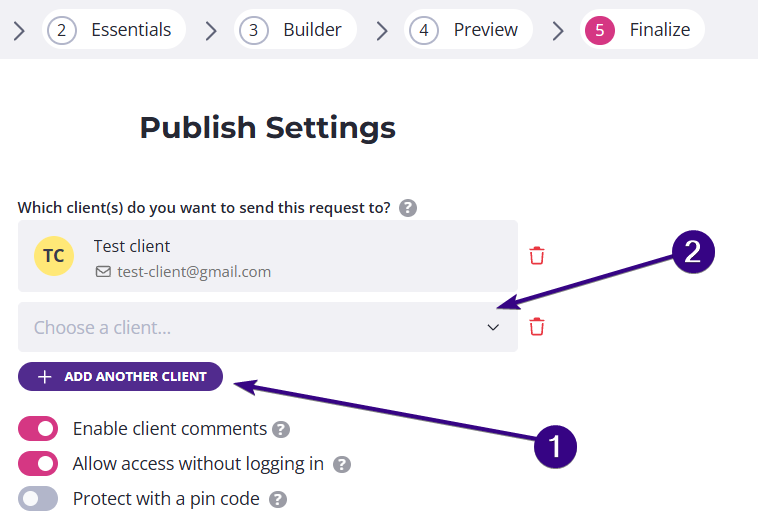
Repeat the process to include additional clients.
| Note: You may add up to 10 clients to a single request. |
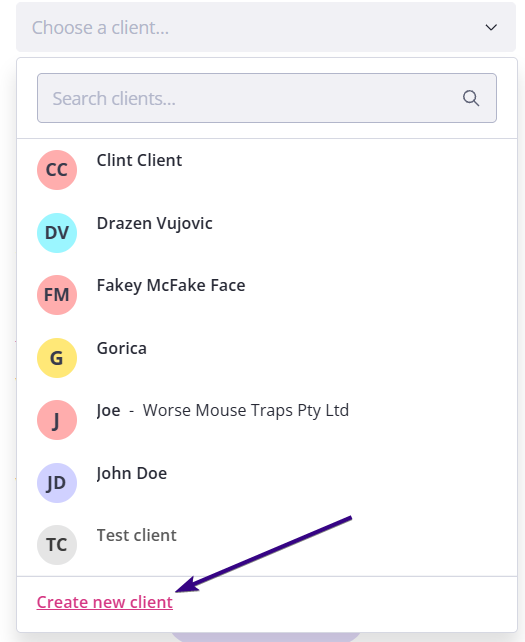
If your client is not on the list, just click Create new client at the bottom of the dropdown to add their contact details:
Once done, click Publish & Send to publish the request. All added clients will get access to the same request and can work on it together.
| Note: If the request is already live, you can still add more clients. Any newly added clients will receive the “Request published” email, as long as your selected reminder schedule includes that notification. |