
Your client works through one clear list of questions, documents and tasks, at their own pace and on any device, with no account to create. Content Snare keeps reminding them until it’s done, so you don’t have to.
Rated 4.9 on Capterra, 4.7 on G2 and 4.95 on the Xero App Store. ISO 27001 certified.

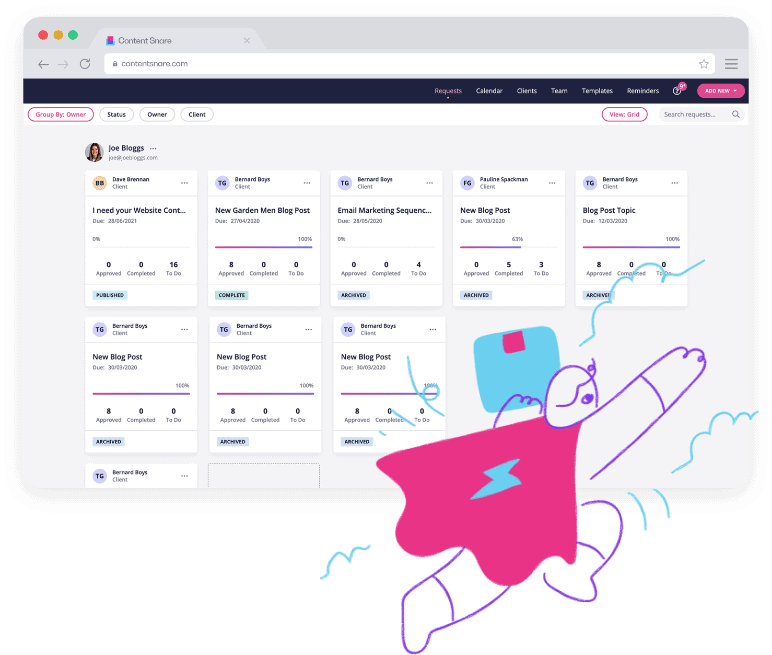






Every new client starts with a pile of information you need from them. A form to fill in, documents to send, identification to verify. Collecting it is a job in itself, and it lands on you and your team.
You email a checklist. You chase for weeks. What comes back arrives across 57 emails, half of it is the wrong thing, and someone has to work out what’s still missing.
A stalled client onboarding process costs more than the hours. Work can’t start, the job sits in pick-up-put-down limbo, and the disjointed back-and-forth makes a bad first impression on every new client.

I’ve spent so much time at large accounting firms. We’ve done brainstorming sessions for hours with hundreds of people in the room about what our worst thing is, and it’s always onboarding and collecting information from clients.

Content Snare has cut down our administration time on collecting information requests by 75%, well in excess of 0.5 FTE at peak times.
Client onboarding software collects the documents, forms and information you need from a new client, and follows up until everything’s in.
For a professional services firm, onboarding is mostly a document collection job, and it’s the same job for every client. You set the client onboarding checklist, Content Snare does the asking and the chasing, and your team only deals with what comes back.

Content Snare sends reminder emails on a schedule you set, and keeps sending them until every item’s in. You choose the wording, the timing and how often.
If a client uploads the wrong thing, reject that one item. They get prompted to fix it, with your comment attached, instead of another email thread.
It takes the chasing out of your inbox, too. “I tracked my emails for six weeks, and my daily count went from about 120 down to 60,” says Frances Basilisco at Bell Partners.
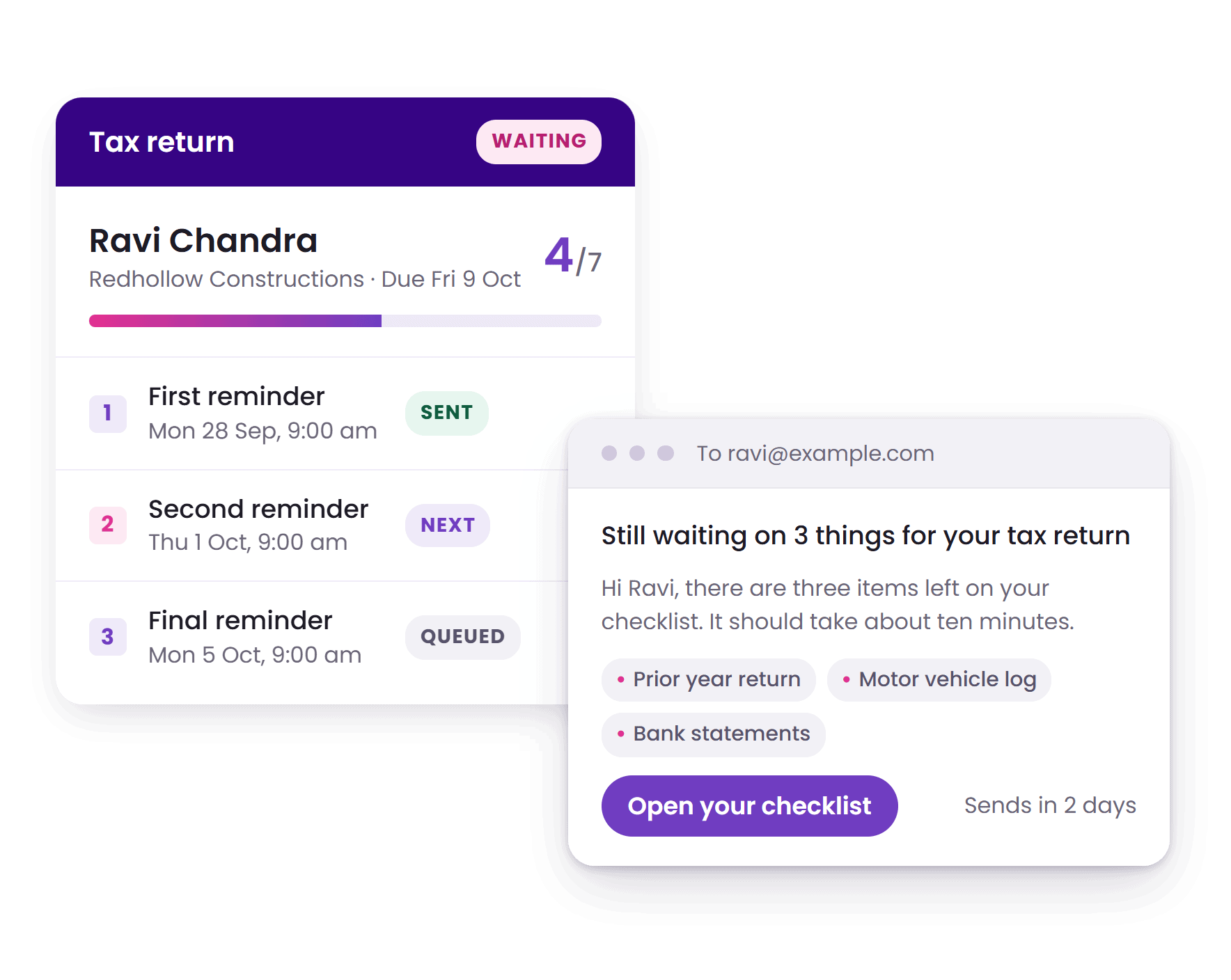
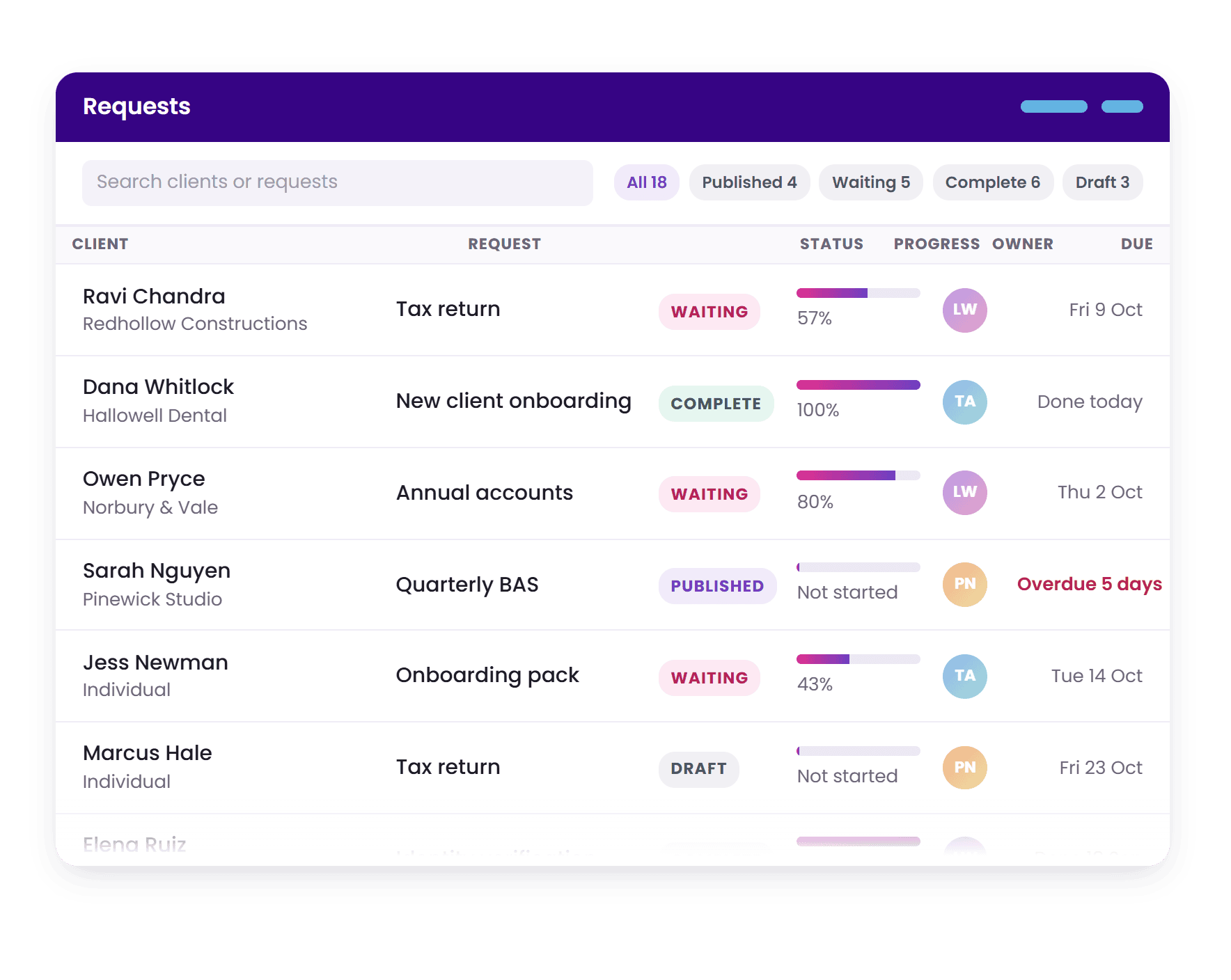
Every request shows what’s come in, what’s still outstanding and what’s waiting on you. The whole team works from one client onboarding platform, so two people never chase the same client.
The activity feed records what happened and when. Every submission, every comment, every time a client opened the request, and whether they’ve opened it at all.
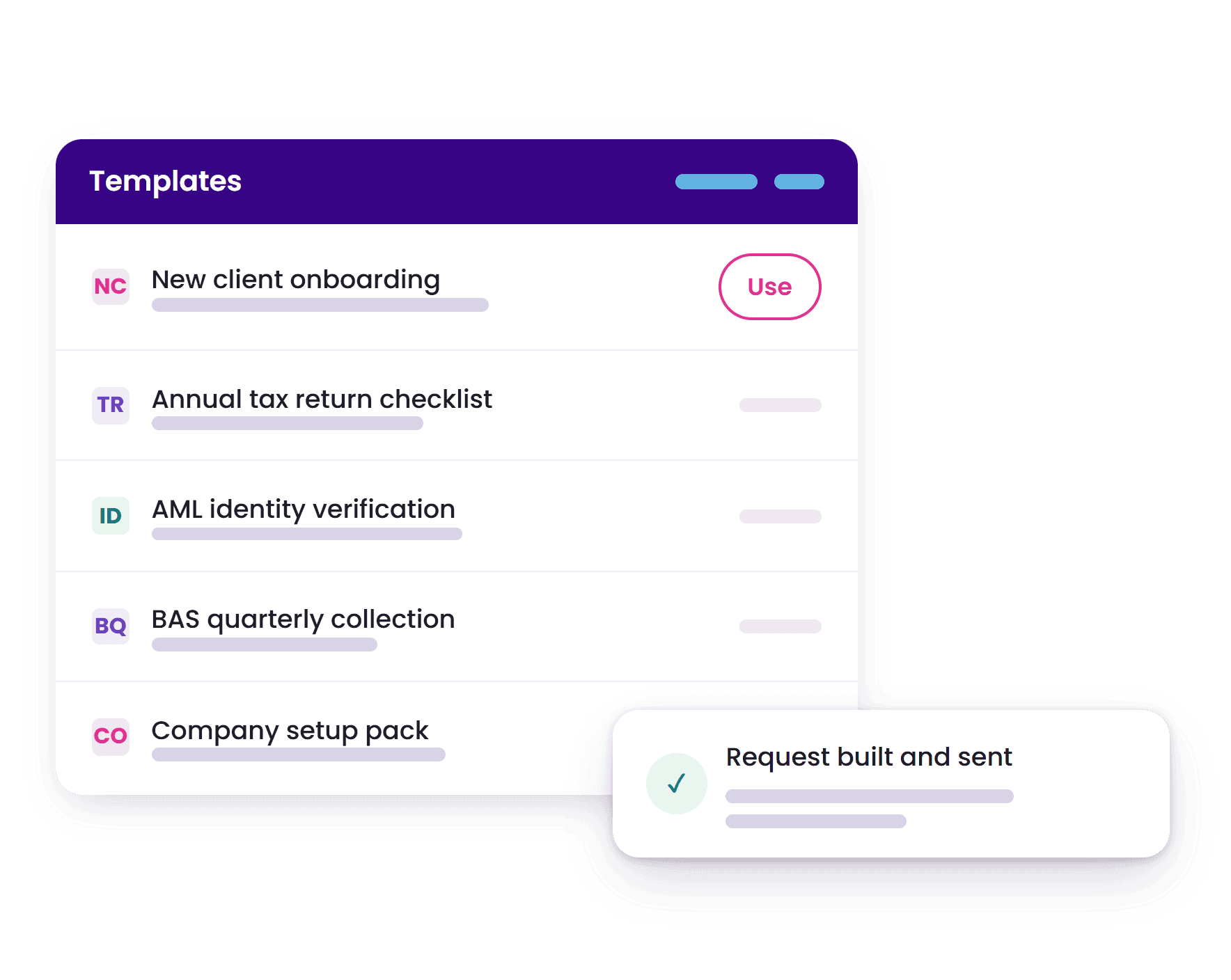
Save any request, page or section as a template and assemble new requests from the pieces. There are 110+ built-in templates covering accounting, bookkeeping, legal, mortgage and more.
If you’ve already got a form or a PDF you send clients, you can migrate it in seconds. Drop it in and it comes back as a working request with the sections and field types already set. A plain list of questions works the same way.
Once a template exists, adding a new client takes under a minute. Send the same request to a hundred clients at once from a CSV, or set it to repeat monthly.



Collect engagement letters, tax organisers, entity details, prior year tax returns and identity documents for new clients.

Collect income verification, bank statements, identification and property documentation.

Gather intake forms, identification, case-relevant documents and signed engagement letters.

Onboard new clients with bank statements, chart of accounts and software access.

Collect visa application documents, supporting evidence and identification, from clients in any country.
Request brand guidelines, copy, images, login credentials and project requirements.
Most firms that switch to Content Snare aren’t leaving a tool that lacked features. They’re leaving one their clients refused to use.
Your client clicks a link and they’re in. Nothing to download, no password to invent. It works on a phone, so a bank statement can be photographed and uploaded on the spot. If a question is unclear, they ask it right there and you answer without opening your inbox.
The feedback we hear most often is that clients actually like using it. In a customer survey, 79% of firms said clients had told them so unprompted, and some of those clients liked it enough to go and buy it for their own business.

It’s dropped our onboarding time down by about 90% now with the integration into XPM… The best compliment I can give is we received feedback from clients on how easy and professional our onboarding process was because it was done through Content Snare.
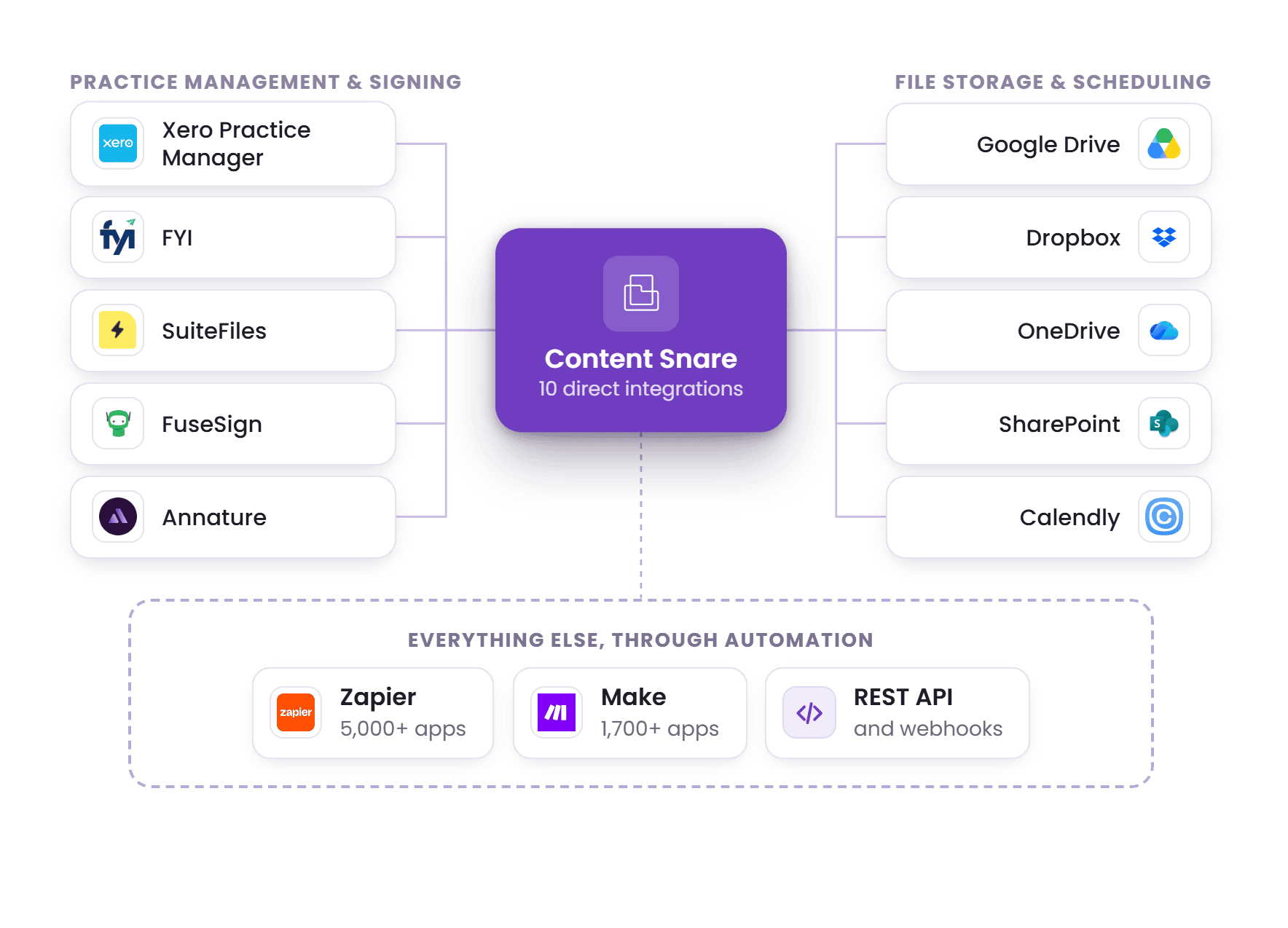
Content Snare connects directly to Xero Practice Manager, FYI and SuiteFiles, and pushes completed files into Google Drive, Dropbox, OneDrive or SharePoint on a trigger you choose. Engagement letters can be sent for signing through FuseSign or Annature, and a Calendly field lets clients book the kick-off meeting while they’re there.
Beyond that, Zapier reaches 5,000+ apps and Make reaches 1,700+, which covers Karbon, QuickBooks, HubSpot, Ignition and most CRMs. There’s also a REST API and webhooks, which is how firms trigger a request from a job status change in their practice management system and push the answers back when it’s done.
Content Snare is ISO 27001 certified and independently audited. Data is encrypted in transit and at rest, and answers are stored with a separate encryption key per company.
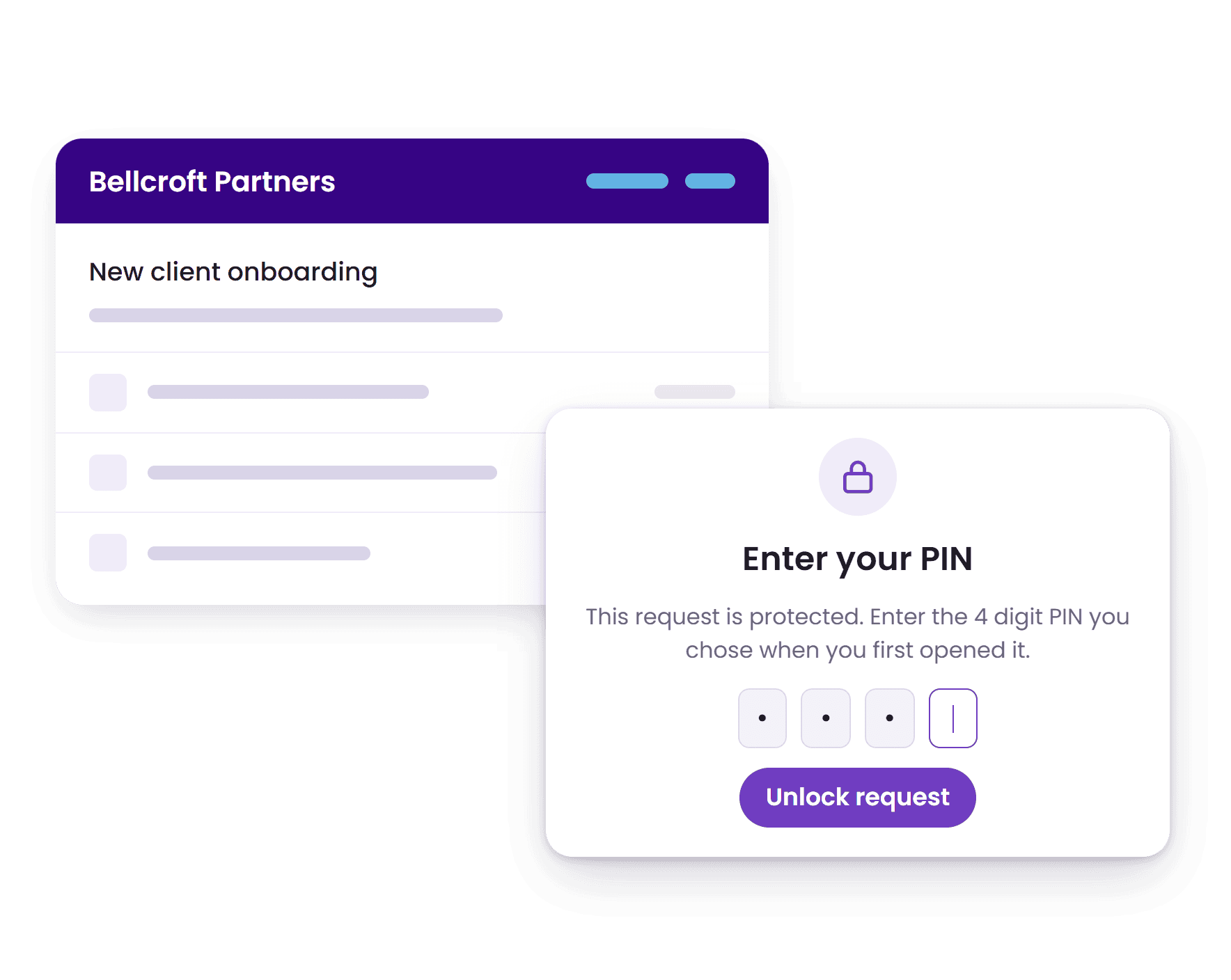
You choose how much the client has to do to get in. The default is an unguessable link. You can add a PIN the client sets themselves, mark individual fields confidential so they can’t be read back through the link, or turn link access off entirely and require a full account.
On your side there’s role-based access, two-factor authentication you can make compulsory for the whole organisation, and a record of who did what in the activity feed. A data processing agreement is available on request.

Most firms shopping around end up choosing between the portal inside their practice management system, a form builder, or a tool built for this one job.
Swipe sideways to compare all three.
| Content Snare | PM portal (Karbon, TaxDome, Clio) | Form builder (Typeform, Jotform) | |
|---|---|---|---|
| Built for | Collecting documents and information from clients | Running the firm’s whole workflow | Short, single-session forms |
| Client login | None. One link | Account, often an app | None |
| Progress saved mid-way | Automatic, every keystroke | Varies | Manually, if at all |
| Automatic chasing | Reminders on your schedule until each item is done | Basic or manual | Manual |
| Wrong file sent | Reject that item, client corrects it in place | Email them | Email them |
| Client asks a question | On the question itself | Email or portal message | |
| Complex requests | Split into pages and sections, so the client sees one manageable chunk at a time | One flat task list | One long form |
Content Snare isn’t a practice management system and doesn’t try to be. Plenty of firms run it alongside Karbon, TaxDome or Clio for exactly that reason.
Client onboarding software collects the documents, forms and information a new client has to provide before work can start, and chases them until it’s all in. In professional services that means engagement letters, identification, prior year returns, bank statements and intake forms. Instead of emailing a checklist and following up by hand, you send one link, the client works through it at their own pace, and the software does the reminding.
Content Snare is rated 4.9 out of 5 on Capterra, 4.7 on G2 and 4.95 on the Xero App Store, across more than 200 reviews, and used by 1,900+ firms to collect what they need from new clients. Clients get everything in one request, with no account to create, and reminders until every item is in. Customers report spending 71% less time gathering information, and there are 110+ templates to start from for accounting, legal, mortgage and agency work.
Set up a Content Snare request with everything you need, send the link, and let automatic reminders do the follow-up. Clients get reminder emails on a schedule you control until they complete each item. If they upload the wrong thing, you reject the item and they get prompted to correct it, without you sending another email. Customers report a 71% reduction in time spent chasing clients.
Yes. Content Snare integrates directly with Xero Practice Manager, FYI, and SuiteFiles for accounting firms, and syncs to Google Drive, Dropbox, OneDrive, and SharePoint for file storage. Zapier connects it to 5,000+ other apps and Make to 1,700+, which covers Karbon, QuickBooks, HubSpot, Pipedrive and most CRMs. Webhooks and a REST API are available for custom integrations.
Yes. Content Snare works on any device with a browser. Clients can answer questions, upload documents from their phone's camera or files app, and save their progress as they go. Since there's no account to create, they just tap the link and start. Auto-save means they can pause, switch devices, and pick up where they left off on a laptop later.
Typeform and Jotform are designed for short, single-session forms. Client onboarding typically takes days or weeks because clients need to find documents, check with partners, or wait on third parties. Content Snare is built for that. Auto-save preserves progress on every keystroke, automatic reminders bring clients back, and in-app discussions let them ask questions without starting an email thread. You can also reject incorrect items and have them corrected inline, instead of sending more emails.
Yes. Content Snare is ISO 27001 certified, with encryption in transit and at rest, unique encryption keys per company, role-based access controls, and infrastructure hosted on AWS. Sensitive client data stays out of email, and you control who on your team can see what. It's used by firms handling tax returns, legal intake, and mortgage applications.
Yes. Engagement letters and similar agreements can be signed inside a Content Snare request through the FuseSign or Annature integrations, using either the request’s PDF export or a file the client uploaded, and the request can lock once it’s signed. For more complex proposal workflows, Content Snare works alongside dedicated tools like Ignition, DocuSign and PandaDoc. Content Snare’s core job is collecting the documents, forms, organisers and information clients need to send back.
Yes. Content Snare collects documents and information and doesn’t try to run the practice, so it works alongside Karbon, TaxDome and Clio. Plenty of firms run it next to their practice management system because clients find it easier, and in our customer survey median turnaround time halved, from three weeks to a week and a half. Collected information and files go back into your practice management system through Zapier, Make, webhooks or the API.
Most firms build their first onboarding template in under an hour using the drag-and-drop builder, the AI request builder that turns a plain description of what you need into a ready-to-edit request, and 110+ pre-built templates. Non-technical team members set up templates on their own without help. Once a template exists, adding a new client takes under a minute.

Send your first client onboarding request today and see what comes back before the week is out.
Start your 14-day free trial below.


