


Content Snare's automated reminders take client follow-up off your plate. Instead of manually emailing clients to chase outstanding requests, Content Snare sends scheduled reminder emails and SMS on your behalf. Each reminder links clients back to their secure portal where they pick up right where they left off, thanks to auto-save. You set the schedule once, and reminders continue until clients complete everything you've asked for.
Used by 1,900+ companies to send 350,000+ automated reminder emails per month, saving teams hours of manual follow-up every week. Customers report a 71% reduction in time spent collecting information from clients.

I love the reminders. I'm not the one chasing clients anymore. It's doing the job for me.
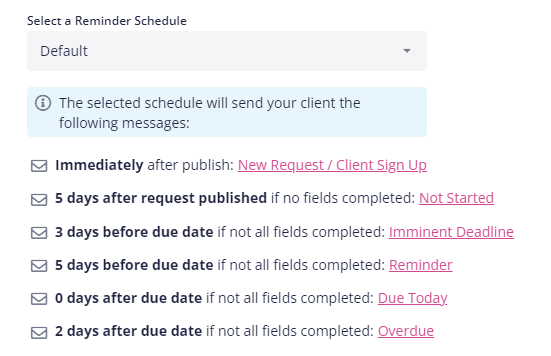

Send your first client request without even writing an email. Your account is pre-loaded with proven email templates, SMS templates and an automatic reminder schedule.
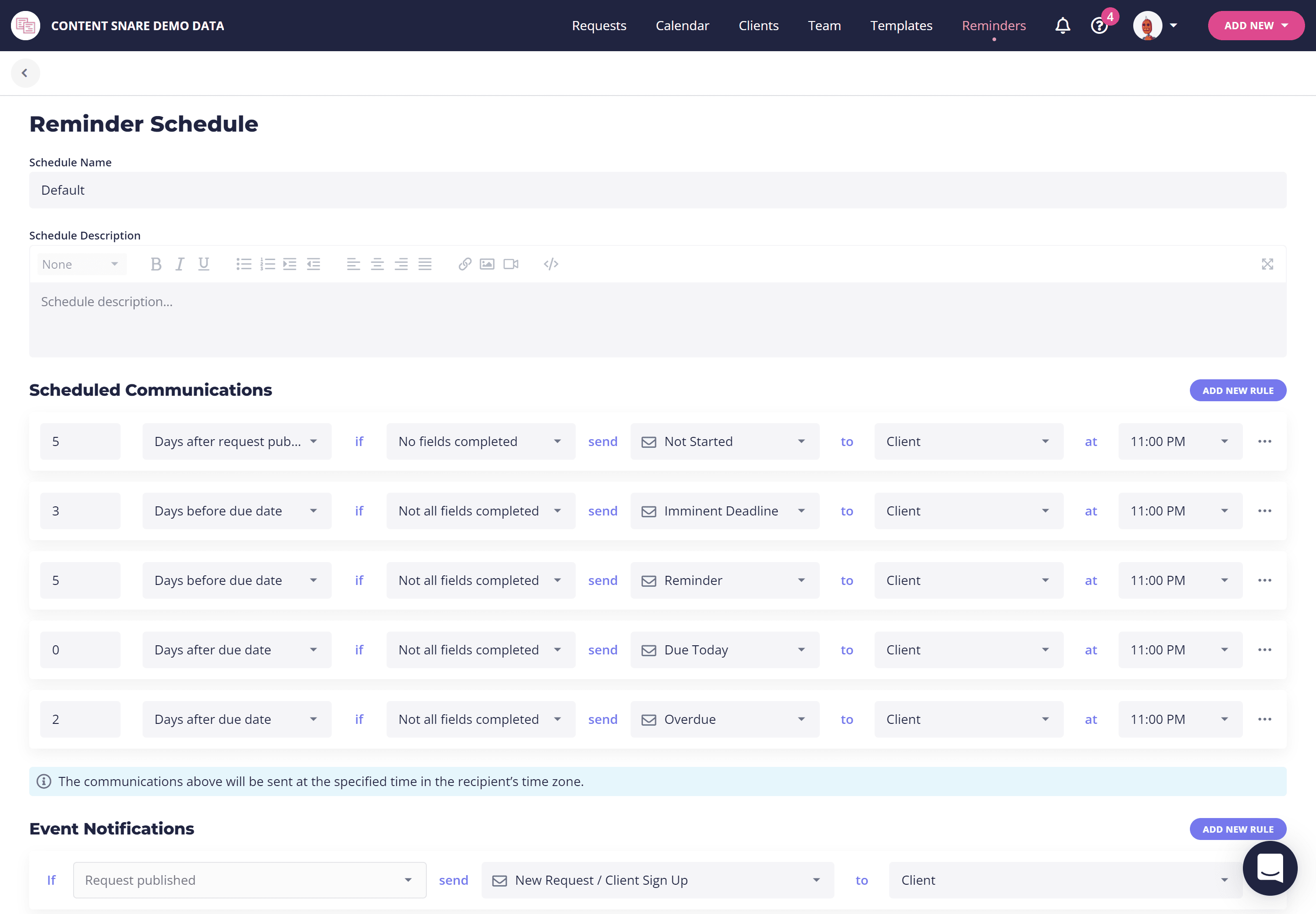
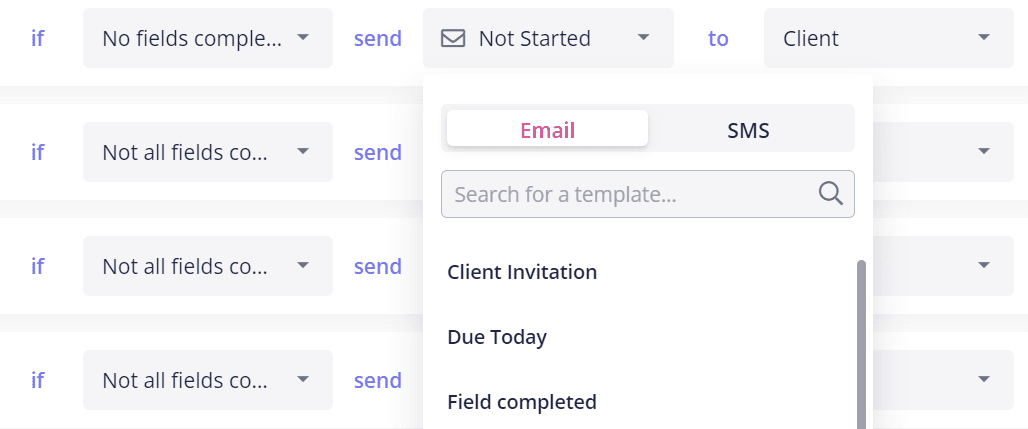
Take full control of your reminder emails. Choose how many get sent, when they are sent and what they say.
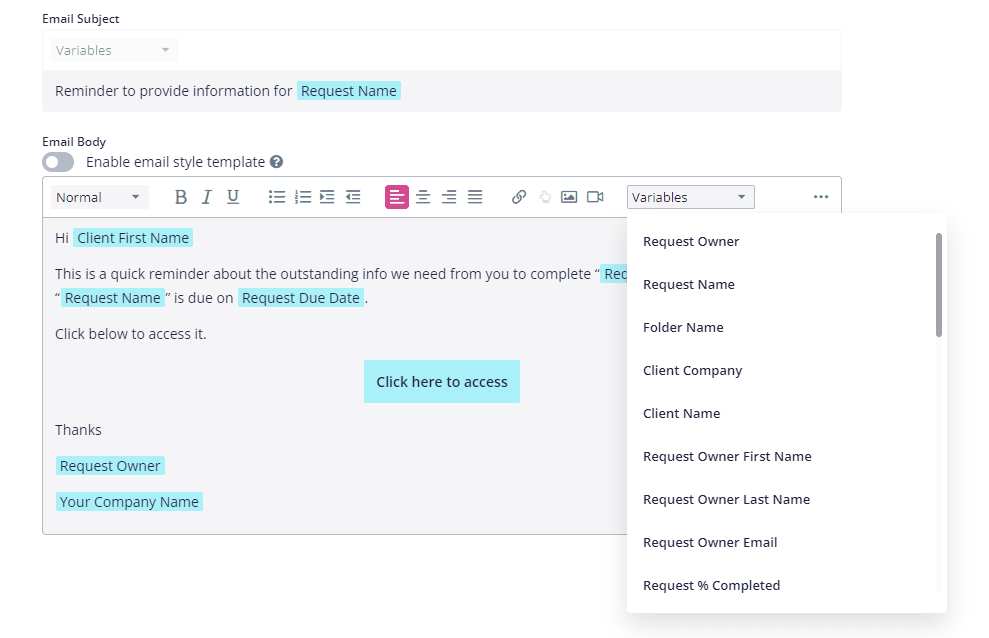
Pull in data from requests to personalize emails with your name, your client's name and more. Create a sense of urgency by calling out the due date and percentage complete. These are automatically calculated when the emails are sent.
Worried your clients will ignore emails? Include SMS in your automatic reminders. If things get really serious, you can even send reminders to yourself to call the client

"Clients feel much more comfortable receiving a system reminder versus us manually hounding them. It also eliminated the mental load of crafting personalized follow-up emails every day."
You create a request with the information you need, set a reminder schedule, and publish it. Content Snare then sends reminder emails (and optional SMS) to your client on that schedule until they complete everything. Each reminder includes a direct link back to their request, where auto-save means they pick up right where they left off.
Yes. You control how many reminders are sent, when they go out, and exactly what they say. Content Snare comes with proven email templates to get you started, or you can write your own. Use placeholders to personalize each email with your client's name, the due date, and their completion percentage.
Yes. You can include SMS in your reminder schedule alongside email. If a client isn't responding to emails, SMS is a more direct way to reach them. You can also set reminders to notify yourself to call the client directly.
Yes. Reminders only go out for items that are still outstanding. Once a client completes their request, reminders stop automatically. There's no risk of annoying clients with unnecessary follow-ups after they've finished.
Yes. Each request can have its own reminder schedule. You might send frequent reminders during tax season when deadlines are tight, and less frequent reminders for ongoing quarterly requests. You can also create reminder schedule templates to reuse across similar requests.
Minutes. Content Snare comes pre-loaded with proven reminder email templates and a default schedule, so you can send your first request without writing a single email. Choose from 110+ request templates to get started even faster, or use the AI request builder to generate a custom request in seconds.


