
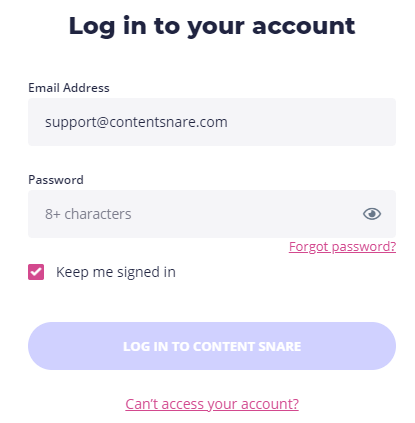
Click the Login button in the upper-right corner of our website or go directly to the login page. Enter your login credentials (email address and password). If you don’t want to repeat the process every time you’re using Content Snare, tick the Keep me signed in box.
| Note: If you’re using the platform for the first time, you’ll need to create an account. |
What do I do if I can’t log into my account?
If you’re unable to log in to your account with your usual credentials, click on the Forgot Password? link. This should email you a link to reset your password.
If you are still having trouble logging in, please email us at support@contentsnare.com or leave a message using the chat widget in the bottom-right corner.
Deleting inactive accounts
If it has been a long time since you canceled your account and are trying to log in again, the account may have been deleted. We occasionally remove inactive accounts to maintain performance. If this is the case, you can sign up for another free trial.
Trouble logging in with two-factor authentication
If you lose your phone or cannot access your two-factor authentication (2FA) credentials, you will need to use one of your recovery codes that you saved during setup.
Log in to Content Snare as usual. When you are asked for your two-factor code, there is a link at the bottom to use a recovery code:
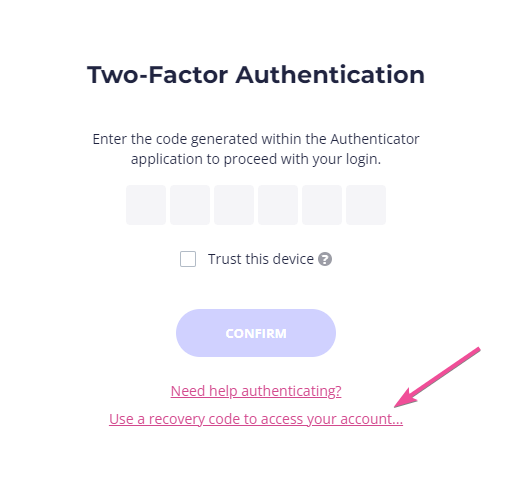
Click that, and use any of your backup recovery codes.
| Note: Each of these codes can only be used once. If you recover your account, we recommend disabling two-factor and enabling it again to generate new codes. |
If you do not have your recovery codes, you’ll need to contact us. Note that it may take several days to regain access as we will need to verify your identity.
Why is my 2FA code invalid?
If your two-factor authentication (2FA) codes are being marked as “invalid” when trying to log in, the issue may not be with your account or the authentication app itself.
Instead, it could be due to the time settings on your smartphone.
Most authentication apps generate time-sensitive codes using the current time on your device. If your phone’s time is incorrect, even by a minute, the generated codes will not match our system’s expected values, leading to login failures.
Make sure your device’s time is correct
To fix this issue, you need to ensure that your smartphone is set to automatically sync its time with the correct time servers. Follow these steps based on your device type:
For iPhone users:
- Open the Settings app
- Go to General > Date & Time
- Enable Set Automatically
For Android users:
- Open the Settings app
- Go to System > Date & time
- Enable Set time automatically
Once you have enabled automatic time syncing, try generating a new authentication code and logging in again. Your codes should now be valid.
For more detailed troubleshooting steps, refer to this Microsoft guide.