
A quick overview of account-related activities is available through Activity Feed.
To access it, click the pink Activity button in the upper-right corner of your Content Snare dashboard:
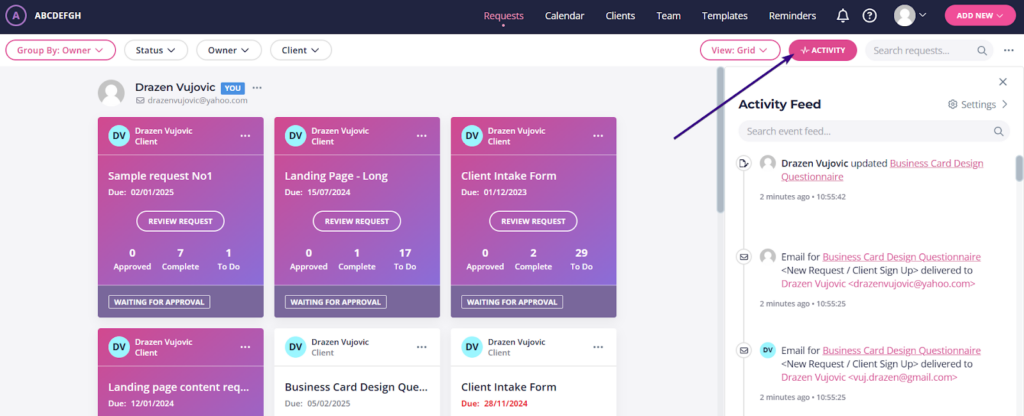
Once there, you can adjust Activity Feed settings by clicking the Settings icon on the right and enabling or disabling the following options:
- Show only events for me: Displays events for requests owned by you or events that affect your accounts.
- Show warning events: Include actionable warnings such as an email marked as spam.
- Show action events: Include user actions such as field submissions, when a request is viewed and client and team member update events.
- Show comments: Include comments added to request fields.
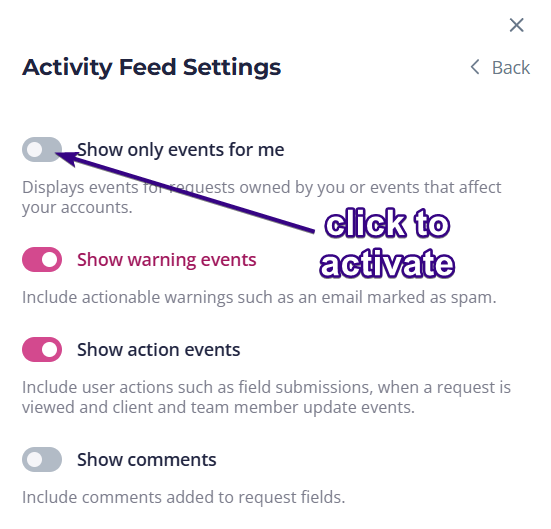
When you set it all up, you can return to Activity Feed by clicking Back in the upper-right corner.
Activity feed search
Activity Feed includes a search function to help you quickly find specific events. To do that, type a keyword into the search bar to filter results:
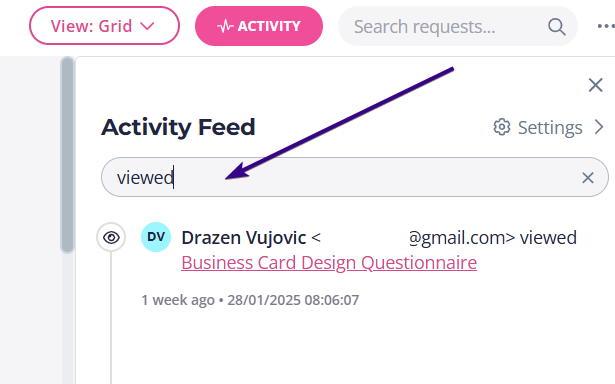
For example, if you only want to see instances where clients viewed a request, search for “viewed”. To find email delivery events, search for “delivered”. This makes it easy to locate activities without scrolling through the entire feed.