
If you see a message saying that you’ve reached your active request limit, it means your current plan already has the maximum number of active requests allowed. To resolve this, simply complete, archive, or delete requests that are no longer needed.
| Note: If you regularly need to have more requests active at the same time, upgrade your plan to increase your active request limit. Here’s an article on how you can change your pricing plan. |
What counts as an active request?
Content Snare plans are based on the number of active requests, not the total number of requests in your account. An active request is live, accessible to your client, and available to be filled out. Once you mark it as completed, it’s no longer active.
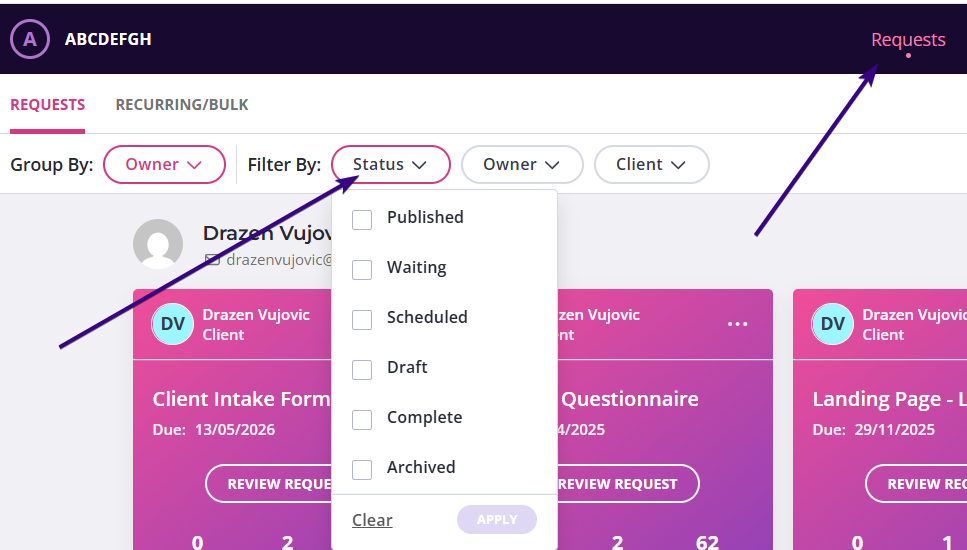
Active requests are in the Published or Waiting status. Inactive requests that do not count toward your limit include the following:
- Draft – the request hasn’t been sent yet
- Scheduled – the request is scheduled to be sent later, but hasn’t been sent yet
- Completed – the request has been marked as finished
- Archived – the request has been moved out of your main dashboard
- Deleted – the request has been permanently removed
How to free up space for new requests
If you’ve reached your limit, you can free up slots by changing the status of requests that are no longer needed.
- Mark a request as completed: If the client has finished submitting information and you’re done reviewing it, you can mark the request as Completed. This removes client access and immediately frees up one active slot.
- Archive old requests: If you’re completely finished with a request and want to keep your dashboard tidy, you can Archive it. Archived requests are removed from the main dashboard, but can still be restored later if needed.
- Delete a request: If a request was created by mistake or is no longer needed at all, you can delete it to free up the slot.
Checking your plan limits
If you’re unsure how many active requests your plan allows, you can check this from your account settings. Click your avatar in the top-right corner, go to My Plan and check Usage.
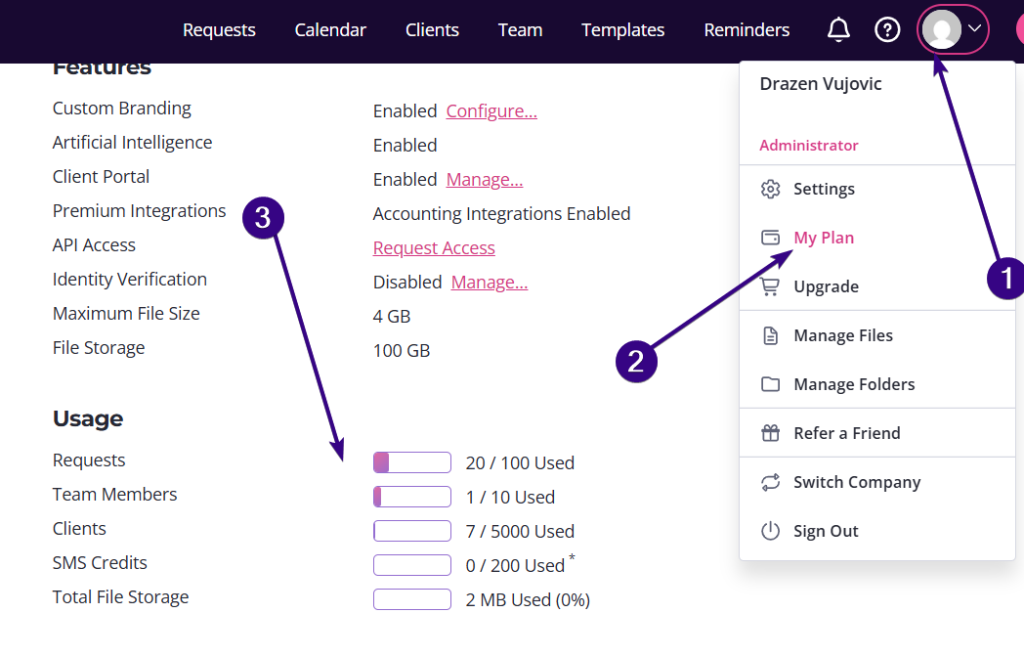
There you’ll see an overview of your current plan and how many active requests are being used.