
From whom do the clients receive emails?
By default, your clients receive emails from our domain contentsnare-mail.com.
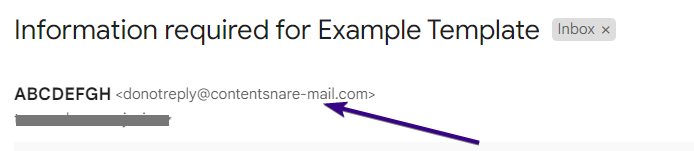
Though the address is from Content Snare, the actual message still shows up as coming from your own name. And if your client replies, their email will go to your address.
However, you can change this to send emails from your own domain.
Can you change the phone number?
You can’t change the phone number that Content Snare sends SMS from. The system chooses from one of three numbers based on where the recipient is. We have one number for Australia, one for the UK, and the USA number for everywhere else.
My client isn’t receiving emails
Here are some things to check if your client isn’t receiving emails:
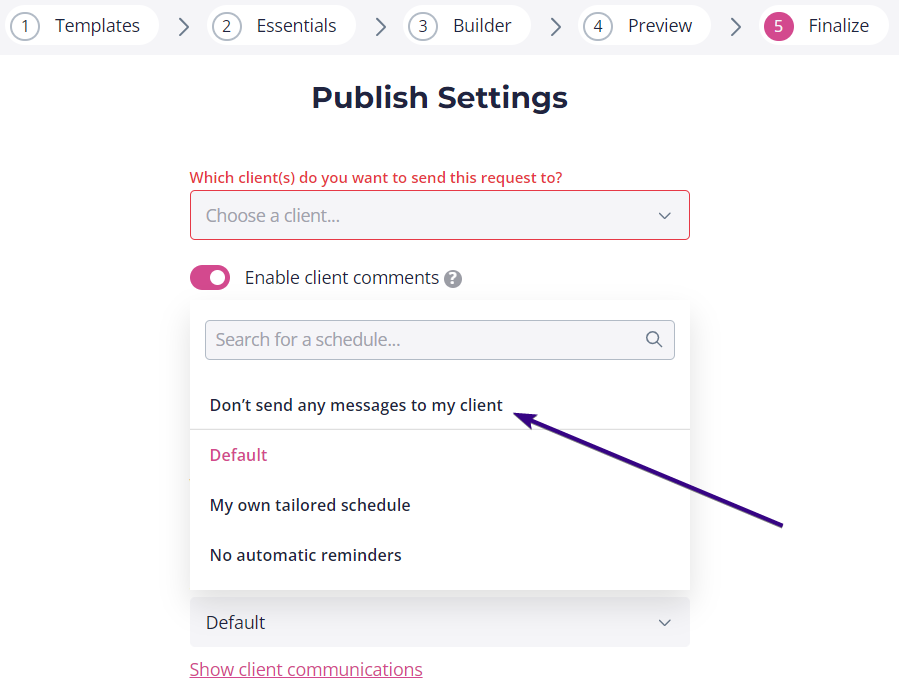
- Did you select the Don’t send any emails to my client option on the Finalize step? If yes, you’ll need to manually send the request link to the client.
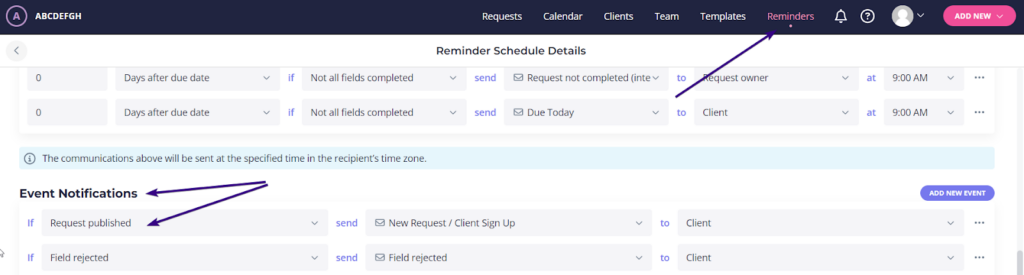
- Does the reminder schedule you chose have the Request Published event notification? You can check this by clicking on the Reminders tab at the top and editing your reminder schedule.
- Did the email end up in spam? We continuously monitor email deliverability from Content Snare and do everything in our power to keep emails out of spam, but it can still happen if your client has extremely strict email rules.
Why did my client stop receiving emails after one bounced?
If an email to your client hard bounces (meaning their mail server tells us the address doesn’t exist or can’t accept mail), our upstream email provider automatically stops sending further emails to that address. This protects email reputation because continuing to send to invalid addresses can cause all emails to be blocked.
When this happens, the address is placed on a suppression list. If you know the email address is valid (sometimes servers send false hard bounces), let us know the address and we can remove it from the suppression list so reminders start sending again.