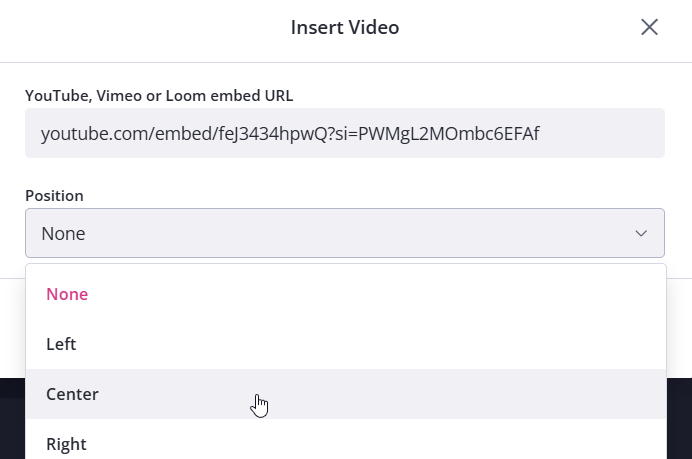
You can embed videos directly into your requests using videos hosted on Vimeo, YouTube and Loom.
Note: Before you begin, make sure the video is set to Public or Unlisted. Private videos will not display inside Content Snare.
Step 1: Get the embed code from your video platform
Go to the platform where your video is hosted and copy the embed code. Here are the official guides for each platform:
When copying the code, only copy the specific section shown below:
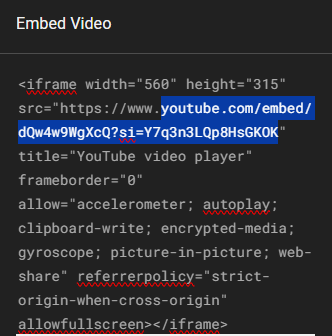
This format is the same for Vimeo, YouTube, and Loom.
Step 2: Insert the video into your request
Open the request where you’d like to add the video and click the camera icon in the editor:
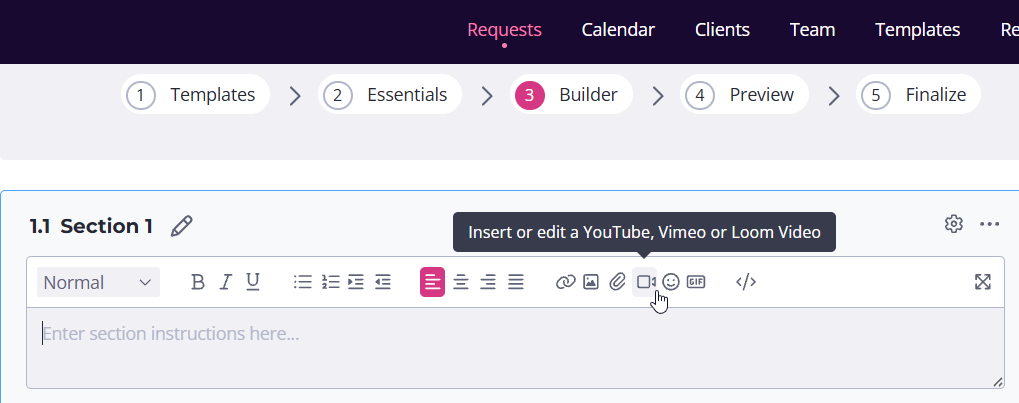
Now paste the embed code into the field provided, click Save, and your video will appear inside the request.
Note: You can also choose how the video is positioned within the request. Use the alignment options to place the video on the left, right, or center, depending on your preference: