
Use the Share Template feature if you have access to multiple Content Snare accounts and want to copy templates from one account to another. To do that, go to the Templates page and find the template you want to share. Click the three dots on the template and select Share Template.
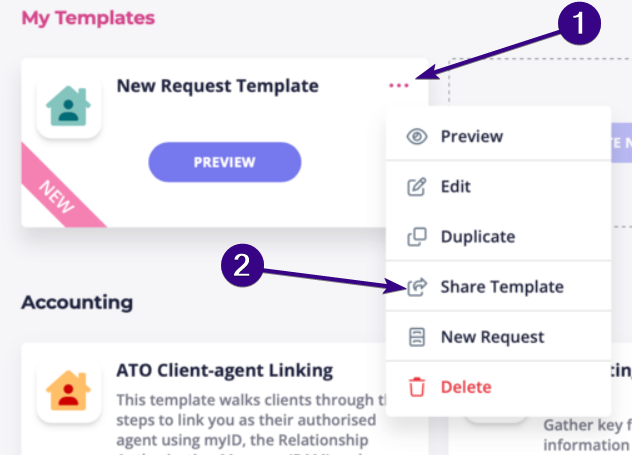
This enables you to quickly import a template into another account.
Note: Only Administrators can share templates
The Share Template option is only available to users with the Administrator role. To check your role, click your avatar in the top-right corner of the screen and you’ll see the role displayed under your name.
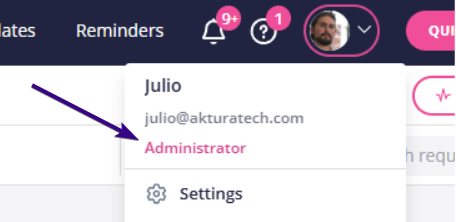
If you are not an Administrator, ask someone with Admin access to share the template for you.