When you update a request, it does not automatically resend the request email to your client. If you want to send the request to them again, you’ll need to resend it manually.
| Note: The request link stays the same, so your client can still access it using the original link. |
Go to the Requests page and find the request you want to resend. Then click the three dots next to the request name to open the options menu. From the dropdown menu, select Send Message:
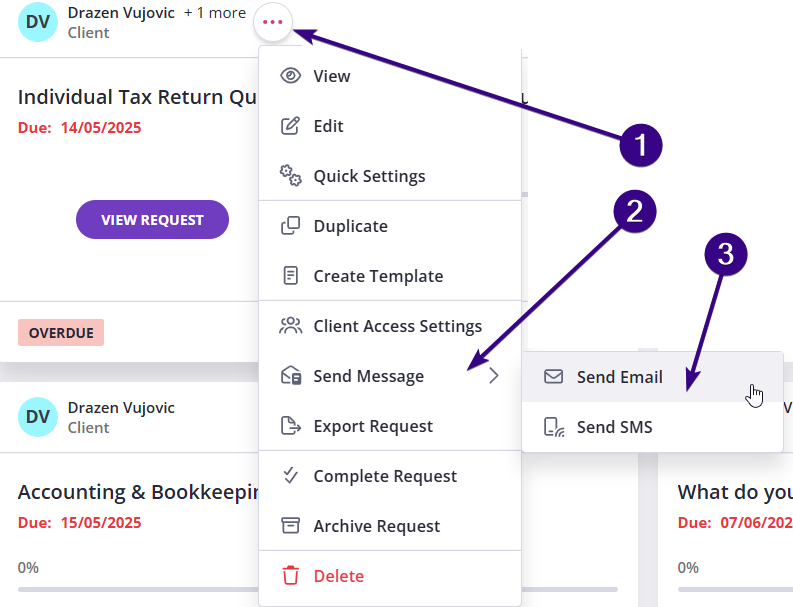
| Note: If the client does not have a phone number attached, the Send Message option will appear as Send Email. |
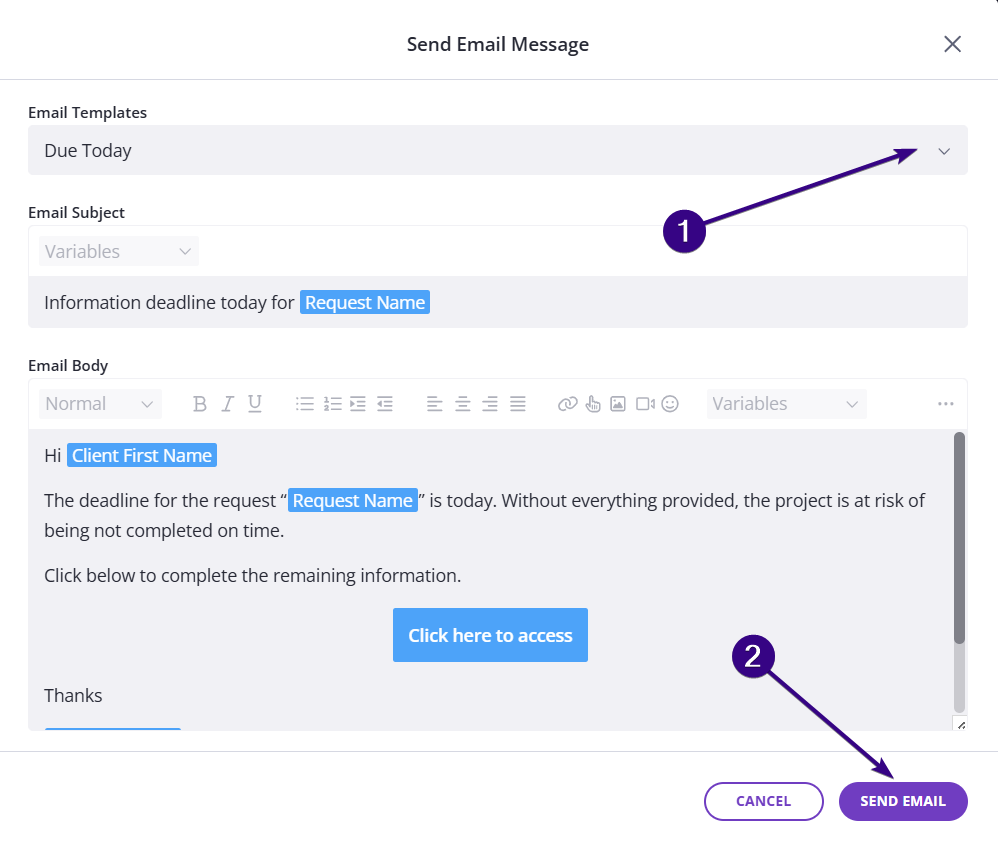
Choose an email template
Select the email template you want to use and send the message. This will resend the request email to your client: