
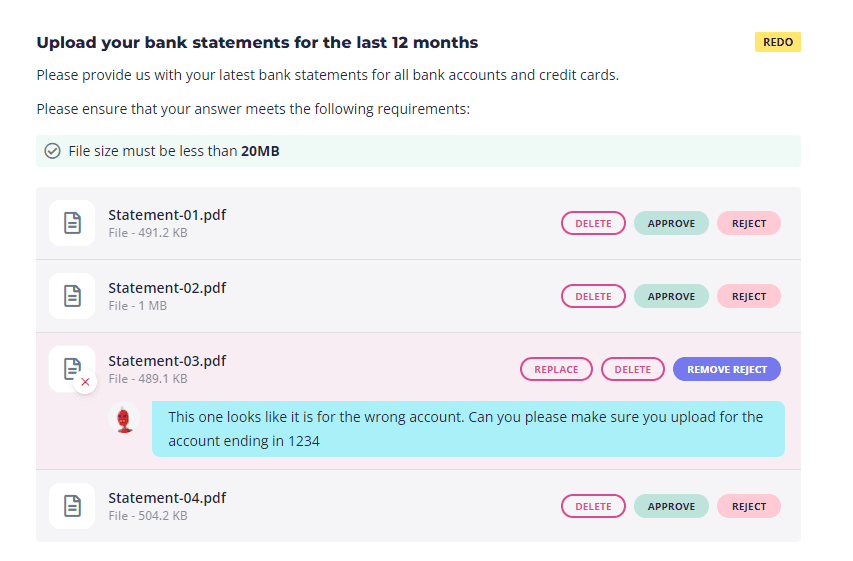

Keep track of which items have already been checked by you or your team. When approved, questions are marked in green and locked from further changes.
If you need anything adjusted or re-uploaded by your client, just click the reject button and write a message to your client about what they need to change. They’ll receive a link that brings them directly to the question that needs editing, and it’ll be highlighted in the navigation. This removes the need for yet another email thread.

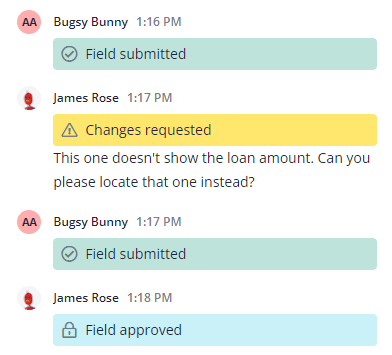

“The process is clear and structured, so we can instantly see which items clients have responded to, which still need attention, and easily approve what's been provided. The ability to go back and forth with clients on a specific question keeps everything in one place and saves countless email threads.”