


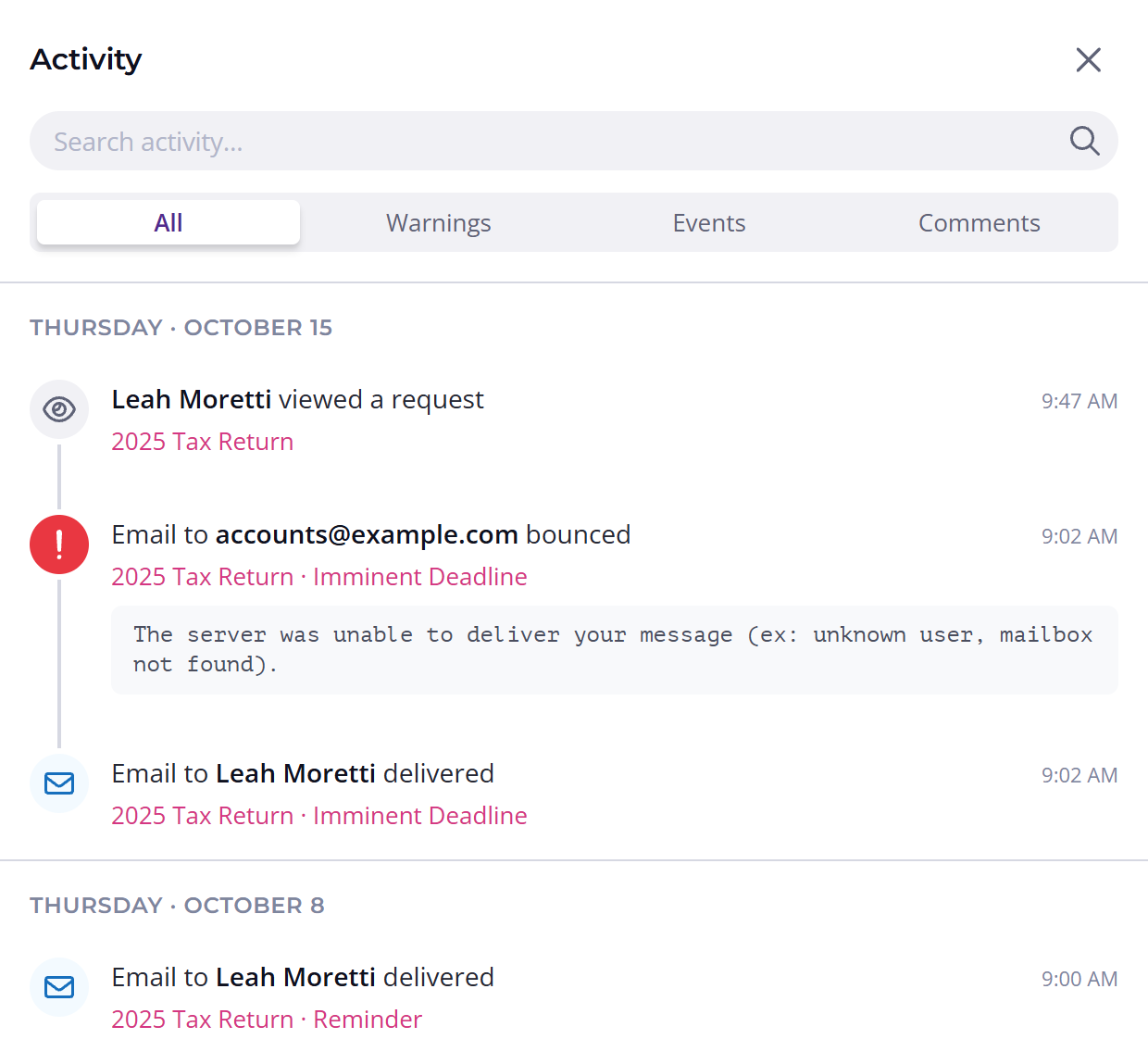

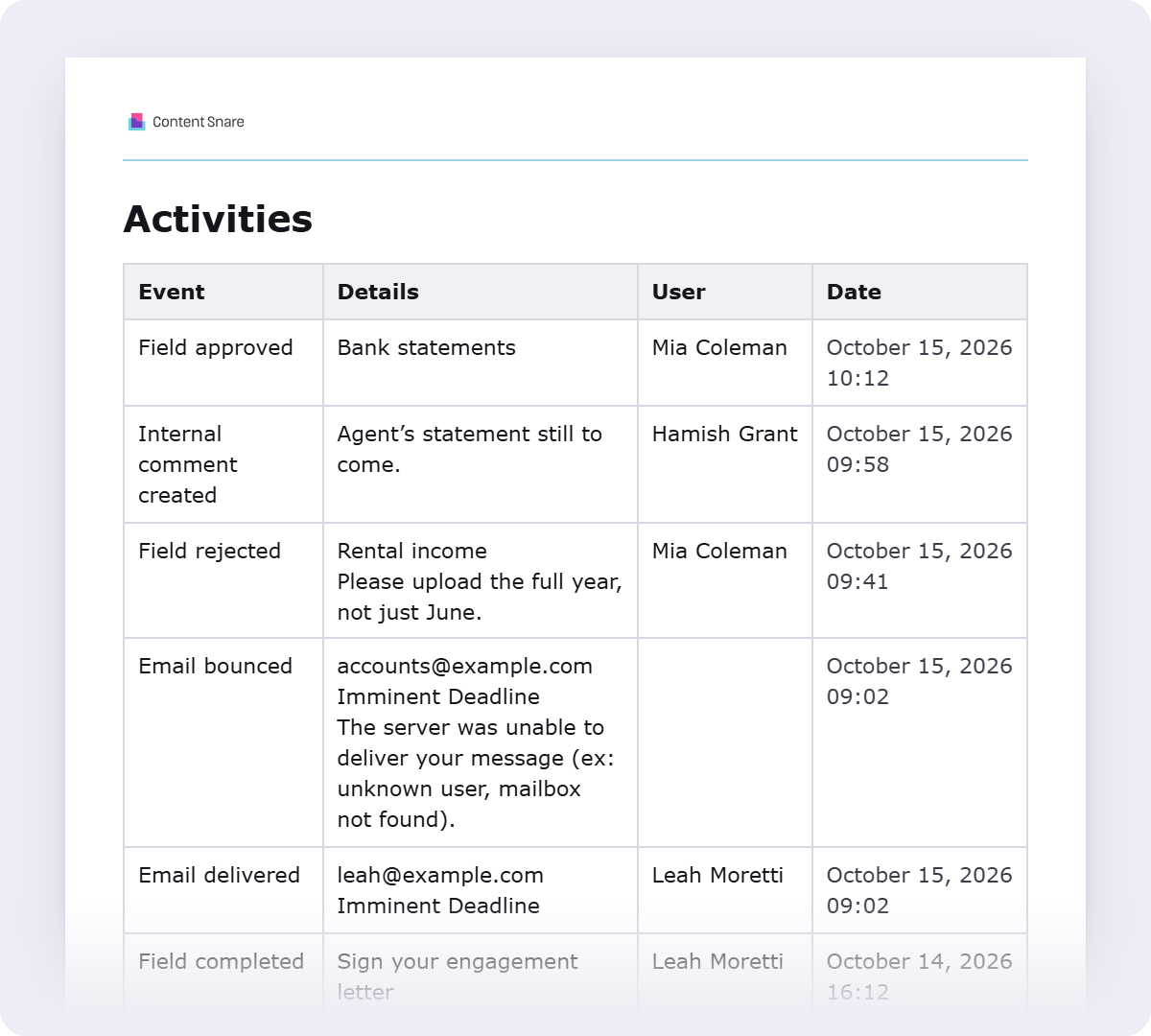
Every reminder is logged, so you can see when each one was delivered and who it went to. Any problems with delivery are logged too, like a bounce and its reason, or your client marking an email as spam.
You can also see when your client has accessed the request, so you know if they've been in since the last reminder went out.
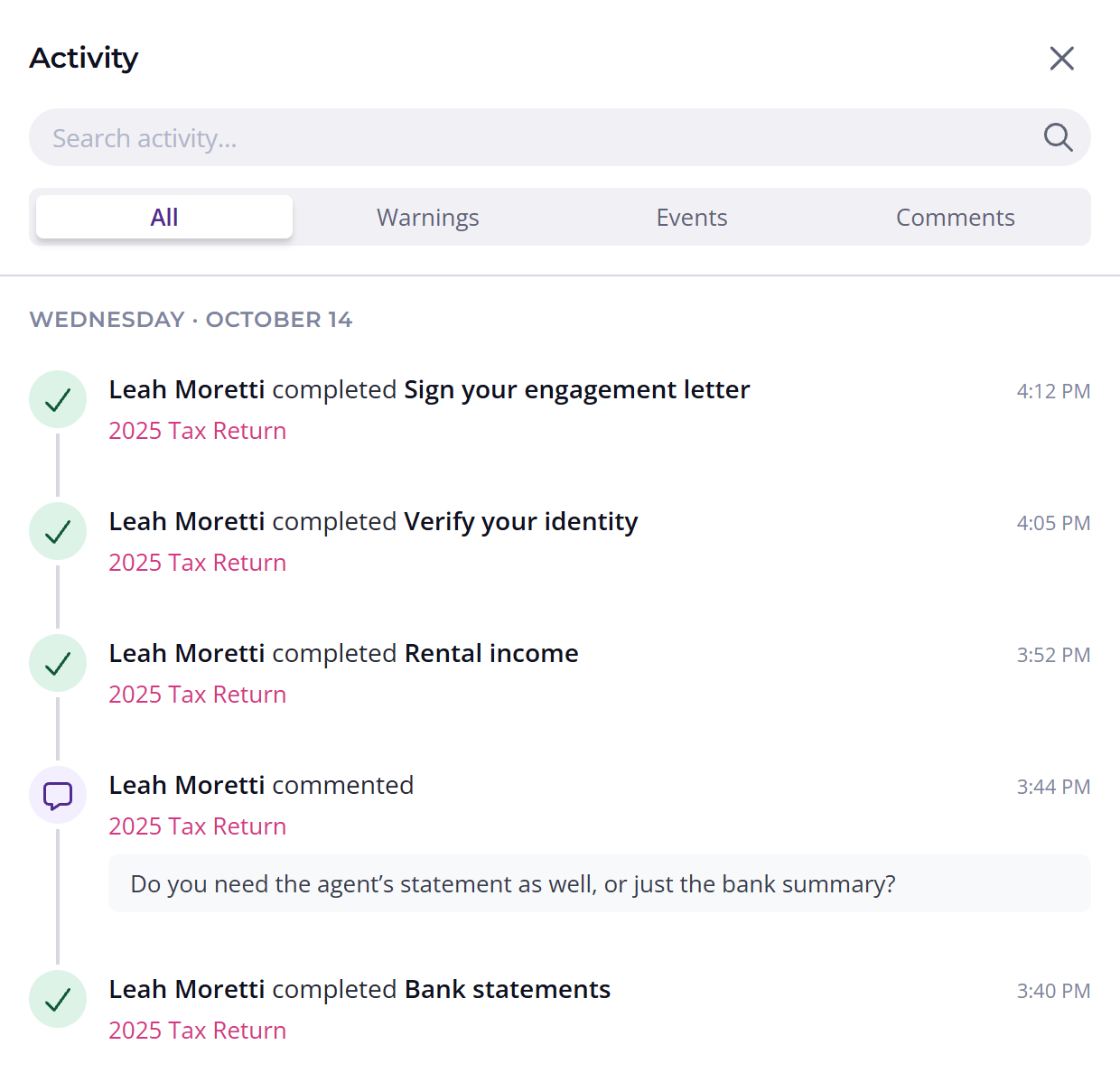
Everything your client does in the request is logged, so you know when they answered questions, when they changed answers and when they asked questions.
This works for all question types, so you can see when they uploaded files, completed a signature or verified their ID. Every entry has a date and time, so you can read back through the whole request in order.

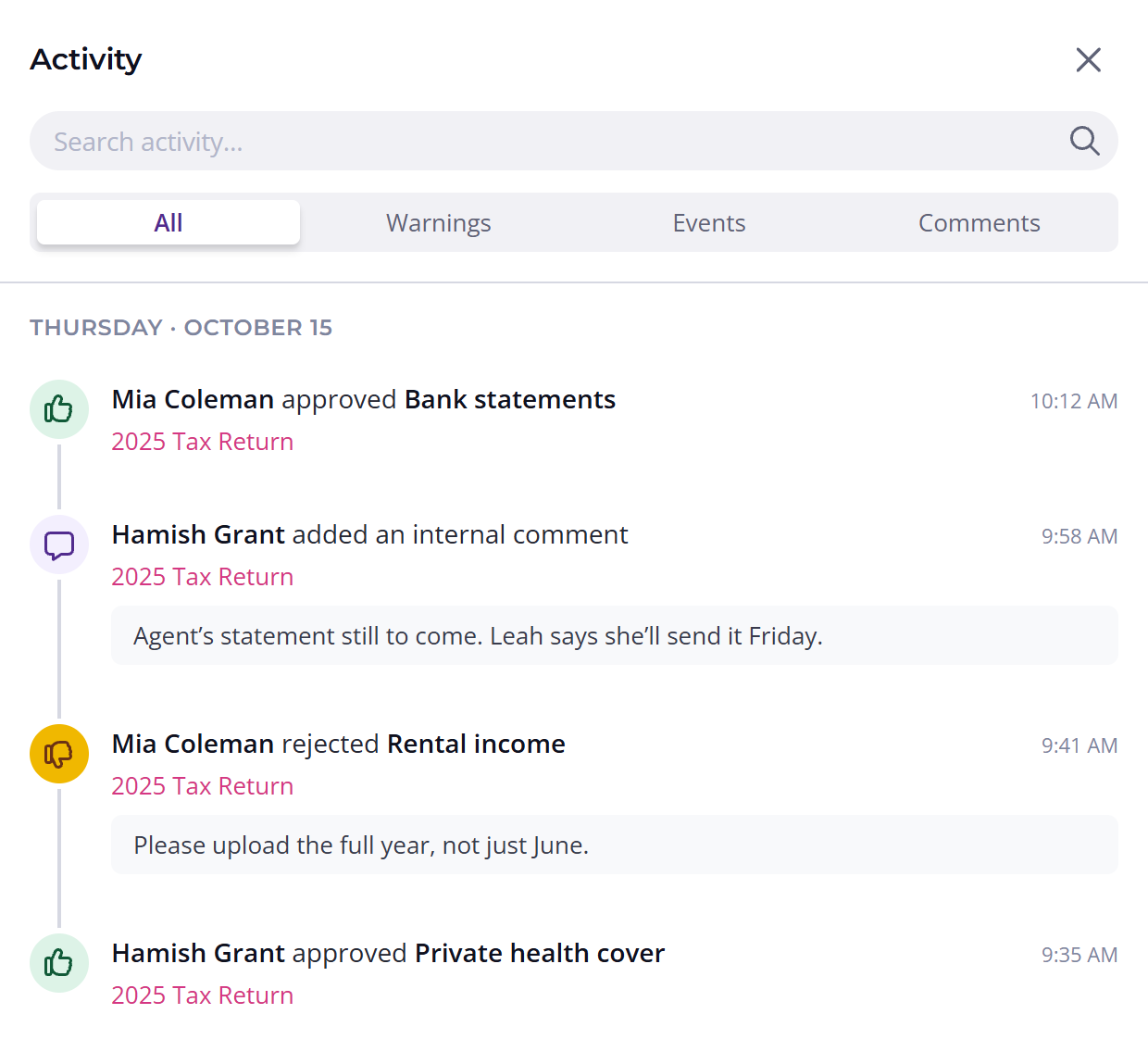
When someone's out of the office, what they did on a request usually lives in their head or their inbox. In Content Snare, every approval and internal note is logged with who did it and when.
Whoever picks up the request next can see who approved each answer and read the notes the team left along the way.
Every logged action can be included when you export the request as a PDF, Word file or spreadsheet, so you've got a permanent log of everything that happened if you need it for regulatory or internal reasons. It can go to your cloud storage automatically too.

“The activity feed has changed my life. Previously, I would scroll through the request page trying to spot what had changed. I was in it so often that I could tell when something was new, but it was tedious. Now I can see when a client is in it, check if they've added something, and act on it immediately.”

It records when the request email and each reminder were delivered, bounced or marked as spam, when your client opened the request, and when they submitted or revised each answer and file upload. Their comments and signatures are logged too. On your side it records approvals, answers sent back and internal comments, each with who did it and when, plus when the request itself was updated. In the app it's called the activity feed, and it's on every plan.
No, it doesn't track email opens or link clicks. Open tracking isn't reliable anymore, because privacy features in mail apps and the security scanners many businesses use open emails automatically. Instead it shows when the request email and each reminder were delivered to your client's mail server, and when they opened the request itself.
Yes, through the question they belong to. When your client submits a file upload question, it's logged with the time, and the export shows who uploaded each file. If they change an answer, it's logged again when they resubmit it. It doesn't keep a copy of what the answer said before.
No, the activity feed is only visible to your team. If comments are turned on for a request, your client does see the comments and status updates on their own questions, like an answer being approved or sent back.
No. There's no way to edit or delete an entry, and the history stays for as long as you have your Content Snare account, even after a request or client is deleted.
Yes, one request at a time. Turn on “Include activity feed” when you export a request to PDF, Word, HTML, TXT, CSV or JSON, or include it in your automatic exports to cloud storage.
It gives you a dated record of when the request and each reminder were delivered and when your client answered, and you can export it with the request to the client file. Which records you keep, and for how long, still depends on the rules you work under.


