


A standardized intake form that collects comprehensive information from potential vendors including business credentials, financial details, insurance documentation, and operational capabilities before approval.

Procurement teams, supply chain managers, and business owners who need to vet and onboard new suppliers while ensuring compliance, financial stability, and operational compatibility.

Send this form when evaluating new vendors before contract negotiations, when formalizing relationships with existing informal suppliers, or when updating your approved vendor list with current documentation and certifications.
Your vendor onboarding process is costing you more than you think. Every missing detail, every back-and-forth email, every incomplete submission means delays, compliance risks, and wasted hours chasing information you should have gotten upfront.
A vendor application form fixes this. You collect everything you need - business credentials, certifications, insurance proof, payment terms, and references - in one organized submission. This post walks you through what a solid vendor application form should include, how to use it effectively, and gives you a free template to get started. Let's dive in.
Vendor Information
Capture legal identifiers and primary channels for correspondence and system setup.
Contact Information
Define your operational point of contact and a backup to ensure continuity.
Business Details
Establish entity type, scope, and tax status to align with procurement and risk policies. Clarify offerings and market focus to route reviews to the right stakeholders.
Financial Information
Set payment expectations and assess creditworthiness. Gather references and discount terms to inform onboarding and negotiation.
Insurance and Compliance
Validate insurability and regulatory posture before onboarding. Document policies and certifications for audit trails.
Logistics and Operations
Confirm capacity, lead times, and service boundaries. Map exceptions handling for rush orders and delivery.
Sustainability and Ethics
Record ESG posture to meet internal policies and customer commitments. Request traceability on sourcing and waste.
References
Collect third-party validation for performance and reliability.
Request supporting documents upfront: Don't just ask vendors to confirm they have insurance or certifications - include file upload fields so they can attach copies of their certificates, licenses, and insurance policies directly with their application. You'll eliminate follow-up emails and speed up your approval process.
Be specific about what "products or services" means for your business: The standard "What products or services do you provide?" question is vague. Add clarifying text or examples relevant to your industry so vendors know exactly what level of detail you need. If you're in retail, specify whether you want product categories, SKU counts, or brand names.
Create a vendor reference checklist internally: Once applications come in with three business references, don't let them sit unused. Build a simple internal process for actually contacting those references before approval. Ask about delivery reliability, quality consistency, and how the vendor handles issues - information that tells you what working with them will really be like.
Set clear expectations about turnaround times in your form introduction: Before vendors even start filling out the form, tell them how long your review process takes and when they can expect to hear back. This single sentence reduces "just checking in" emails and sets a professional tone from the start.
Use the Tax ID and entity type fields to streamline your accounting setup: Pass this information directly to your finance team so they can set up the vendor in your payment system while you're still reviewing the application. By the time you approve them, they're already in the system and ready for their first invoice.
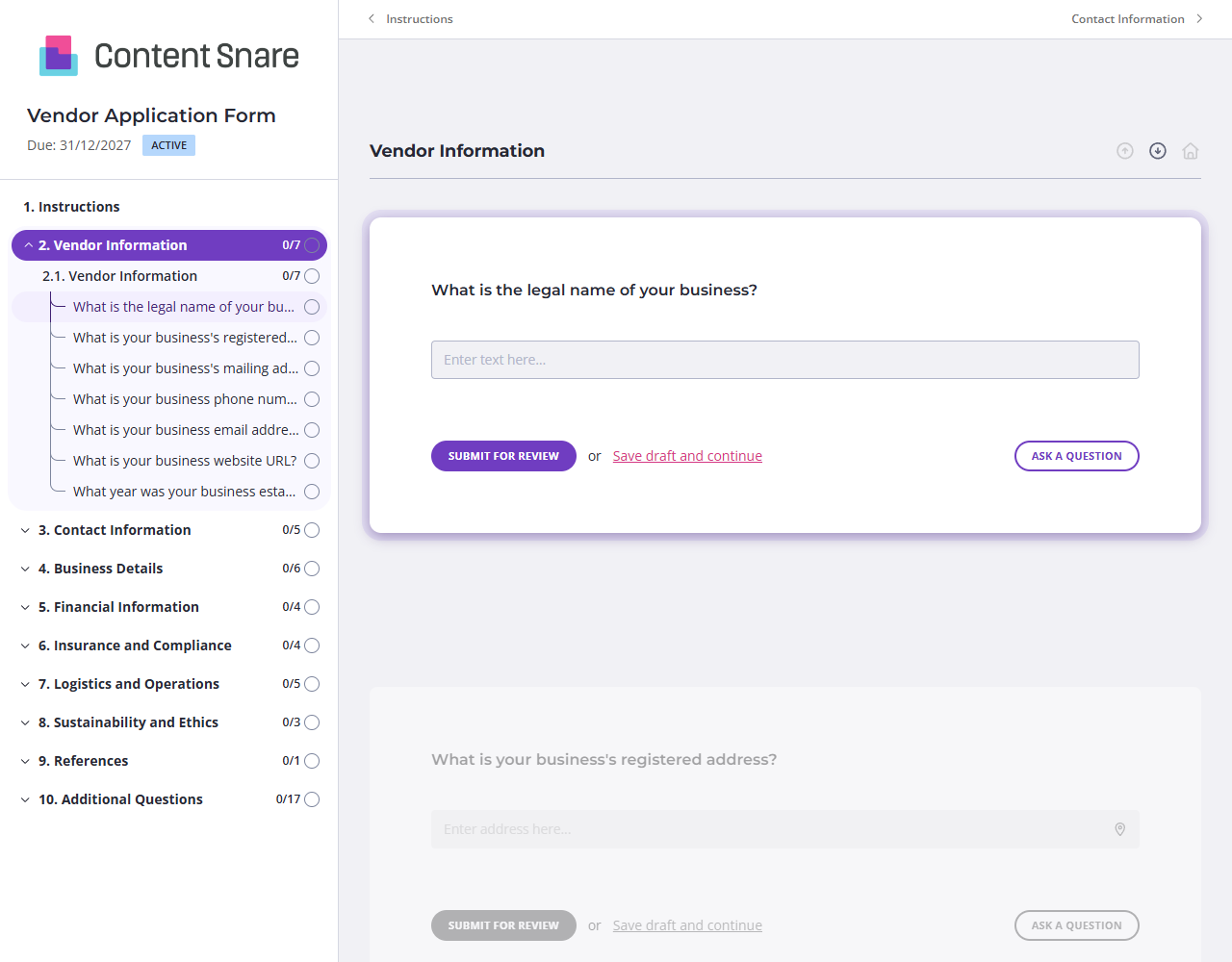
Your vendor application form covers a lot of ground - from basic business details to insurance compliance to sustainability policies. Don't overwhelm vendors with one endless scroll. Split the form into logical pages: Vendor Information, Business Details, Financial & Insurance, and Operations. Vendors can focus on one section at a time, save their progress, and return later if they need to gather documents or check with their accounting team.
The Insurance and Compliance section asks for policy copies, certifications, and regulatory documentation. Vendors often submit the wrong file format or incomplete certificates. Add instruction text above these fields explaining exactly what you need: "Upload your current Certificate of Insurance showing general liability coverage of at least $1M" is far more helpful than "Provide insurance." You'll get complete submissions the first time instead of chasing missing information.
You've probably exchanged emails with vendors before sending this form - you might already have their business name, contact details, or website. Pre-fill those fields before you send the form out. It shows you're organized, saves them time on repetitive data entry, and lets them focus on the sections where you actually need new information like references, payment terms, and compliance documentation.
Vendor applications naturally take time - people need to dig up tax IDs, track down insurance certificates, or get approval on payment terms. Automatic reminders keep applications moving without you having to send awkward follow-up emails. Schedule reminders for 3 days and 7 days after sending. Vendors get a gentle nudge, you stay off their backs, and applications actually get completed.
You could use spreadsheets, email chains, or PDF forms to collect vendor information. But then you're stuck chasing missing fields, digging through attachments, and manually organizing everything into a usable format. Content Snare automates the follow-up, keeps everything organized in one place, and actually gets forms completed - without you having to play project manager.
The platform is ISO 27001 certified and trusted by thousands of businesses worldwide who need to collect sensitive information like Tax IDs, insurance certificates, and financial details. Vendors can save progress and return later when they need to gather compliance documents or check payment terms with their finance team. You get automatic reminders, file uploads that stay organized, and integrations with the tools you already use.
Vendor applications are just the start. Businesses use Content Snare for client onboarding forms, compliance questionnaires, RFP responses, supplier audits, contractor registration, and annual vendor reviews. Any time you need to collect detailed information from external parties, Content Snare turns a messy back-and-forth into a streamlined process that actually gets completed.


