
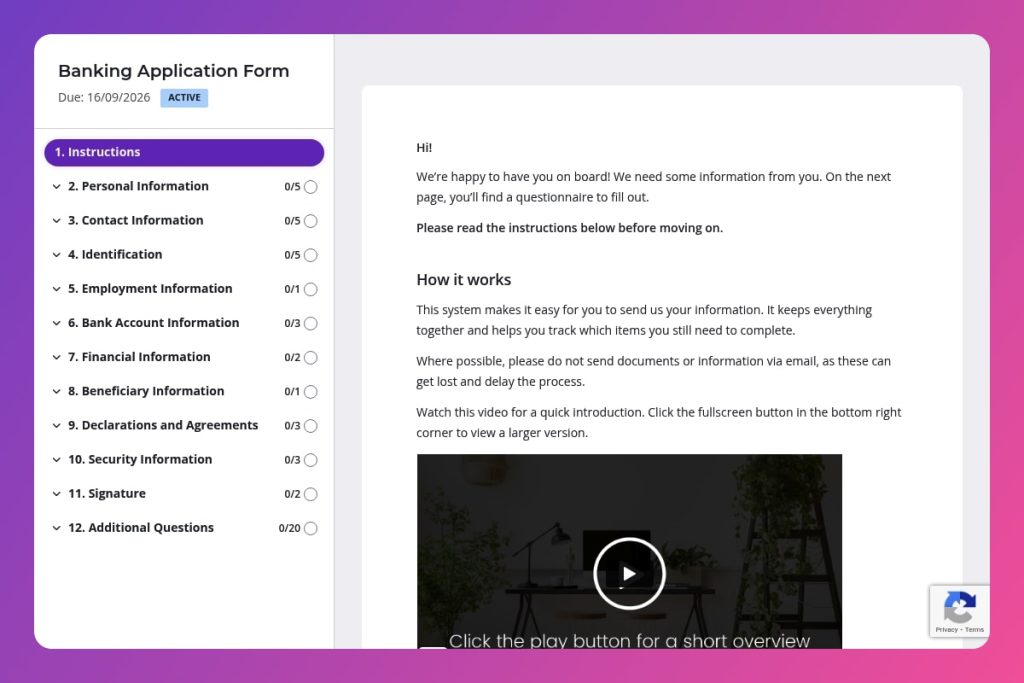


A comprehensive digital form that collects personal details, employment history, financial information, identification documents, and compliance declarations to open new bank accounts.

Bank staff responsible for new account opening, customer onboarding teams, and branch managers who need to streamline application processing and reduce manual data entry errors.

Deploy this form when customers apply to open checking accounts, savings accounts, or other banking products, either through online channels or initiated by branch staff during in-person consultations.
Your front-line staff spend hours each day chasing incomplete applications, missing documents, and illegible handwriting. Manual data entry errors cost you compliance headaches and frustrated customers who expect faster account opening.
A well-designed banking application form solves this. It captures everything you need - personal details, employment information, identification documents, and compliance declarations - in one streamlined digital experience. This post covers what makes an effective banking application form, best practices for implementation, and a ready-to-use template that ensures you collect accurate information while cutting processing time in half.
Let's dive in.
Personal Information
Use these fields to establish the applicant’s legal identity for KYC and screening.
Contact Information
Capture reliable channels for notices, verification, and servicing.
Identification
Collect government ID data required for CIP, sanctions screening, and expiry monitoring.
Employment Information
Gather employment and income signals for creditworthiness, affordability, and source‑of‑funds checks.
Bank Account Information
Clarify product selection and existing relationships for cross‑reference and risk segmentation.
Financial Information
Capture income and liabilities to assess capacity, DTI, and regulatory suitability.
Beneficiary Information
Set up beneficiary designations and downstream contactability.
Declarations and Agreements
Secure required consents and attestations to proceed with checks and account opening.
Security Information
Collect fallback authentication data for support interactions.
Signature
Finalize execution and dating for audit and legal enforceability.
Pre-populate known customer data: If an existing customer is opening an additional account, fill in their personal information, contact details, and identification numbers before sending the form. They'll only need to update what's changed and complete the account-specific sections, which cuts completion time significantly and reduces abandonment.
Guide applicants on document requirements upfront: Include a brief note at the top of the Identification section listing exactly which ID types you accept (passport, driver's license, national ID) and any format requirements for document numbers. Many applicants pause or abandon forms because they're unsure whether their ID qualifies or how to enter the information correctly.
Follow up strategically based on employment and financial data: When you receive a submission, review the employment status and income details immediately. Applications from self-employed individuals or those with complex financial obligations often need additional documentation. Reach out within 24 hours with a specific list of what you need rather than sending a generic "we're processing your application" message - this keeps momentum and shows you're actively working on their account.
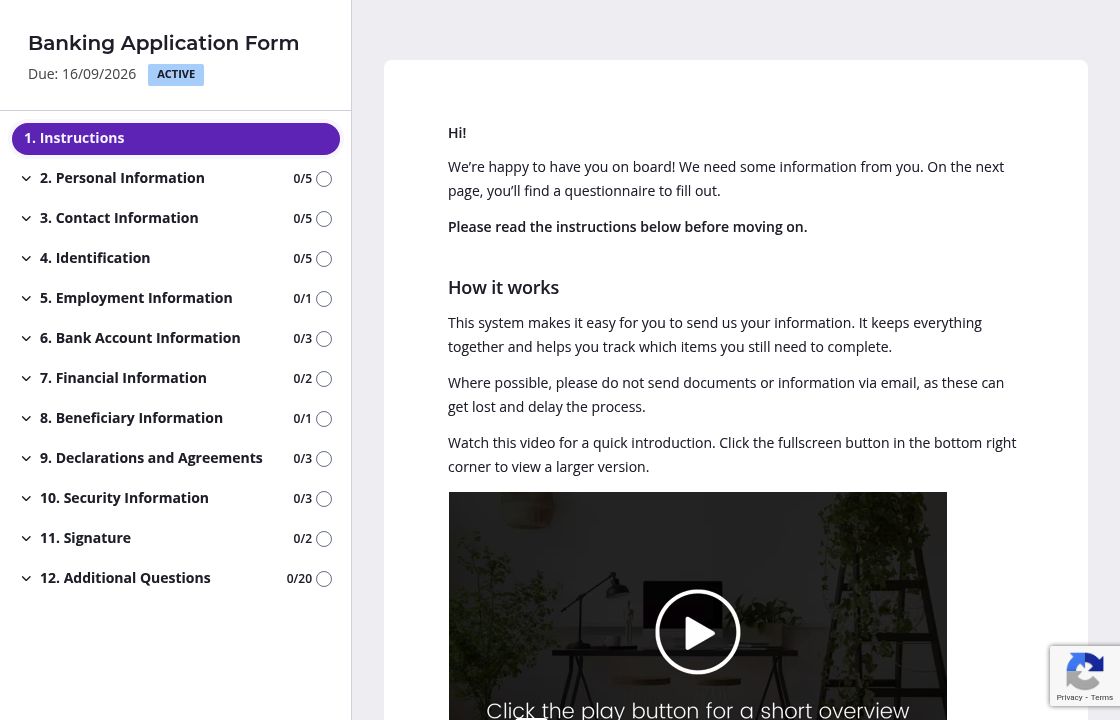
Banking applications ask for a lot - personal details, employment history, financial information, beneficiaries, and compliance declarations. Presenting all these questions on one endless scroll overwhelms applicants and increases abandonment rates.
Split your form into logical pages: one for personal and contact information, another for employment and income, a third for account preferences and beneficiaries, and a final page for declarations and signature. Applicants can save progress and return later, and they'll see exactly how much is left to complete. This simple structure dramatically improves completion rates.
Certain sections trip people up every time. The identification document fields, for example - applicants often enter information incorrectly or upload the wrong document type.
Add a brief instruction block above the Identification section explaining which documents you accept and how to format document numbers. Do the same for the Financial Information section, clarifying whether you want gross or net income and how to report income for self-employed applicants. These small clarifications eliminate back-and-forth emails and speed up approval times.
Applications sit half-finished all the time. The applicant gets interrupted, forgets to return, and your pipeline stalls.
Configure automatic reminder emails to nudge applicants who haven't completed their forms. They'll receive friendly follow-ups without you manually tracking who's finished and who hasn't. You stay off their back while keeping applications moving, and your team focuses on reviewing completed submissions instead of chasing people down.
PDFs and email chains create chaos. Applicants submit incomplete information, attachments get lost, and your team wastes hours chasing missing documents. Content Snare eliminates the back-and-forth with a purpose-built platform that guides applicants through every required field, tracks progress automatically, and keeps everything organized in one place.
Security matters in banking. Content Snare is ISO 27001 certified and trusted by thousands of businesses worldwide, including financial institutions that can't afford data breaches or compliance issues. Your applicants' sensitive information - social security numbers, employment details, financial data - stays protected.
The platform integrates with the tools you already use, from your CRM to document management systems. You'll spend less time on manual data entry and more time approving accounts.
A banking application form is just the start. Banks use Content Snare for:
Content Snare has hundreds of 5-star reviews across G2, Capterra, and Trustpilot. Teams choose it because it makes complex information gathering simple for both staff and customers.


