
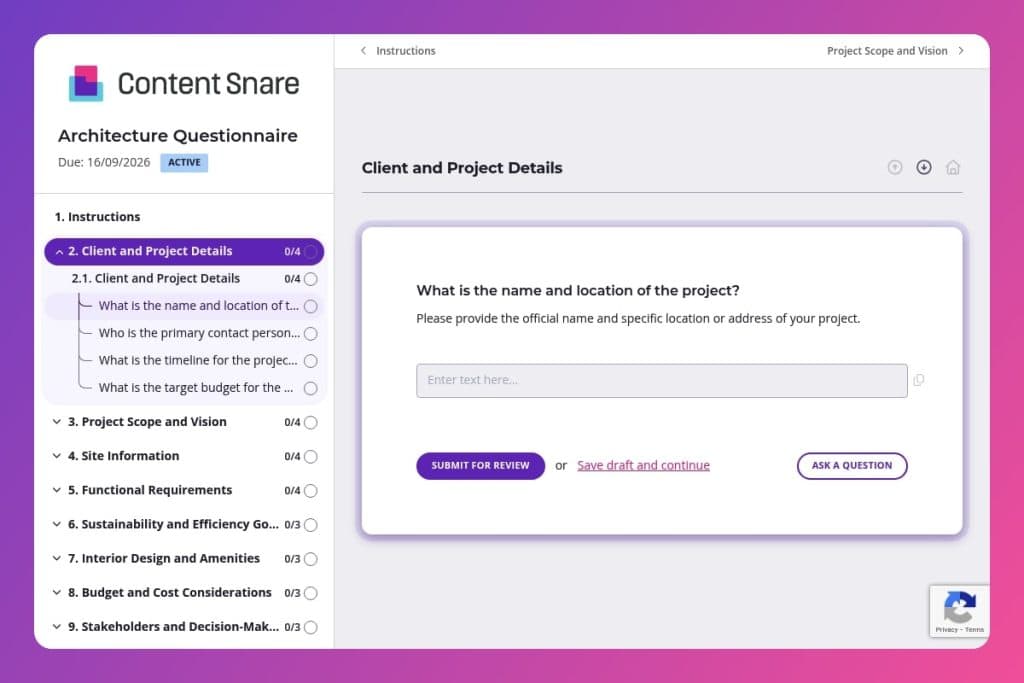


A structured intake form that captures essential project details including site constraints, budget parameters, design preferences, sustainability goals, and stakeholder approval processes before work begins.

Architects, architectural firms, and design-build companies who need comprehensive client information to develop accurate proposals and avoid costly revisions from misaligned expectations.

Send it 3-5 days before the initial consultation so clients can gather site dimensions, zoning documentation, and budget details, then use their responses to structure your proposal and scope of work.
Misaligned expectations between clients and architects kill projects before ground is ever broken. A vague brief leads to costly revisions, budget blowouts, and frustrated teams on both sides. You need clear answers upfront - about site constraints, budget priorities, sustainability goals, and stakeholder approval processes.
An architecture questionnaire solves this problem. It captures critical details from day one, ensuring nothing slips through the cracks. This post covers what makes an effective architecture questionnaire, practical tips for getting clients to complete it, and a free template you can customize for your firm. Let's dive in.
Client and Project Details
Capture core identifiers, contacts, schedule, and budget constraints.
Project Scope and Vision
Elicit intent, aesthetic direction, and signature elements to frame concept development.
Site Information
Gather constraints and opportunities tied to parcel size, context, codes, and environment.
Functional Requirements
Define program, occupancy, accessibility, and backbone services to size and coordinate systems.
Sustainability and Efficiency Goals
Clarify performance targets, certifications, and material strategies to drive envelope and system choices.
Interior Design and Amenities
Record interior direction and required amenities to align architecture with operations and user experience.
Budget and Cost Considerations
Set financial boundaries, prioritization, and change management expectations.
Stakeholders and Decision-Making
Map governance, roles, approvals, and interim deliverables to avoid churn.
Communication and Collaboration
Align cadence, tools, and access so collaboration runs smoothly.
Legal and Compliance
Surface statutory obligations, permitting path, and known risks to de-risk schedule and scope.
Send it before the first meeting: Get the architecture questionnaire to your client at least 3-5 days before your initial consultation. This gives them time to gather details about site dimensions, zoning restrictions, and budget considerations - so you're not wasting billable hours chasing basic information during your kickoff.
Frame it as a collaboration tool, not homework: When introducing the form, explain that their answers help you design a space that actually matches their vision. Emphasize sections like design preferences and functional requirements - these aren't just admin boxes to tick, they're the foundation for creating something they'll love.
Flag the tricky questions upfront: Clients often get stuck on budget breakdowns, stakeholder approval processes, or sustainability certifications. Give them a quick heads-up about these sections and let them know it's okay to answer "unsure" or "need to discuss." You can always refine details together later.
Use their responses to structure your proposal: The architecture questionnaire isn't just intake - it's your project roadmap. Reference their specific answers about timeline expectations, budget priorities, and decision-making authority when you present your scope of work. It shows you listened and builds immediate trust.
Schedule a follow-up review call: Even complete questionnaires leave room for interpretation. Book 20-30 minutes to walk through their answers together, especially around site constraints, accessibility requirements, and amenities. This conversation often surfaces critical details they didn't think to mention in writing.
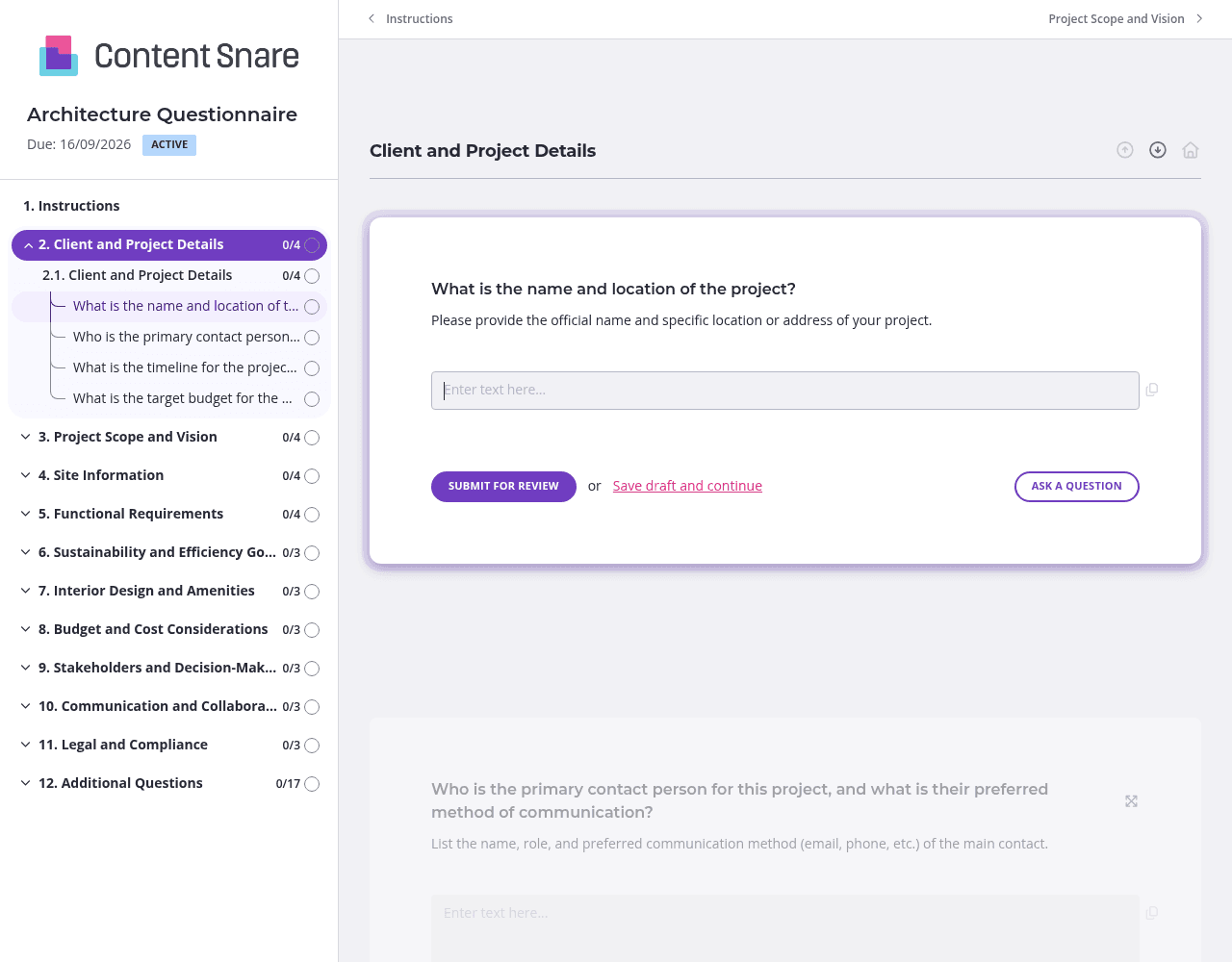
Architecture questionnaires cover a lot of ground - from site specifications to sustainability goals to stakeholder hierarchies. Content Snare lets you organize questions into separate pages like "Project Vision," "Site Information," and "Budget & Timeline." Clients can tackle one section at a time instead of facing a wall of 40+ questions. They can save progress and return later, which matters when they need to pull zoning documents or consult with co-owners.
Questions about budget allocation, accessibility requirements, and legal compliance often trip people up. Content Snare gives you instruction areas above each question or section where you can clarify exactly what you need. Explain the difference between total project budget and construction-only budget. Link to examples of design styles you've worked with before. A few sentences of guidance upfront means fewer "What do you mean by this?" emails later.
You've probably collected basic details during your initial phone call - project name, location, primary contact info. Content Snare lets you prefill those fields before sending the questionnaire. Clients see their information already populated and only need to complete the unknowns. It saves them time and shows you're organized. You can also delete entire sections that don't apply to their specific project type.
Clients get busy. Site visits happen, permit issues arise, and your questionnaire slides down their inbox. Content Snare sends gentle automatic reminders at intervals you choose, so you're not manually following up or feeling like you're nagging. The reminders come from your branded email address and keep the project moving without you lifting a finger.
Email threads and PDF forms make simple information requests feel like project management nightmares. Clients lose attachments, forget what they've already answered, and you spend hours chasing updates. Content Snare eliminates the back-and-forth with a purpose-built platform that tracks progress automatically, sends reminders without you lifting a finger, and keeps everything organized in one place.
Content Snare is trusted by construction and architecture firms worldwide, with hundreds of 5-star reviews across G2, Capterra, and Trustpilot. It's ISO 27001 certified, so client data about budgets, site plans, and legal documentation stays secure. The platform integrates with tools you already use - CRMs, project management software, and cloud storage - so information flows directly into your existing workflow.
Your clients get a polished, branded experience that feels professional from the first click. No clunky PDFs to download or confusing email instructions. They see exactly what's outstanding, save their progress, and submit everything when they're ready. You get complete responses faster, without the usual follow-up friction.
Architecture questionnaires are just the starting point. Construction professionals use Content Snare to collect contractor prequalification documents, homeowner renovation briefs, subcontractor insurance certificates, project closeout documentation, and client testimonials after job completion.


