
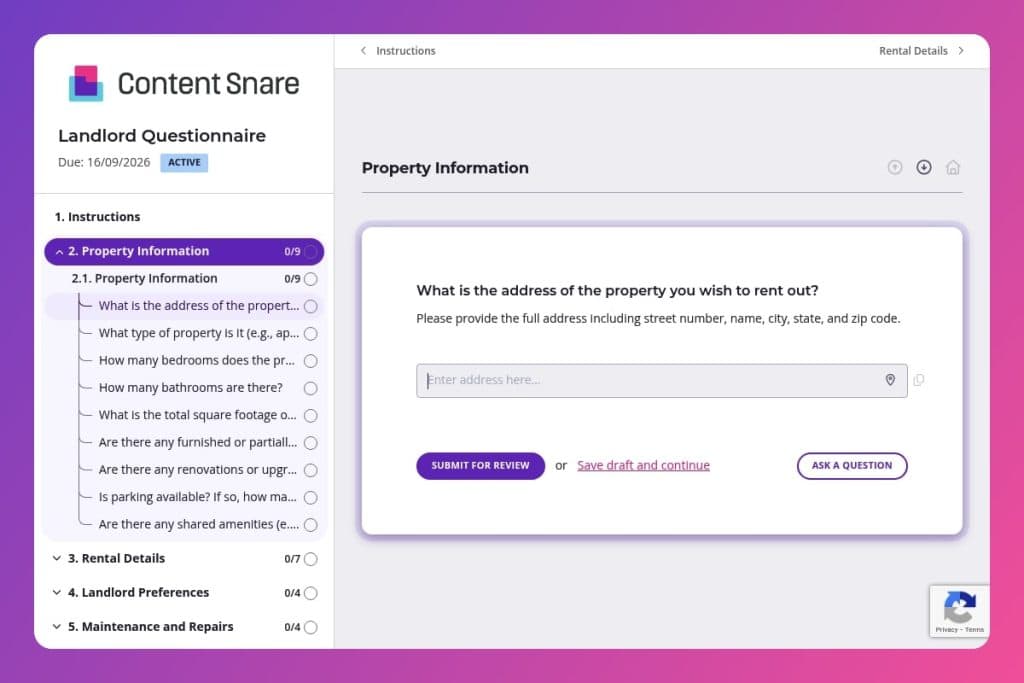


A structured intake form that collects property details, rental terms, landlord preferences, maintenance protocols, and legal requirements from property owners before listing their rental.

Property managers, real estate agents, and leasing professionals who need complete information from landlords to accurately market and manage rental properties.

Send this form immediately after a property owner expresses interest in listing, before your first meeting, so you arrive prepared with their key details and can focus on strategy instead of basic fact-gathering.
You're juggling multiple rental inquiries, but you don't have clear answers on pet policies, who handles repairs, or whether the landlord even wants a property manager involved. Without the right details upfront, you're stuck playing phone tag and delaying listings that could already be generating income.
A landlord questionnaire solves this. It captures everything you need - property specs, rental terms, maintenance preferences, and legal requirements - in one organized form. This post covers what a landlord questionnaire should include, how to use it effectively with clients, and a free template to get you started. Let's dive in.
Property Information
Collect baseline property data to support pricing, screening, and accurate listings.
Rental Details
Define economics, inclusions, and house rules to set clear leasing parameters.
Landlord Preferences
Clarify operating preferences to tailor communication, payments, and decision rights.
Maintenance and Repairs
Set maintenance responsibilities, vendor usage, warranties, and emergency protocols.
Legal and Compliance
Surface custom lease terms and insurance posture to guide drafting and compliance checks.
Marketing and Showings
Align on advertising channels, showing windows, and presentation standards.
Additional Information
Provide an open field for context or edge cases not covered elsewhere.
Send it before the first meeting: Get the landlord questionnaire out as soon as a property owner expresses interest in listing. You'll show up to your initial consultation already knowing the basics - rent expectations, pet policies, maintenance preferences - so you can skip the tedious Q&A and focus on strategy, pricing, and next steps.
Flag gaps in their thinking early: Many landlords haven't decided on security deposits, lease terms, or who handles repairs. When you review their responses, note any blank or vague answers in the Rental Details and Maintenance sections. Use these as conversation starters to help them nail down policies before the listing goes live - it saves everyone from scrambling mid-negotiation with prospective tenants.
Keep a summary file for each property: After submission, create a one-page reference sheet with the landlord's key preferences - rent amount, utilities included, pet rules, preferred contact method for repairs. Share this with your team or property managers so everyone's aligned, and attach it to the listing internally. When questions come up during showings or lease drafting, you won't need to dig through emails or call the landlord again.
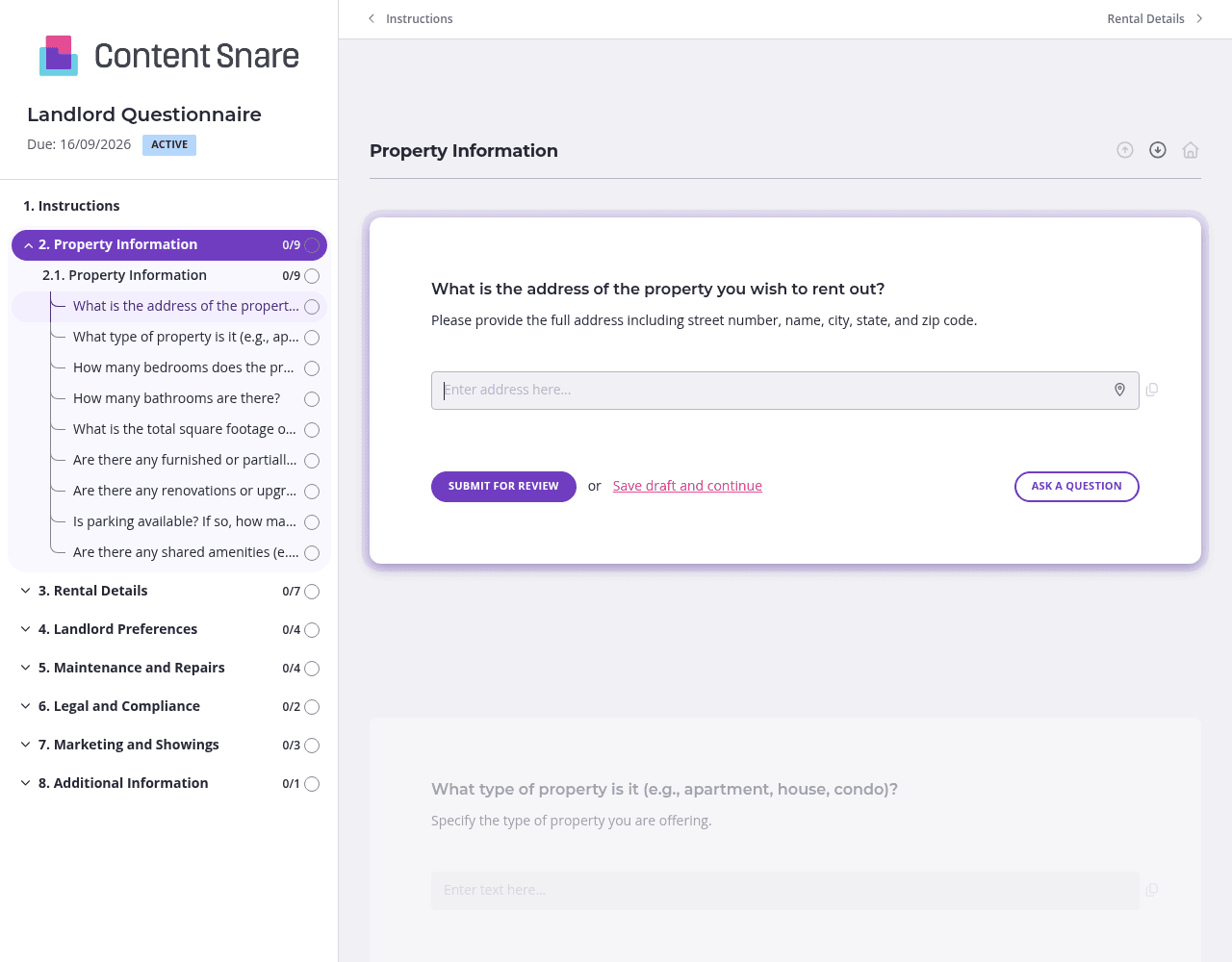
The landlord questionnaire covers a lot of ground - property specs, rental terms, maintenance preferences, legal requirements. Group related questions into separate pages: one for Property Information, another for Rental Details, a third for Maintenance and Compliance. Landlords can tackle one section at a time instead of facing a wall of questions. They're more likely to finish, and you'll get cleaner, more thoughtful responses.
Not every landlord needs every question. If they answer "No" to using a property management company, hide the follow-up questions about management preferences. If pets aren't allowed, skip the questions about pet fees and restrictions. You'll keep the form lean and relevant, and landlords won't waste time on sections that don't apply to their situation.
You probably have basic details before sending the form - property address, type, maybe even the desired rent. Pre-fill those fields so landlords don't re-enter information they've already shared. Delete questions entirely if you've covered them in earlier conversations. The shorter the form feels, the faster you'll get it back.
Questions about lease terms, tenant qualifications, or maintenance responsibilities can be vague if landlords haven't rented before. Use instruction boxes to provide quick guidance: "Most landlords require a security deposit equal to one month's rent" or "List your top three must-haves for tenant income or credit score." Clear direction upfront means fewer follow-up emails asking what they meant.
Email threads get messy. Google Forms don't follow up. Word documents bounce back and forth with incomplete answers. Content Snare keeps everything organized in one place, automatically reminds landlords to finish, and shows you exactly what's missing at a glance. You look more professional, and you stop chasing people for basic information.
Content Snare is trusted by thousands of businesses worldwide and has hundreds of 5-star reviews across G2, Capterra, and Trustpilot. It's ISO 27001 certified, so sensitive landlord data - insurance details, legal terms, financial info - stays secure. It also integrates with the tools you already use, from your CRM to project management platforms, so nothing lives in a silo.
The landlord questionnaire is just one way to use Content Snare in real estate. You can also collect:
Content Snare adapts to however you work - whether you're managing rentals, closing sales, or coordinating vendors across multiple properties.


