
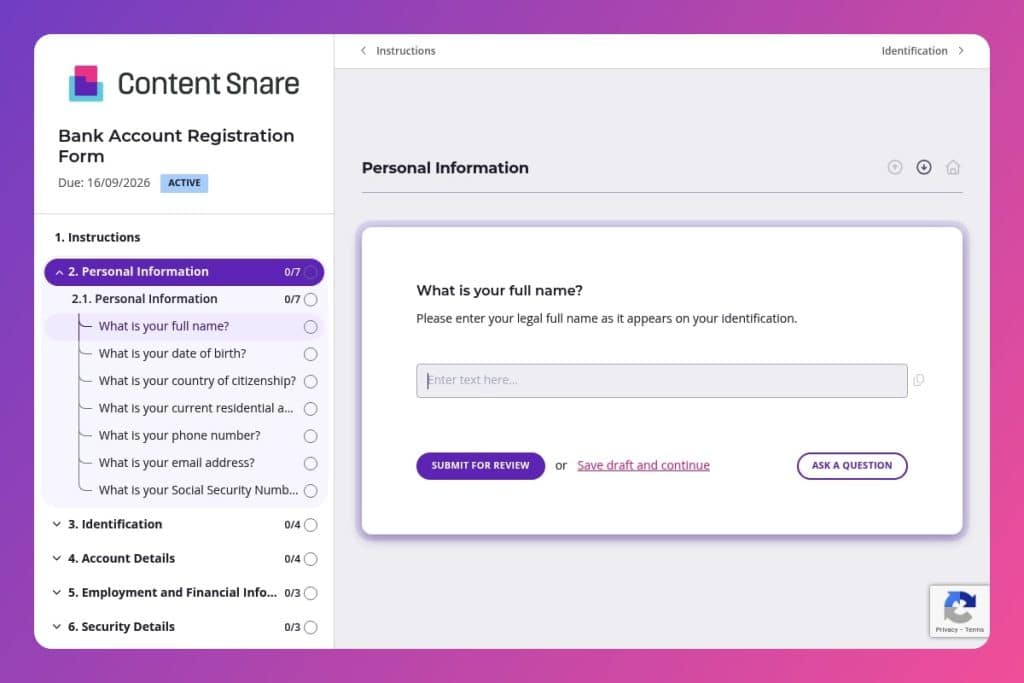


A digital form that collects personal information, identification documents, employment details, account preferences, and regulatory compliance disclosures needed to open a new bank account.

Bank staff, account managers, and compliance officers who need to onboard new customers while meeting regulatory requirements and minimizing incomplete applications that delay account activation.

Send immediately after an initial consultation or branch visit when a customer expresses interest in opening an account, capturing their information while motivation is high and reducing manual follow-up work.
Incomplete applications cost your bank time and money - every missing field means follow-up calls, delayed onboarding, and frustrated customers who may walk away before their account is even open. When you're manually chasing down Social Security Numbers, identification documents, employment details, and compliance disclosures, your team wastes hours on tasks that should take minutes.
A well-designed bank account registration form fixes this. It captures everything you need upfront - personal information, identification verification, account preferences, financial details, and regulatory requirements - in one streamlined experience. This post covers what makes an effective bank account registration form, practical tips for maximizing completion rates, and a free template you can customize for your institution. Let's dive in.
Personal Information
Collect core identity and contact data required for onboarding and KYC.
Identification
Capture government ID details to validate identity and meet CIP/AML controls.
Account Details
Define product selection, use case, and funding to configure the account correctly.
Employment and Financial Information
Gather financial profile inputs used in AML risk assessment and eligibility checks.
Security Details
Set up online access and recovery mechanisms.
Terms and Agreements
Record mandatory consents to transact electronically and open the account.
Certain Disclosures
Screen for regulatory restrictions and enhanced due diligence triggers.
Customer Service
Offer optional onboarding support and capture service needs.
Pre-populate account type options based on client conversations: Before sending the form, note whether your client mentioned needing a checking account for daily transactions, a savings account for long-term goals, or a joint account with a spouse. You can guide them to the right selection upfront, reducing confusion and back-and-forth about overdraft protection or initial deposit requirements.
Send the form immediately after the initial consultation: Strike while interest is high. If a customer walks into your branch or calls asking about opening an account, send the bank account registration form before they leave or within an hour of hanging up. You'll capture their information while they're motivated, and they'll appreciate not having to repeat details they've already discussed with you.
Group related fields to minimize drop-off: The form covers everything from personal details to employment information to compliance disclosures - that's a lot to ask. When reviewing submissions, pay attention to where clients abandon the form. If you notice people stopping at the employment section, consider reaching out proactively to explain why you need their occupation and income details (it's for account features and regulatory requirements, not judgment).
Use incomplete submissions as conversation starters: If someone fills out their personal information and identification but stops before the security details or terms and agreements, don't just send a generic reminder. Call them directly. They might have questions about password requirements, concerns about electronic statements, or confusion about politically exposed person (PEP) disclosures that a quick conversation can resolve.
Create a post-submission checklist for verification: Once the form comes in, immediately verify that identification documents match the personal information provided, cross-reference citizenship and sanctioned country disclosures for compliance flags, and confirm the initial deposit amount aligns with the chosen account type's minimum requirements. Catching discrepancies early prevents delays in account activation and frustrating calls later.
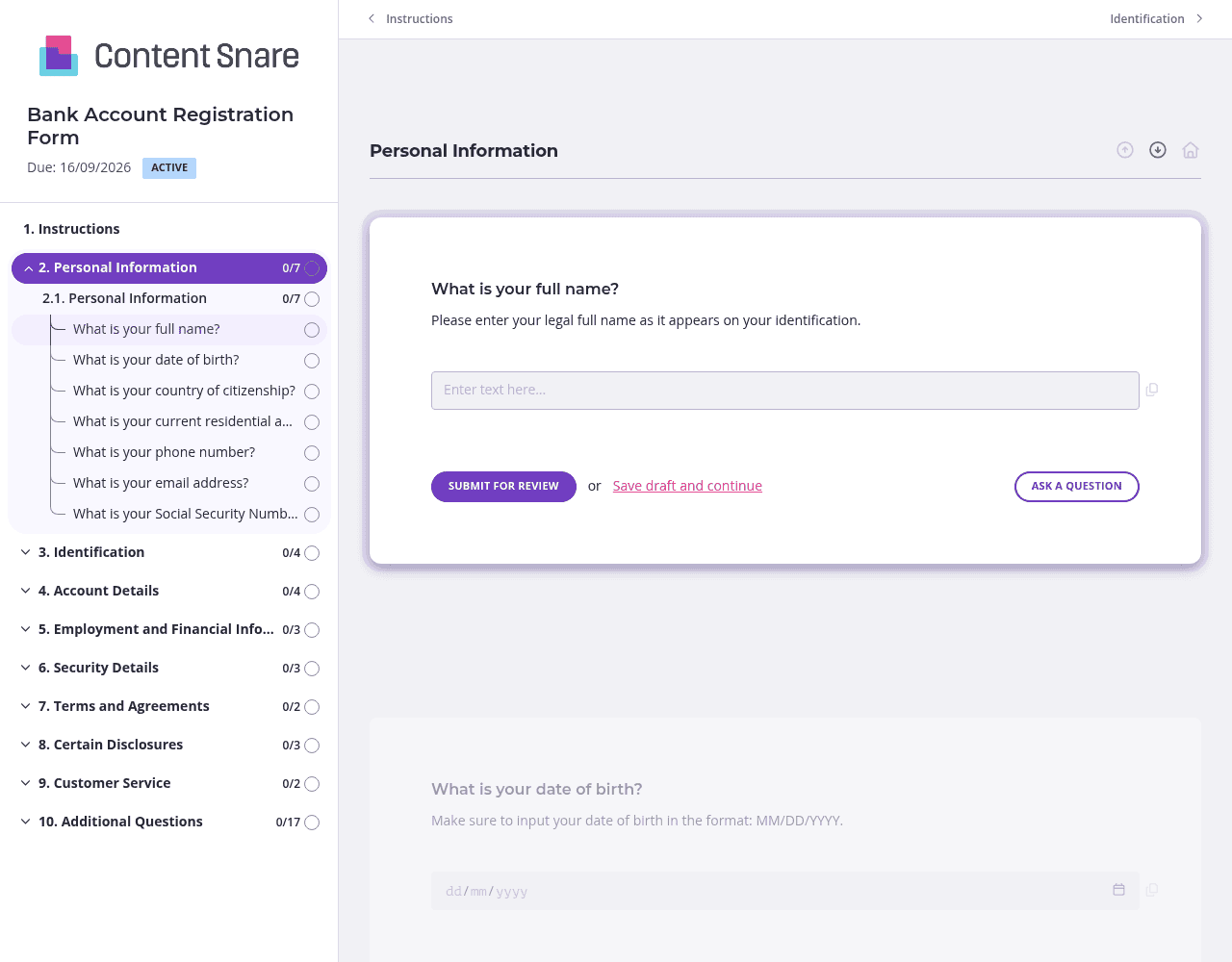
A bank account registration form asks for sensitive information across multiple categories - personal details, identification documents, employment history, and compliance disclosures. That's overwhelming in a single view. Split the form into separate pages: one for personal information, another for identification verification, a third for account setup and financial details, and a final page for security and agreements. Your clients see one focused section at a time, making the process feel manageable rather than invasive.
Certain fields consistently trip people up. For the Social Security Number field, include a note clarifying whether you need dashes or just digits. When asking about politically exposed persons (PEP), explain what that actually means - most clients have never heard the term and will abandon the form rather than guess. For identification documents, specify which formats you accept (PDF, JPG) and any file size limits. A single sentence of guidance prevents hours of back-and-forth corrections.
You've likely collected some client details during initial conversations or from existing records. Pre-populate fields like name, email address, phone number, and residential address before sending the form. Your client confirms accuracy rather than retyping everything, and you avoid transcription errors. If someone is opening a second account with you, pre-fill their identification details, employment information, and citizenship status - they'll breeze through in minutes instead of repeating themselves.
Bank account registration requires regulatory compliance, meaning you can't open the account with missing information. Automatic reminders ensure clients complete critical sections like identification verification and PEP disclosures without you having to chase them down. Schedule reminders at intervals that make sense - perhaps a gentle nudge after 24 hours, then a more direct follow-up after three days. You stay on top of applications without playing the villain, and clients appreciate the helpful prompt when life gets busy.
Generic forms and email chains don't cut it for sensitive banking information. You need a system that handles personally identifiable information, financial data, and regulatory disclosures with the security your compliance team demands - while still delivering a client experience that feels modern and trustworthy. Content Snare is ISO 27001 certified and built specifically for collecting information professionally, with automatic follow-ups that keep applications moving without manual effort.
Trusted by thousands of businesses worldwide, Content Snare gives you complete control over the client experience. Your branding appears throughout the form and in every email notification, so clients never feel like they're entering data into a third-party tool. The platform integrates seamlessly with your existing systems, meaning account information flows directly into your CRM or core banking software without manual data entry.
Security matters in banking, and your clients know it. Content Snare's infrastructure and certifications - backed by hundreds of 5-star reviews across G2, Capterra, and Trustpilot - give clients confidence that their Social Security Numbers, identification documents, and financial details are protected. You get completion rates that email attachments and generic forms can't match.
This bank account registration form is just the beginning. Banks also use Content Snare to collect:


