
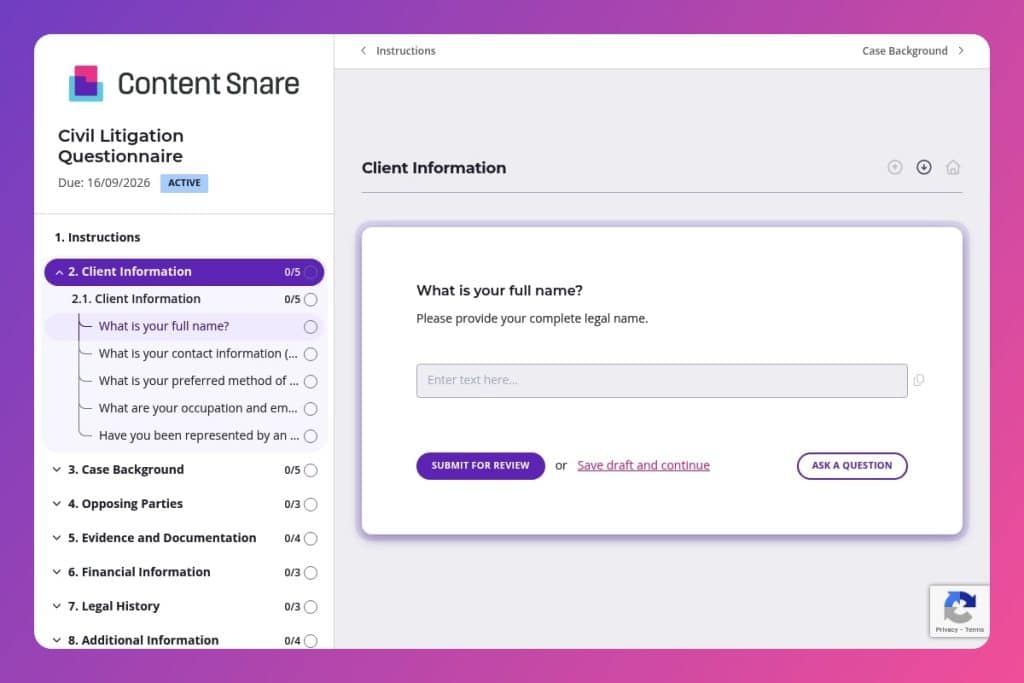


A structured intake questionnaire that collects comprehensive information about a client's civil case, including parties involved, evidence, timelines, and legal objectives.

Attorneys and law firms handling civil litigation matters who need to gather complete case details from new or prospective clients during the intake process.

Before initial consultations to prepare for strategic discussions, or immediately after a client inquiry to assess case viability and identify urgent deadlines.
Missing case details cost you hours in follow-up calls and emails. Incomplete client information delays filings. Scattered evidence creates gaps in your strategy. The problem? Most intake processes rely on informal conversations that leave critical questions unanswered until it's too late.
A civil litigation questionnaire solves this. It captures everything you need upfront - client background, case facts, opposing parties, evidence, deadlines, and financial details - in one organized document. This post covers what makes an effective civil litigation questionnaire, how to use it during intake, and includes a free template you can customize for your firm. Let's dive in.
Client Information
These questions establish baseline client data and communication preferences for intake and conflict checks.
Case Background
This group captures the dispute narrative, key dates, and initial strategy alignment.
Opposing Parties
These items identify counterparties and potential witnesses to scope service, investigation, and early disclosures.
Evidence and Documentation
Inventory available evidence and understand what has already been shared.
Financial Information
Gauge resources, damages theory, and risk transfer options.
Legal History
Surface prior matters that may affect credibility, preclusion, or collection risk.
Additional Information
Catch anything outside the structured prompts that could affect venue, strategy, or timing.
Send it before the first meeting: Get the civil litigation questionnaire to potential clients as soon as they schedule a consultation. You'll arrive at that first meeting already knowing the case summary, key dates, and opposing parties - which means you spend less time gathering basics and more time providing strategic advice.
Guide clients on evidence collection upfront: Don't just ask "Do you have documents related to the case?" Include examples in your instructions - contracts, emails, text messages, invoices, medical records. Clients often don't realize what counts as evidence. The clearer you are about what to gather in the Evidence and Documentation section, the fewer follow-up requests you'll send later.
Use incomplete responses as your consultation roadmap: When a client submits the form with vague answers or skipped questions, that's valuable information. Flag those gaps - especially in Case Background, Opposing Parties, and Financial Information - and structure your intake meeting around filling them in. It keeps conversations focused and ensures nothing falls through the cracks.
Pay special attention to the deadlines question: Court dates and statute of limitations can make or break a case before you even start. Make this question mandatory and review it immediately upon submission. If a client mentions an upcoming deadline, you'll know whether you're evaluating a case or responding to an emergency.
Create a follow-up checklist from their answers: After reviewing the completed questionnaire, generate a quick task list based on what they've provided. Missing witness contact information? Need to request insurance policy details? Want to verify previous litigation history? Turn their responses into your next steps so nothing gets overlooked during onboarding.
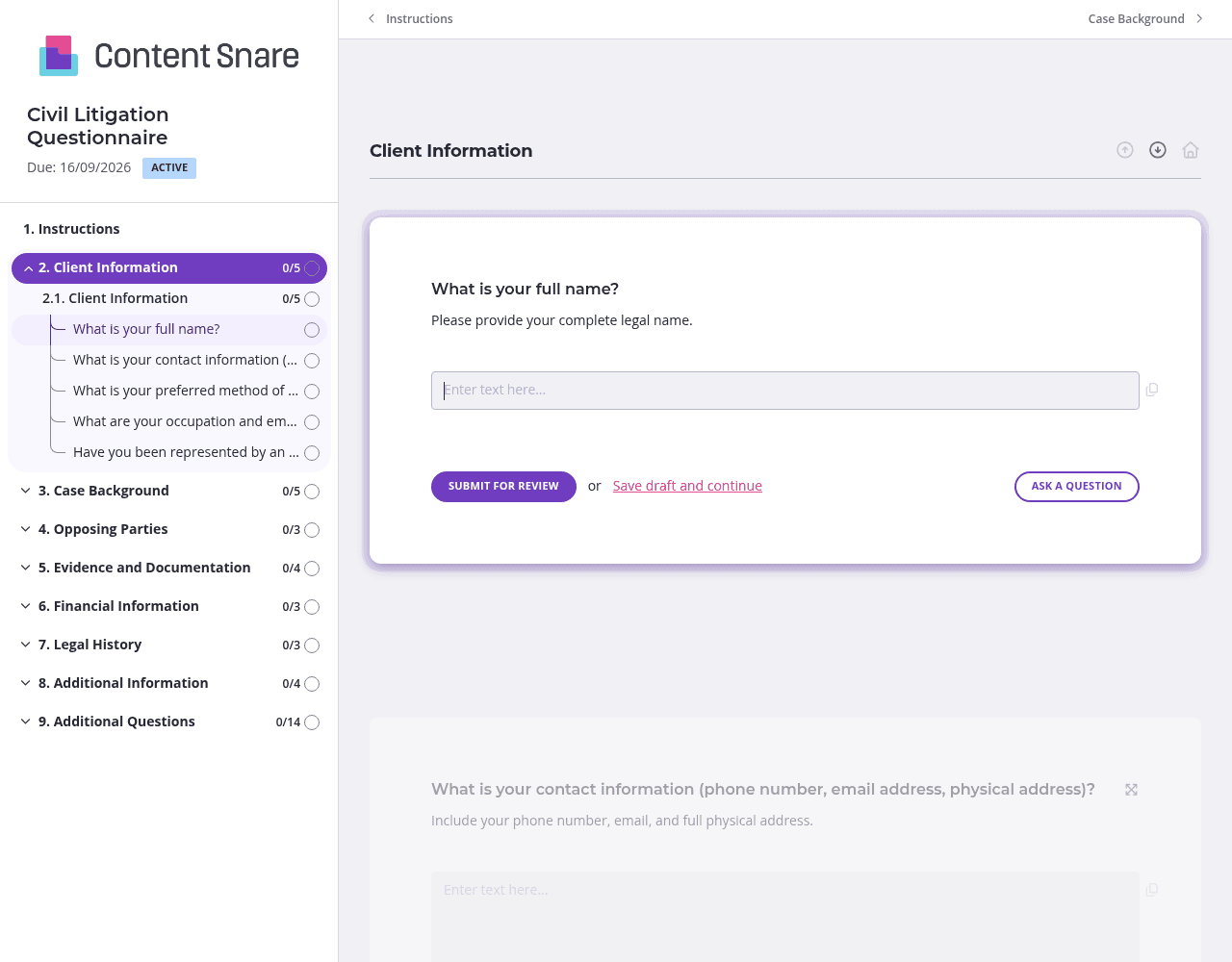
Civil litigation involves dozens of detail-heavy questions across multiple categories. Use pages and sections to organize your questionnaire into logical chunks - Client Information, Case Background, Evidence and Documentation, Financial Information, and Legal History. Clients can focus on one topic at a time without feeling overwhelmed by a 30-question wall of text. They'll complete it faster, and you'll get more thorough responses.
The evidence questions are where clients get stuck most often. They're not sure what qualifies as relevant documentation or how to describe their case summary clearly. Add instruction areas with specific examples: "Include contracts, emails, text messages, invoices, medical records, or police reports." For the case summary field, provide a brief example or template. Clear guidance upfront means fewer vague answers and follow-up requests on your end.
You likely know the client's name, contact details, and preferred communication method before sending the questionnaire. Pre-fill those Client Information fields so they don't waste time entering data you already collected during the initial phone call. You can also delete irrelevant questions entirely - if you know they haven't had settlement discussions yet, remove that question before sending. It creates a more personalized experience and gets you answers faster.
Clients have busy lives and litigation paperwork isn't their top priority. Automatic reminders ensure your questionnaire doesn't get buried in their inbox without you becoming the person who has to chase them down manually. Set reminders to go out every few days until they complete it. You stay on top of intake without the awkward follow-up emails.
You could use email, Word documents, or PDF forms to collect client information. But then you're manually chasing follow-ups, deciphering incomplete responses, and dealing with version control chaos. Content Snare handles the tedious parts automatically while keeping everything organized in one place. It's trusted by law firms worldwide and has hundreds of 5-star reviews across G2, Capterra, and Trustpilot.
The platform is ISO 27001 certified, which matters when you're collecting sensitive legal information, financial details, and personal history. Clients can submit documents and responses knowing their data is secure. You get professional intake without the security concerns of email attachments.
Content Snare integrates with the tools you already use - your practice management software, document storage, and CRM. No more copy-pasting responses into multiple systems or manually filing attachments. Everything flows where it needs to go.
A civil litigation questionnaire is just one way to use Content Snare. Law firms also use it for:
The platform is highly customizable, so you can build any form your practice needs - then reuse and refine it as you go.


