
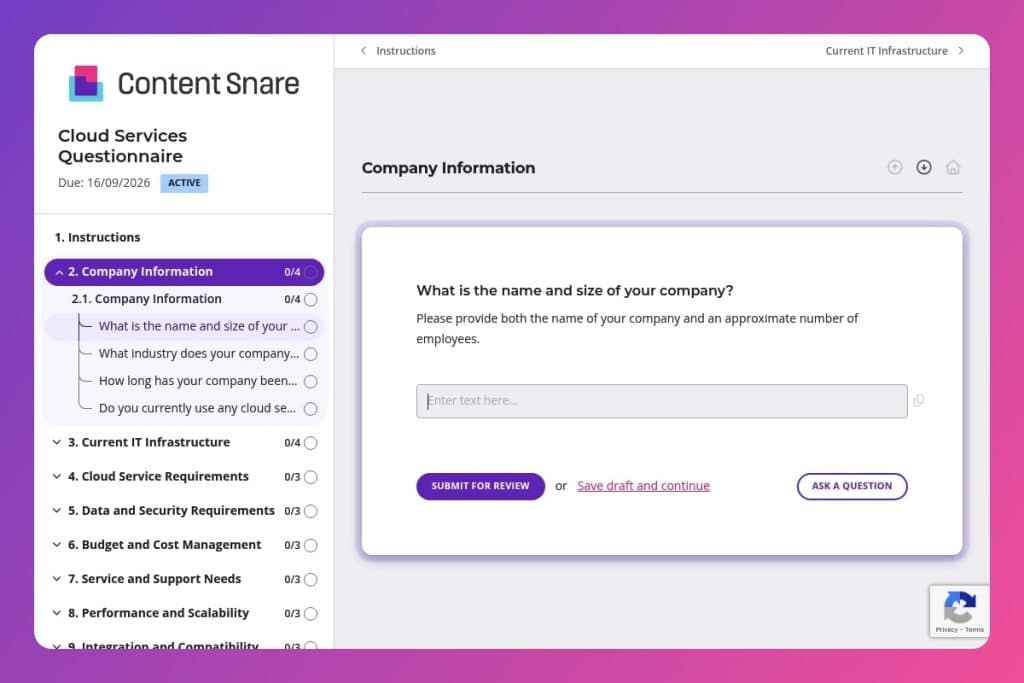


A structured assessment form that captures a company's infrastructure setup, security requirements, budget constraints, and cloud migration goals before engaging with vendors.

IT service providers, cloud consultants, and managed service providers who need to qualify prospects and design tailored cloud solutions based on technical requirements and business objectives.

During initial vendor selection, discovery phases, or when scoping cloud migration projects - before proposals are written or technical architecture discussions begin.
You're evaluating cloud providers, but are you asking the right questions? Most IT teams jump into vendor conversations without clarifying their infrastructure needs, security requirements, or budget constraints. The result: misaligned solutions, hidden costs, and migration headaches that could have been avoided.
A cloud services questionnaire solves this problem. It helps you gather critical details upfront - from compliance mandates and scalability plans to integration requirements and support expectations. This post covers what makes an effective questionnaire, how to use it during vendor selection and discovery, and includes a free template you can customize. Let's break it down.
Company Information
Use this section to anchor basic org context that informs scoping and regulatory posture.
Current IT Infrastructure
Capture the current-state footprint to estimate migration complexity and dependency risk.
Cloud Service Requirements
Identify target models, candidate workloads, and objectives to frame the solution space.
Data and Security Requirements
Elicit data classifications, compliance drivers, and security control expectations.
Budget and Cost Management
Align on spend limits, cost governance, and preferred pricing levers.
Service and Support Needs
Clarify required support depth, responsiveness, and contractual guarantees.
Performance and Scalability
Set clear performance targets, scaling expectations, and success metrics.
Integration and Compatibility
Map required integrations, multi/hybrid stance, and tooling constraints.
User and Accessibility Requirements
Size the user base and outline access patterns and accessibility needs.
Migration Timeline and Project Management
Establish schedule expectations, phase gates, and ownership.
Additional Preferences and Requirements
Capture provider preferences and open concerns to de-risk later surprises.
Prep your internal team before sending: Get your technical architects, security officers, and finance leads aligned on what you actually need to know. If you're unsure whether to offer IaaS, PaaS, or SaaS options, clarify your service models internally first. This prevents you from collecting vague answers you can't act on.
Use responses to shape your follow-up conversation: Don't treat this as a one-way data dump. When a client flags specific compliance requirements (HIPAA, GDPR, SOC 2) or mentions hybrid cloud needs, those become your agenda items for the discovery call. Reference their answers directly - it shows you're listening and helps you dig deeper where it matters.
Turn budget and timeline answers into qualification criteria: If someone selects a 3-month migration timeline but lists complex integration requirements across legacy systems, that's a red flag worth addressing early. Use the budget and cost management section to gauge whether expectations align with scope, and adjust your proposal or educate the client accordingly.
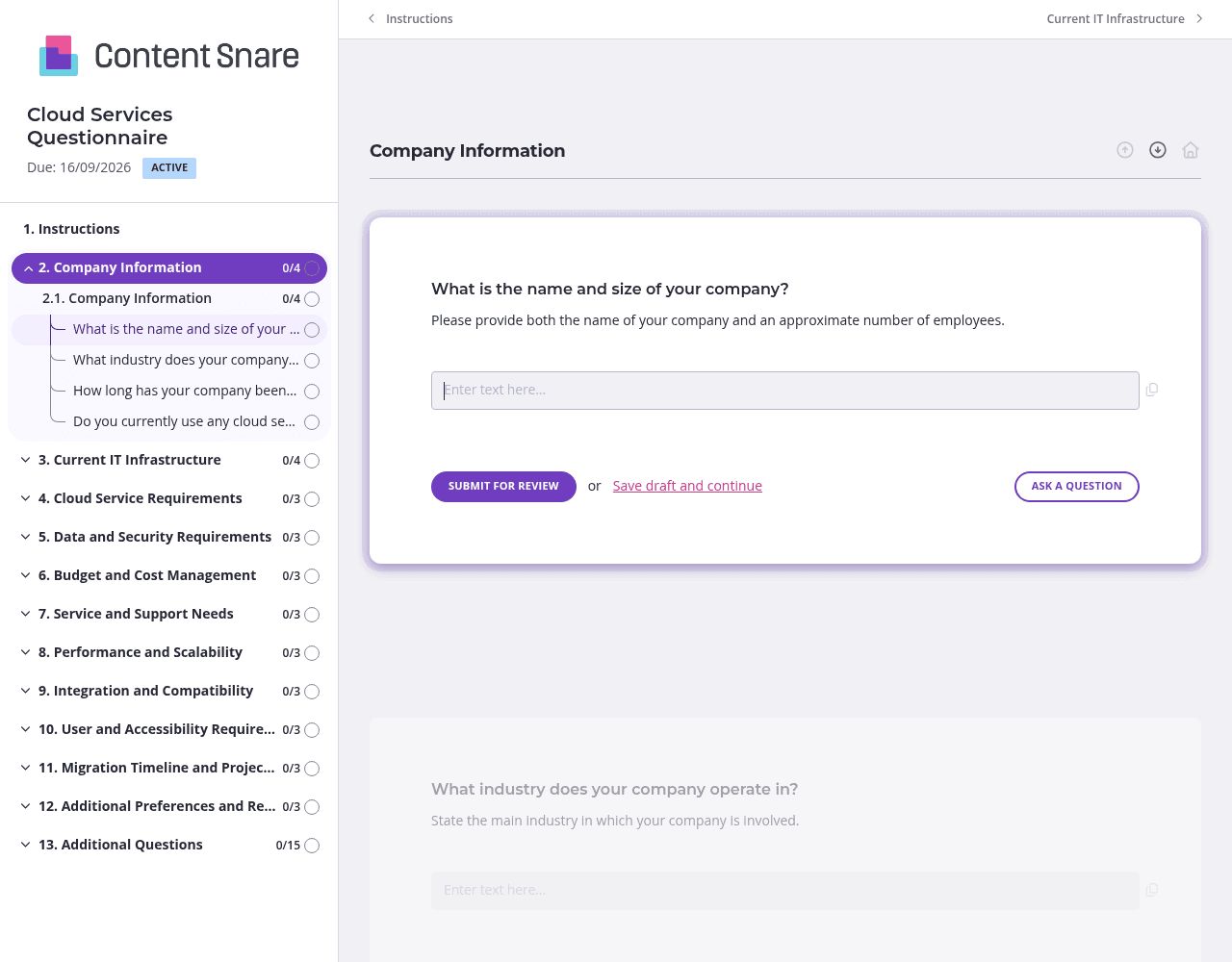
Cloud assessments cover a lot of ground - current infrastructure, security requirements, budget, migration timelines. Use pages and sections to organize questions by topic. Group all infrastructure questions together, then security and compliance, then budget. Your clients won't feel overwhelmed, and you'll get more complete answers when questions feel manageable.
Not every client needs to answer every question. Use conditional logic to adapt the form based on responses. If someone says they don't currently use cloud services, skip the detailed questions about existing cloud architecture. If they select specific compliance requirements like HIPAA or PCI-DSS, show follow-up questions about those frameworks. You'll save clients time and collect cleaner data.
The difference between IaaS, PaaS, and SaaS isn't obvious to every respondent - especially if you're working with business stakeholders, not just IT teams. Use instruction areas to clarify terms or provide examples. A quick note like "IaaS = you manage apps and data, we manage infrastructure" prevents guesswork and reduces back-and-forth corrections later.
IT professionals juggle multiple projects and vendor evaluations simultaneously. Automatic reminders keep your questionnaire on their radar without you having to send awkward follow-up emails. Schedule a gentle nudge after a few days, then another before your internal deadline. You stay top of mind, and clients appreciate the prompt without feeling pressured.
Email chains and shared documents fall apart when you're collecting technical requirements from multiple stakeholders. Responses get buried, version control becomes a nightmare, and you waste hours chasing incomplete information. Content Snare keeps everything organized in one place, with automatic reminders that do the follow-up for you and a client portal that actually guides people through complex questions.
IT teams trust Content Snare because it's ISO 27001 certified and built for handling sensitive information - critical when you're discussing infrastructure details, compliance requirements, and security protocols. It integrates with the tools you already use, so responses flow directly into your CRM or project management system without manual data entry.
Thousands of businesses worldwide rely on Content Snare for client onboarding, and it has hundreds of 5-star reviews across G2, Capterra, and Trustpilot.
Beyond cloud service assessments, IT companies use Content Snare for:


