
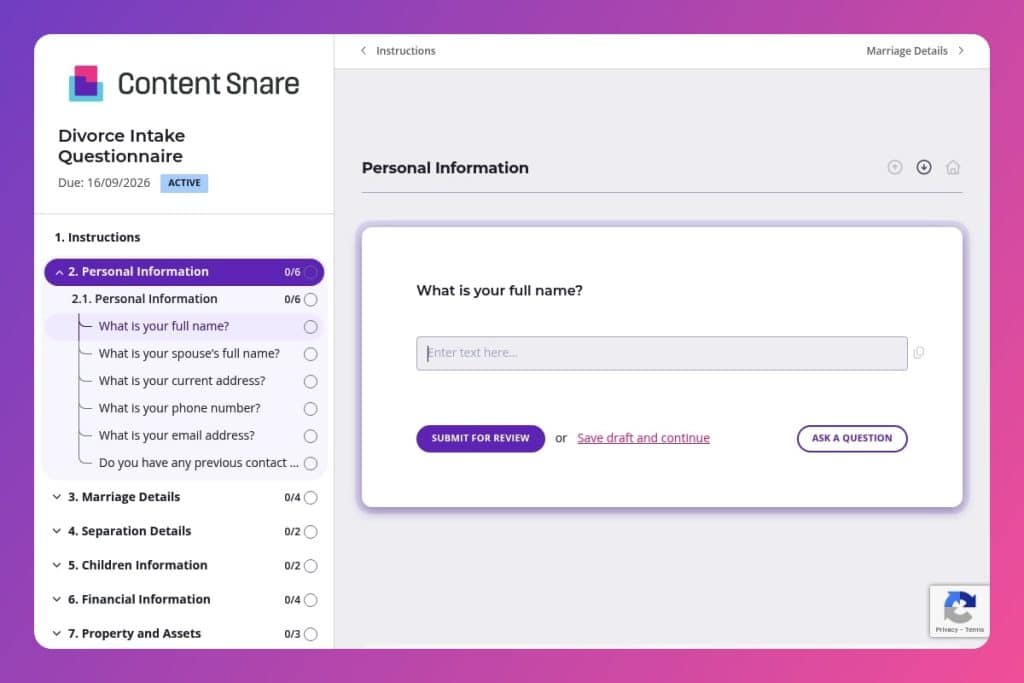


A comprehensive pre-consultation form that collects marriage history, separation details, children and custody information, financial assets, property ownership, and any safety concerns before the first meeting.

Family law attorneys, divorce lawyers, and legal practices handling dissolution of marriage cases who need complete client information to assess case complexity and prepare effectively.

Send this questionnaire 48 hours before the initial consultation so clients can gather necessary documents and you can review their situation, identify urgent issues, and use consultation time strategically.
Your first consultation with a divorce client can either set the foundation for a smooth case - or leave you scrambling for missing information weeks later. Incomplete intake means follow-up calls, delayed filings, and frustrated clients who expected you to have the full picture from day one.
A divorce intake questionnaire solves this problem by capturing everything upfront: marriage history, children and custody details, financial assets, property ownership, and sensitive issues like domestic violence. This post covers what makes an effective divorce intake questionnaire, how to use it to streamline your client onboarding, and includes a free template you can customize for your practice.
Here's what you need to know.
Personal Information
Collect baseline identifiers and contact channels for conflict checks and correspondence.
Marriage Details
Capture core marital facts and prior marital history to frame jurisdiction and context.
Separation Details
Establish separation status, key dates, and cohabitation to assess grounds and interim relief.
Children Information
Gather child details and existing orders to scope custody, parenting time, and support issues.
Financial Information
Outline income, shared accounts, and debts to inform temporary orders and disclosure planning.
Property and Assets
Inventory real and personal property to frame characterization and division.
Legal Agreements and Documents
Identify agreements and instruments that alter default rights or require coordination.
Additional Information & Concerns
Surface safety risks, urgent needs, and client objectives for triage and strategy.
Send the form before the initial consultation: Give clients 48 hours to complete the divorce intake questionnaire before you meet. This lets them gather documents - marriage certificates, separation agreements, financial statements - without the pressure of your billable time ticking away. You'll walk into that first meeting already knowing whether custody, property division, or prenuptial agreements are in play.
Flag the financial and asset sections as priorities: Many clients rush through questions about joint accounts, debts, and property ownership, then realize later they forgot a retirement account or rental property. In your email, specifically ask them to review bank statements and property records before completing those sections. The more accurate their initial answers, the fewer surprises during discovery.
Follow up immediately on safety concerns: If a client indicates domestic violence or abuse in the "Additional Information & Concerns" section, don't wait for a scheduled call. Reach out within hours to assess urgency, discuss protective orders, and adjust your intake process accordingly. These cases need different handling from day one.
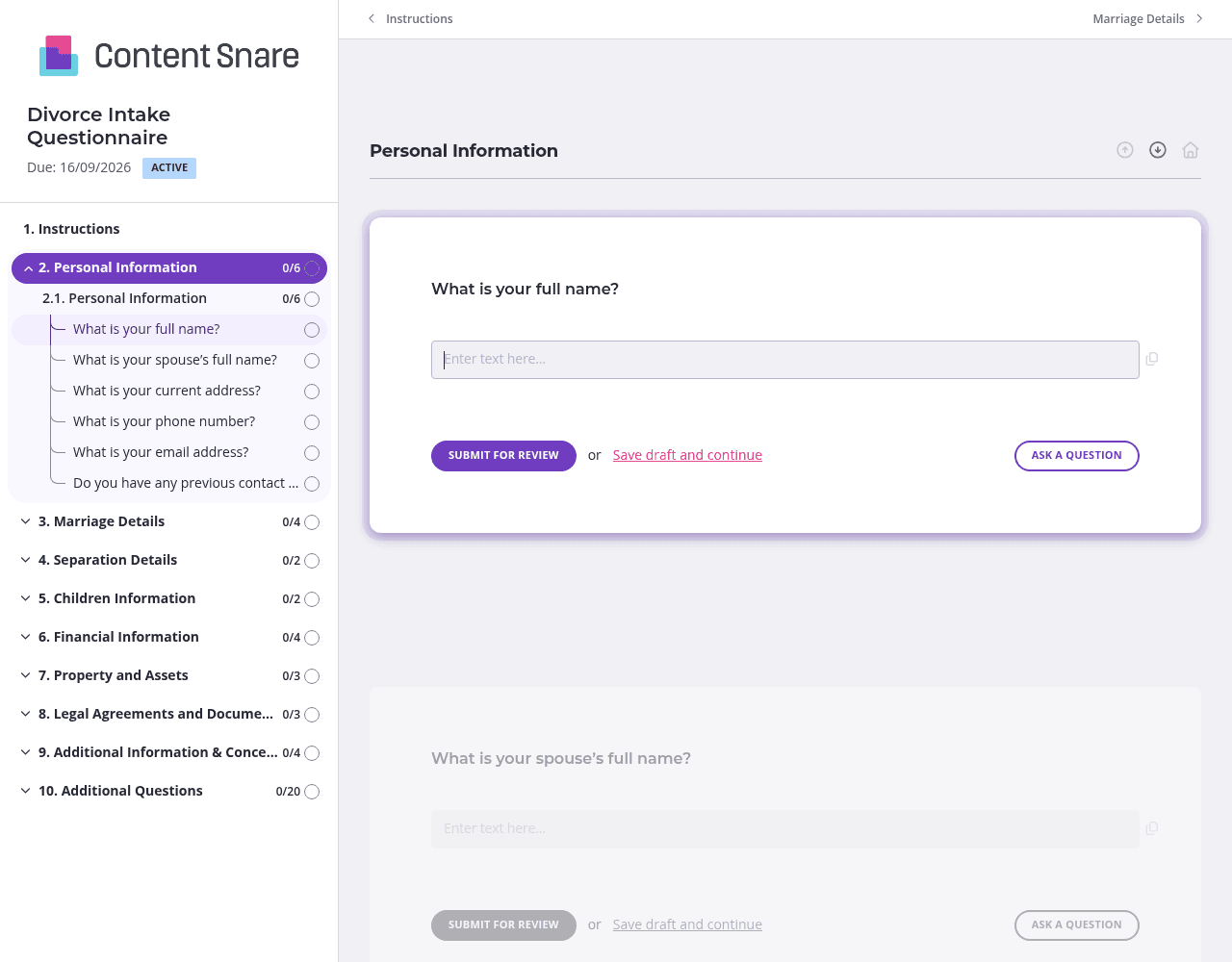
Divorce intake covers everything from marriage history to financial assets to custody arrangements. That's overwhelming in one long scroll. Split your questionnaire into logical pages - one for marriage details, another for children and custody, a third for property and finances. Clients can tackle one section at a time, save their progress, and return when they've located that separation agreement or vehicle title.
Not every divorce involves prenuptial agreements or children from previous marriages. Use conditional logic to show follow-up questions only when they apply. If a client answers "no" to "Do you have any children together?", skip the entire custody section. If they indicate no prior marriages, hide those detail fields. You'll get cleaner responses and won't waste your client's time on irrelevant questions.
The financial and property sections trip people up - they're not sure whether to include a 401(k), how to value their home, or whether that business loan counts as shared debt. Drop a brief instruction box above these sections explaining what you need: "List all assets with approximate current values, including retirement accounts, investment portfolios, and business interests." A 30-second explainer saves you hours of clarification emails later.
Clients dealing with divorce are juggling emotions, logistics, and life changes. They forget to complete forms. Automatic reminders keep your intake moving without you sending awkward "just checking in" emails. Set reminders to go out every few days until the questionnaire is submitted, so you can focus on casework instead of chasing paperwork.
Google Forms and Word documents weren't built for sensitive legal intake. Clients email half-completed forms, you lose track of versions, and there's no clear audit trail. Content Snare is purpose-built for professional client onboarding - it keeps everything organized, automatically follows up when clients stall, and ensures you're collecting information securely. Law firms trust it because it's ISO 27001 certified and designed to handle confidential client data properly.
You get a system that actually looks professional. Branded forms, clear progress tracking, and automatic reminders mean clients complete intake faster without constant nudging from your staff. Content Snare integrates with the tools you already use - your practice management software, CRM, and document storage - so information flows directly into your existing workflow.
Thousands of businesses worldwide use Content Snare for client intake, with hundreds of 5-star reviews across G2, Capterra, and Trustpilot. It's trusted by law firms who need both efficiency and security.
A divorce intake questionnaire is just one application. Law firms also use Content Snare for estate planning questionnaires, personal injury client intake, business formation documents, immigration case preparation, and gathering discovery materials from clients - anywhere you need structured information collection without the back-and-forth email chaos.


