
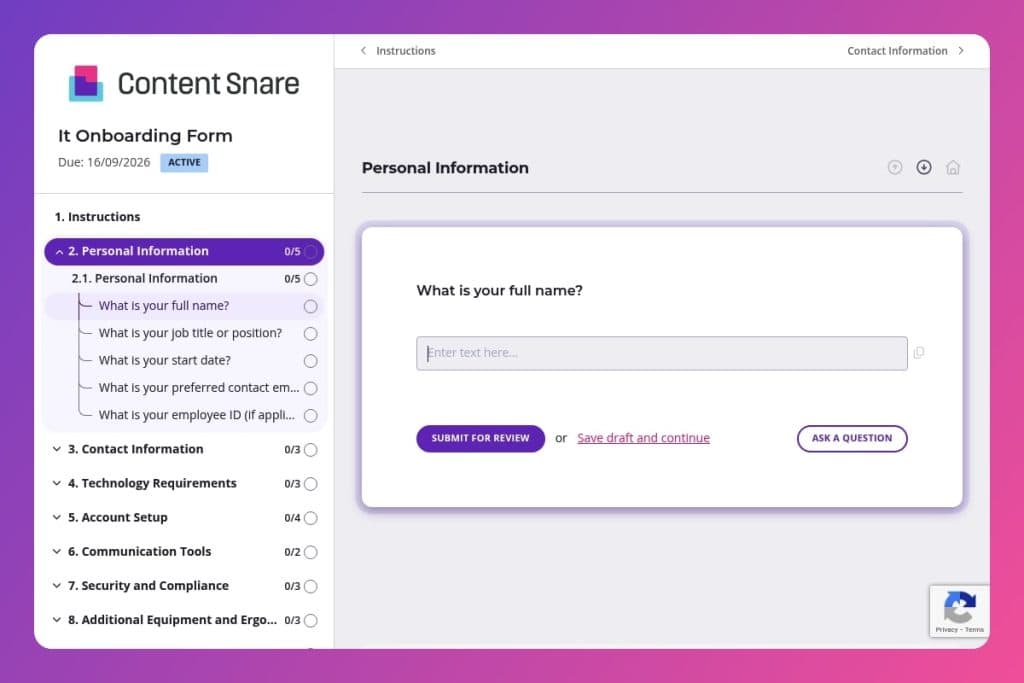


A structured questionnaire that collects all technical requirements from new IT employees before their start date, including hardware preferences, software needs, system access permissions, and equipment specifications.

IT managers, HR teams, and onboarding coordinators at technology companies who need to provision equipment, configure accounts, and set up system access for incoming developers, engineers, support staff, and other technical roles.

Send this form immediately after a candidate accepts their offer and before their first day, giving your team sufficient lead time to procure hardware, install software, configure VPN access, and establish the necessary security clearances and permissions.
73% of new IT hires report delays in getting the tools they need to do their job. Missing equipment, wrong software, incomplete access permissions - these gaps cost you productivity from day one and frustrate employees before they've even started.
An it onboarding form solves this. It captures every technical requirement upfront - from hardware preferences to software access, security clearances to ergonomic needs. You'll get new hires productive faster, eliminate back-and-forth emails, and ensure nothing falls through the cracks. This post covers what an IT onboarding form should include, practical tips for implementation, and a free template you can customize. Let's get started.
Personal Information
Capture core identifiers to match the new hire to HRIS records and drive automated provisioning.
Contact Information
Confirm direct contact details and primary location to schedule delivery and onsite support.
Technology Requirements
Establish device, OS, software, and hardware needs to streamline procurement and imaging.
Account Setup
Define required accounts, remote access, and resource mappings to build the access profile.
Communication Tools
Identify collaboration platforms and telephony to provision licenses and assign to the right groups.
Security and Compliance
Validate mandatory training and role-based compliance to align controls and audits.
Additional Equipment and Ergonomics
Confirm peripherals and ergonomic needs to avoid repeated shipments and ensure safe setup.
Access and Permissions
Specify elevated roles and data access to assign least-privilege permissions at onboarding.
File Storage and Backup
Set the default storage pattern and backup expectations to align with retention and recovery policies.
Training and Support
Scope the support model and training plan to reduce early tickets and accelerate ramp-up.
Feedback and Suggestions
Invite process feedback to refine your onboarding workflow over time.
Send the form before the offer is finalized: Get a head start on provisioning by sharing this form as soon as the candidate verbally accepts. You'll capture their hardware preferences and software needs early, giving your team time to procure equipment and set up accounts before day one.
Pre-populate what you already know: Fill in basic details like full name, job title, start date, and employee ID before sending the form. This saves your new hire time and shows you're organized. They can focus on the technical requirements you actually need their input on - like OS preference, specialized software, and access permissions.
Create a procurement checklist from their responses: As soon as you receive a submission, convert their technology requirements and additional equipment needs into a purchasing and setup task list. Assign owners for laptop setup, software installation, VPN configuration, and peripheral orders. This transforms their answers into immediate action items.
Flag role-specific access needs for review: When new hires request administrative access or specific permission levels, loop in your security team or department heads before granting access. Not every request should be auto-approved - some roles have compliance requirements or security clearances that need verification first.
Schedule a brief tech check-in call after they review the form: Give new hires the option to discuss their responses with someone from IT before submission. Complex setups, specialized hardware, or accessibility needs often require conversation beyond form fields. A 15-minute call can prevent costly ordering mistakes and ensure everyone's on the same page.
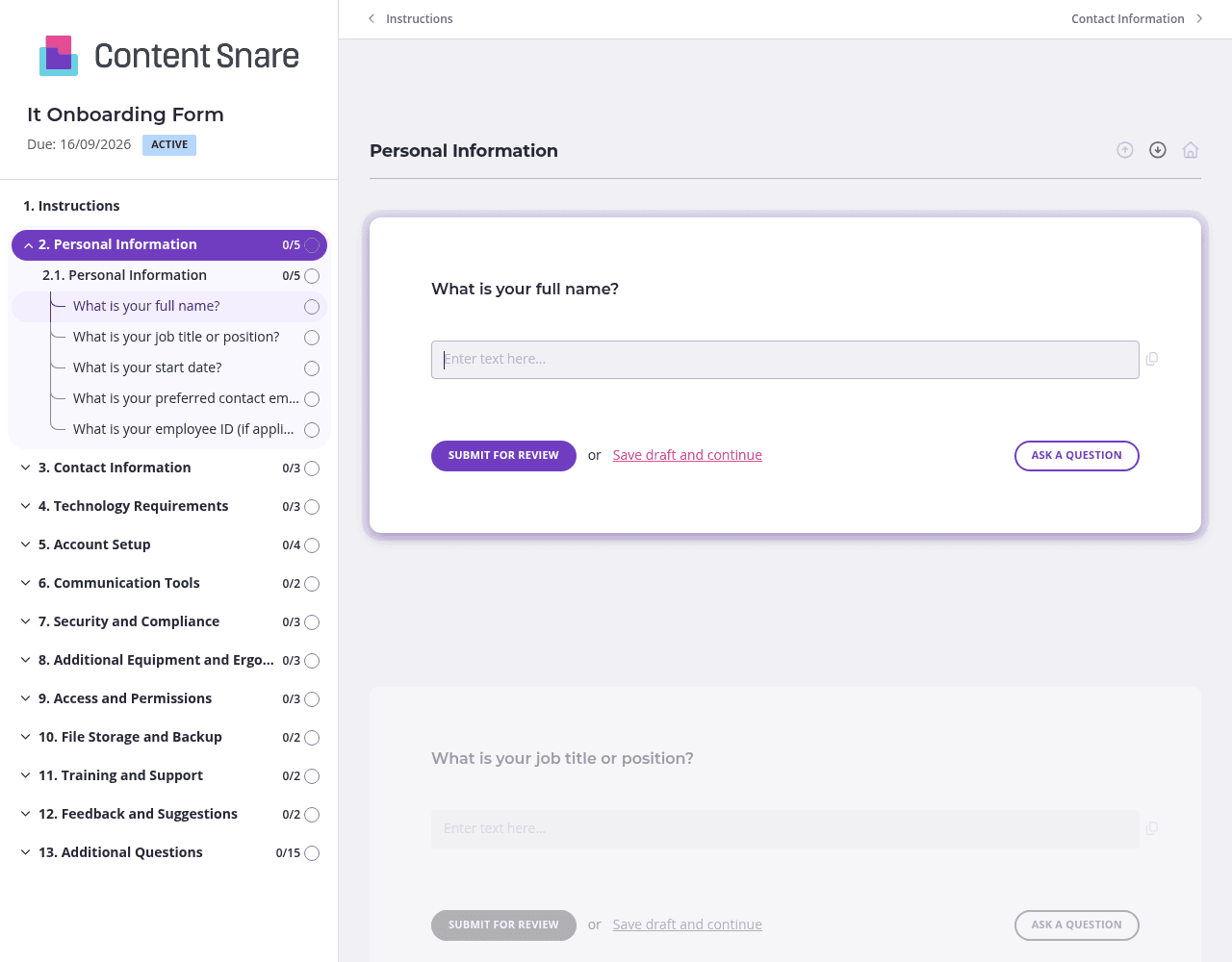
IT onboarding covers a lot of ground - from personal details to security clearances. Content Snare lets you split your form into clear sections like "Technology Requirements," "Account Setup," and "Additional Equipment." Your new hires see one focused page at a time instead of a overwhelming wall of questions. They can save progress and come back later if they need to check specifications or consult with their manager about software needs.
Not every new hire needs the same setup. Use conditional logic to display relevant follow-up questions based on their answers. If someone selects "Yes" for requiring a laptop, show the Mac vs. Windows question. If they indicate remote work, reveal VPN setup questions. If they need specialized hardware, prompt them for specifics. You'll keep the form lean and avoid making people skip through irrelevant fields about equipment they don't need.
Questions about "specialized software" or "network drives" can be vague for non-technical hires. Use instruction areas to add clarity - explain what counts as specialized software (development IDEs, design tools, industry-specific platforms) versus standard applications you provide to everyone. Include a screenshot showing where to find software version numbers if needed. A quick explainer saves you from receiving incomplete responses and follow-up emails asking "what did you mean by this?"
New hires are juggling paperwork, pre-boarding tasks, and wrapping up their old job. They forget to submit forms. Content Snare sends automatic reminders so you don't have to chase people down or worry about equipment arriving late. Set it and forget it - the system follows up for you, keeping onboarding on track without awkward nudging emails from your side.
Email threads and shared spreadsheets create chaos during IT onboarding. Questions get buried, responses are incomplete, and you're left playing detective to figure out what equipment each new hire actually needs. Content Snare centralizes everything in one place, sends automatic reminders, and tracks exactly what's been submitted - so you can provision accounts and order equipment without the back-and-forth.
It's trusted by thousands of businesses worldwide and ISO 27001 certified, meaning your new hire data stays secure from day one. You get the professionalism of a custom solution with none of the development work. Content Snare integrates with tools you already use, making it easy to plug into your existing workflows.
This form is just one way IT companies use Content Snare. Here are other common use cases:
Content Snare adapts to however you need to collect information - with hundreds of 5-star reviews across G2, Capterra, and Trustpilot backing up how well it works for businesses like yours.


