
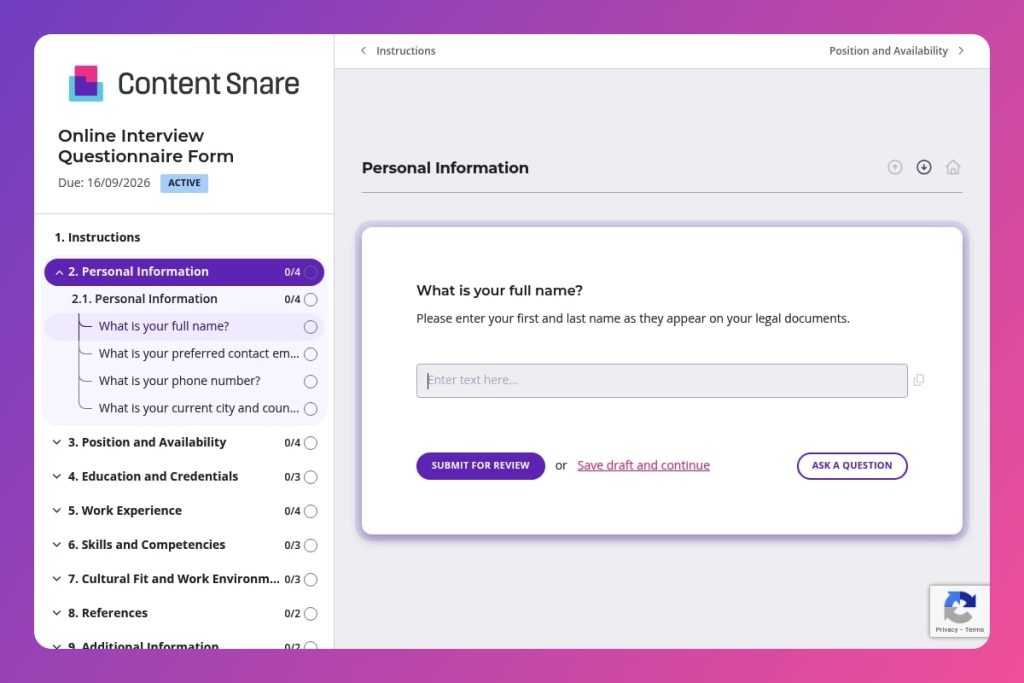


A pre-interview questionnaire that collects candidate contact details, work history, skills, availability, salary expectations, and cultural fit preferences before scheduling interviews.

HR professionals and recruiters who need to screen candidates efficiently, compare qualifications systematically, and conduct more focused interviews by gathering essential information upfront.

Send this form immediately after initial candidate contact and before the first interview to eliminate back-and-forth emails, identify deal-breakers early, and ensure you're only investing interview time in qualified, aligned candidates.
73% of recruiters say coordinating interview schedules and collecting candidate information is their biggest time drain. Scattered emails, incomplete responses, and chasing down basic details slow your hiring process to a crawl.
An online interview questionnaire form solves this. It captures everything you need - contact details, work history, skills, availability, and cultural fit preferences - before candidates even step into an interview. This post covers what makes an effective interview questionnaire, how to customize it for your hiring needs, and includes a free template you can use immediately. Let's dive in.
Personal Information
Capture identification and primary contact channels for timely follow-up.
Position and Availability
Define role targeting and scheduling constraints upfront.
Education and Credentials
Verify minimum qualifications and current credential status.
Work Experience
Establish depth, scope, and outcomes of prior roles to calibrate seniority and fit.
Skills and Competencies
Map capabilities to the role’s requirements and tool stack.
Cultural Fit and Work Environment
Assess motivation and working style to gauge team and culture alignment.
References
Confirm credibility and performance through external validation.
Additional Information
Give candidates space to surface edge cases and clarify expectations.
Send the form between initial contact and the first interview: This gives you a complete picture of each candidate before you spend time on calls. You'll walk into interviews already knowing their experience level, salary expectations, and work preferences - making conversations more focused and productive.
Use the "Additional Information" section strategically: Ask candidates to explain employment gaps, share portfolio links, or highlight projects relevant to the role. This open-ended space often reveals details that structured questions miss.
Create a scoring rubric for the skills and competencies section: Before reviewing responses, define what "proficient" means for your specific role requirements. Rate candidates consistently on the tools and skills they list, making comparisons easier when you're choosing who to interview.
Review work environment preferences early: Check their answers about remote/on-site preferences, ideal work culture, and team dynamics before scheduling interviews. No point investing time in candidates who want fully remote work when you're hiring for an on-site position.
Follow up on vague achievement descriptions: If a candidate's examples in the work experience section lack specifics or measurable results, send a quick email asking for clarification before the interview. Saves you from wasting interview time pulling details out of them, and shows who can clearly articulate their impact.
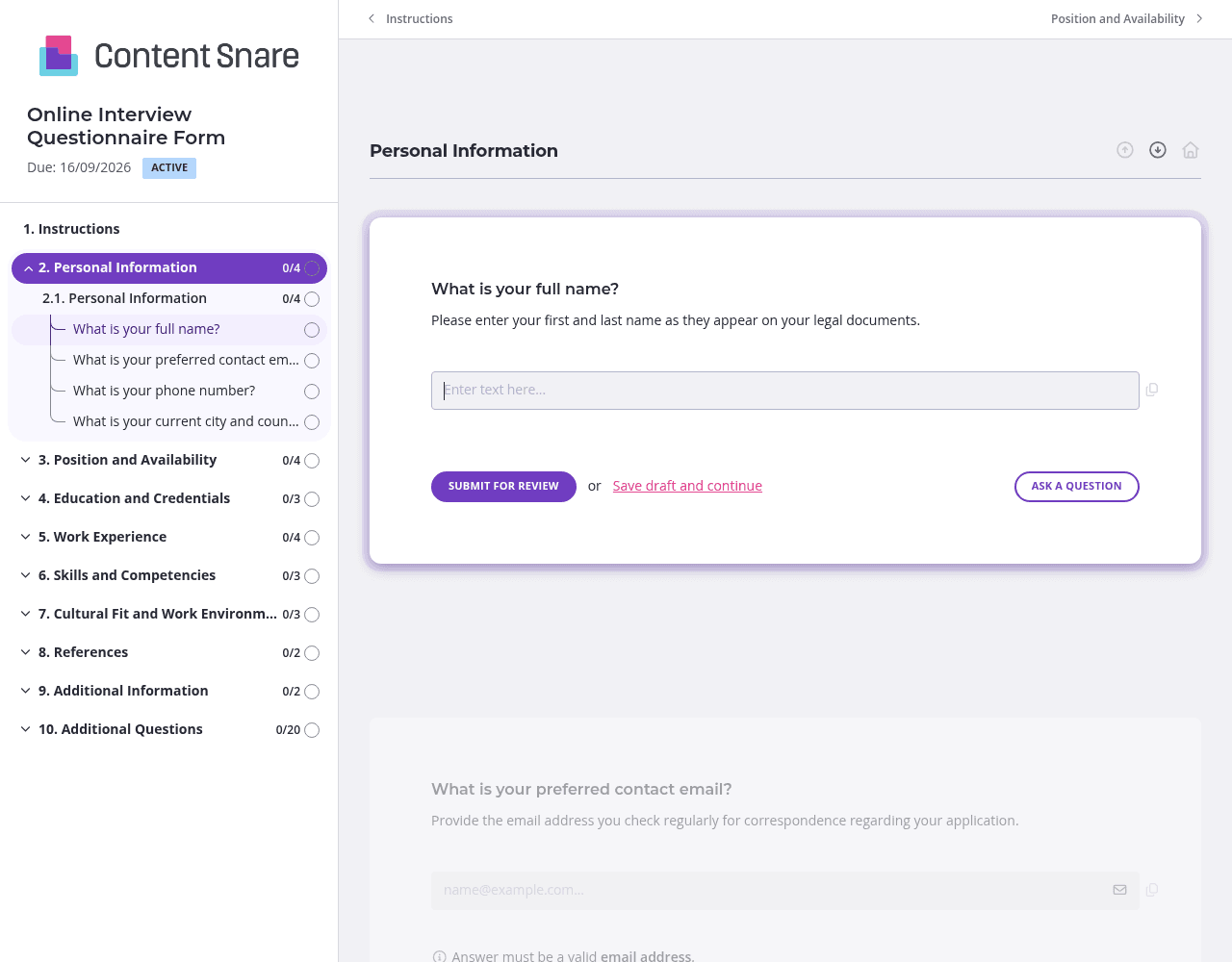
Candidates get busy. They open your form, plan to finish it later, then forget completely. Content Snare sends automatic reminders on your behalf - no awkward "just checking in" emails from you. Set the frequency and let the system handle it. You'll get more completed questionnaires without lifting a finger or feeling like you're nagging.
You've likely collected basic details during initial outreach - name, email, position they're applying for. Pre-fill these fields before sending the form. Candidates appreciate not repeating themselves, and you reduce the chance of mismatched information. Delete irrelevant questions too. If you're only hiring remote workers, remove the "remote, on-site, or hybrid" question entirely.
Not every candidate needs to answer every question. Someone applying for an entry-level role doesn't need to provide salary history from multiple positions. Set up conditional logic so questions about certifications only appear if candidates indicate advanced education, or ask about management experience only if they mention team leadership roles. Shorter, personalized forms get completed faster and show candidates you respect their time.
"Describe your most recent job role" sounds simple, but you'll get wildly different responses - some write novels, others give one-liners. Add brief instructions directly in Content Snare: "Please include 3-5 bullet points covering your main responsibilities and one measurable achievement." Candidates know exactly what you want, and you get consistent, useful responses that are actually comparable.
Collecting candidate information through email chains is messy. Google Forms feels impersonal and lacks follow-up capabilities. Content Snare gives you a professional, automated system that actually gets forms completed - without you chasing people down. It's trusted by thousands of businesses worldwide and has hundreds of 5-star reviews across G2, Capterra, and Trustpilot.
You maintain control. Reminders go out automatically under your branding. Candidates see a polished experience that reflects your company, not a generic form builder. Everything stays organized in one place, and you can integrate with the tools you already use - your ATS, email platform, or project management software.
Security matters when handling personal data. Content Snare is ISO 27001 certified, so candidate information - from contact details to salary history - stays protected. You're not just collecting data efficiently; you're doing it safely.
This form is just one way to use Content Snare. HR teams and recruiters also use it to:
The same automated reminders, professional branding, and secure storage work across every HR workflow where you need information from people.


