
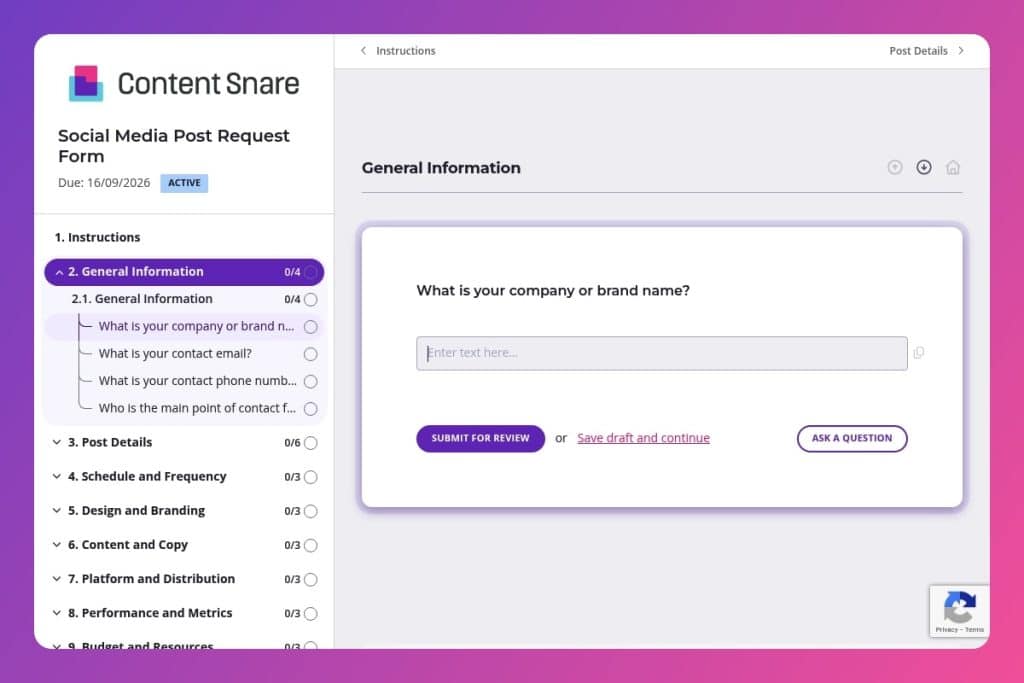


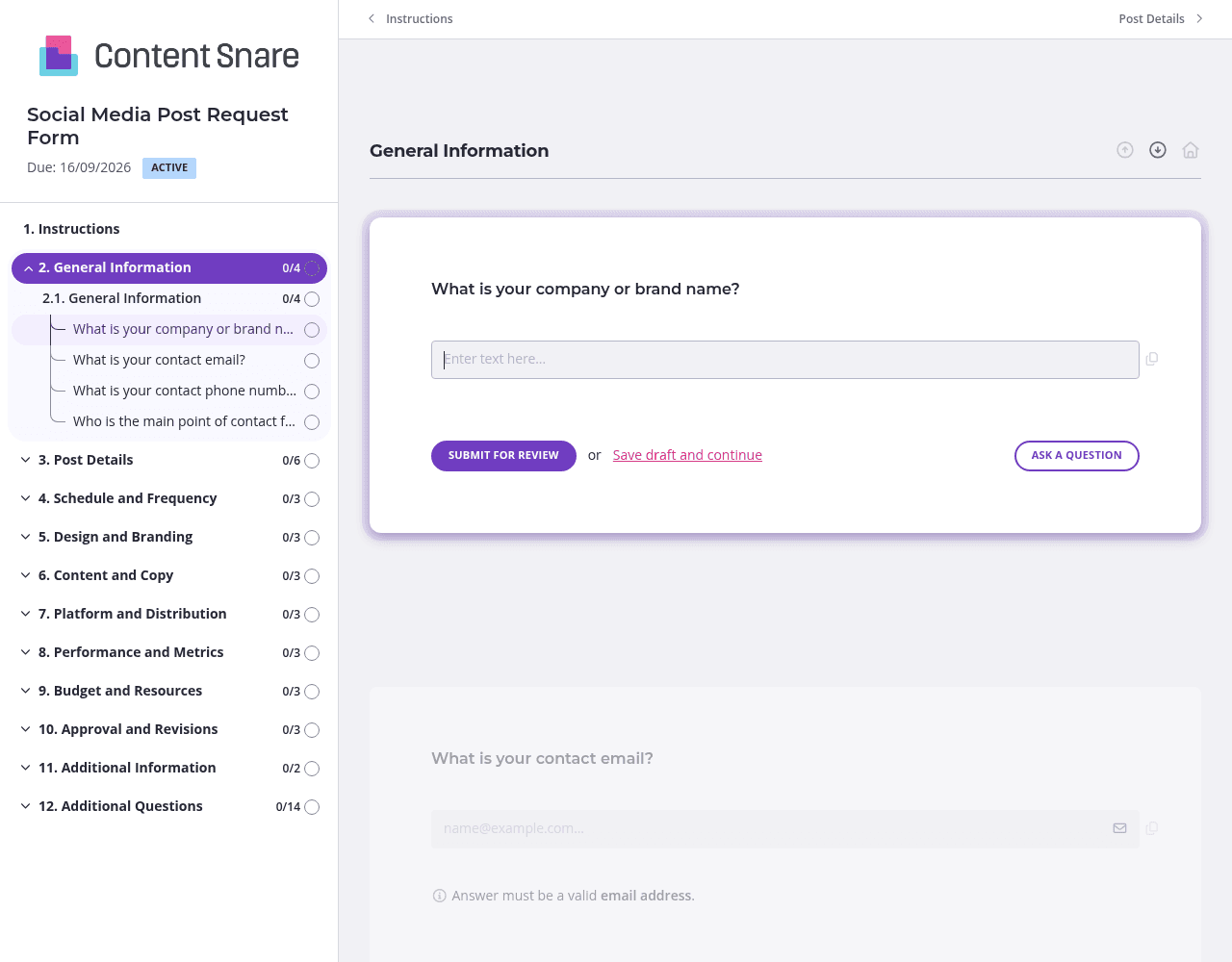
A structured intake form that captures all essential details for social media content creation, including messaging objectives, brand guidelines, publication schedules, platform preferences, and approval workflows.

Marketing agencies managing multiple client social media campaigns who need to collect complete, standardized information about post requirements, target audiences, design specifications, and budget parameters from their clients.

Deploy this form whenever a client requests new social media content - whether for one-off posts or campaign series - to gather all necessary details upfront before creative work begins and eliminate back-and-forth email exchanges.
Missed deadlines. Off-brand messaging. Endless email threads chasing down post details. When your agency juggles dozens of clients and campaigns, social media requests become chaos. One client forgets to mention their target audience, another sends assets in the wrong format, and someone else expects you to read their mind about tone and objectives.
A social media post request form eliminates the guesswork. You'll capture every critical detail - from brand guidelines and desired CTAs to publication dates and approval workflows - in one organized submission. We'll walk you through what this form should include, share practical tips for getting clients to actually fill it out completely, and provide a free template you can customize. Let's get started.
General Information
Capture the requestor’s identity and a single accountable contact to streamline communication.
Post Details
Define intent, audience, and creative direction so your team builds the right asset the first time.
Schedule and Frequency
Set timing and cadence to reserve resources and align with your content calendar.
Design and Branding
Lock in brand controls early to reduce revisions and ensure compliance.
Content and Copy
Gather supplied copy and guardrails to speed drafting and approvals.
Platform and Distribution
Specify channels, references, and targeting so creative and placements are tailored.
Performance and Metrics
Align on outcomes and measurement before production starts.
Budget and Resources
Clarify funding and partners to plan production and paid support.
Approval and Revisions
Define decision rights and workflow to protect the timeline.
Additional Information
Leave space for nuances that don’t fit standard fields.
Create a shared content calendar link in your form instructions: Add a field at the top asking clients to check your shared calendar before submitting their desired publication date. This prevents double-bookings and manages expectations upfront, especially during busy campaign periods when slots fill quickly.
Require at least three examples of past posts they liked: In the "Additional Information" section, ask clients to link to social posts (theirs or competitors') that match the vibe they want. This solves the tone and style guessing game better than any written description. When someone says "casual but professional," you'll actually know what they mean.
Schedule a 10-minute kickoff call for first-time form users: Walk new clients through the form once, explaining why you need details like target audience, specific CTAs, and brand guidelines. They'll submit complete requests every time after that. The investment pays off immediately - you'll stop receiving half-filled forms that require three follow-up emails.
Upload a screenshot of a well-formatted social post in the "Design and Branding" section. Show clients exactly what "on-brand" looks like for their industry. Add a quick video explaining how to submit assets in the right format. Clients will stop sending low-res logos and vertical videos for horizontal feeds.
Your clients are busy managing their own campaigns. They'll forget to finish that form. Set up automatic reminders so Content Snare follows up for you - no awkward "just checking in" emails required. You stay on schedule without being the nag.
You've worked with this client before. Their brand name, contact details, and platform preferences haven't changed. Delete those redundant questions or pre-fill them before sending. Clients appreciate the shortcut, and you'll get submissions back faster when the form feels quick to complete.
When a client selects "video" as their content type, show fields about video length and format. When they choose "one-time post," hide the series-related questions. The form adapts to each request, keeping things streamlined and preventing clients from skipping questions they think don't apply to them.
Email threads bury critical details. Shared documents get messy with overlapping edits. Spreadsheets require constant manual follow-ups. Content Snare replaces the chaos with a purpose-built client intake system that tracks every submission, sends automatic reminders, and keeps all your social media requests organized in one place.
Thousands of marketing agencies trust Content Snare to streamline their client workflows. It's ISO 27001 certified for security, integrates with tools you already use like Slack and Zapier, and has hundreds of 5-star reviews across G2, Capterra, and Trustpilot. Your clients get a professional, branded experience. You get complete submissions without the chase.
This social media post request form is just one use case. Marketing agencies also use Content Snare to collect campaign briefs, onboard new clients, gather website content, request testimonials and case study details, and manage monthly reporting information - anything that requires getting organized input from clients.


