
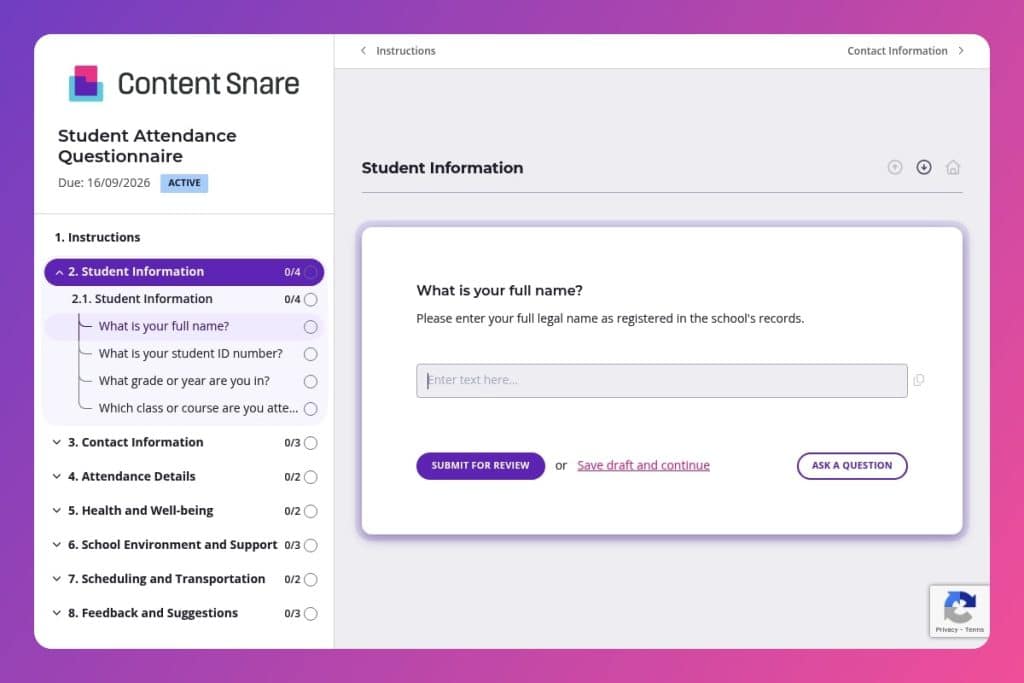


A structured questionnaire that collects information about student absences, identifies barriers to attendance (transportation, health, scheduling), and gathers feedback to help schools address attendance issues proactively.

School administrators, attendance coordinators, counselors, and classroom teachers who need to understand attendance patterns and connect students with appropriate support resources.

Deploy within the first few weeks of each semester to establish a baseline, or when you notice emerging attendance concerns that require systematic investigation before they become chronic problems.
How many students are slipping through the cracks because you're still chasing attendance issues reactively? Poor attendance doesn't just hurt individual grades - it affects classroom dynamics, budget allocations, and your school's overall performance metrics. Without a systematic way to identify patterns and root causes, you're left playing catch-up instead of getting ahead of the problem.
A student attendance questionnaire changes that. It gives you structured data on who's missing classes, why they're absent, and what barriers they're facing - from transportation issues to health challenges to gaps in school support. This post covers everything you need: what makes an effective questionnaire, smart tips for implementation, and a free template you can customize and deploy immediately. Let's break it down.
Student Information
Collect core identifiers to link responses to enrollment records and class rosters.
Contact Information
Capture reliable channels for quick follow-up and absence notifications.
Attendance Details
Gauge current attendance patterns and surface primary drivers of absence to target interventions.
Health and Well-being
Screen for health-related barriers that may require accommodations or referrals.
School Environment and Support
Surface in-school barriers and perceived support to inform staff actions and resource allocation.
Scheduling and Transportation
Identify scheduling or access constraints that depress attendance.
Feedback and Suggestions
Invite targeted suggestions to improve policies and support structures.
Send it early in the semester, not after patterns emerge: Deploy your student attendance questionnaire within the first few weeks of term to establish a baseline. You'll catch potential issues - like transportation problems or scheduling conflicts - before they snowball into chronic absenteeism. Students are also more receptive to sharing challenges when they're not already in trouble.
Frame it as support, not surveillance: When introducing the form to students, emphasize that you're gathering information to help them succeed, not to punish absences. Make it clear that responses about health issues, mental health challenges, or family situations will connect them with actual resources and accommodations. This shift in messaging dramatically improves response honesty and completion rates.
Create intervention tiers based on responses: Don't treat all attendance issues the same way. Use the questionnaire data to segment students into action groups - those needing transportation support go to one counselor, students flagging mental health concerns get connected with wellness resources, and those with scheduling conflicts might need course adjustments. This targeted follow-up is far more effective than generic attendance warnings sent to everyone.
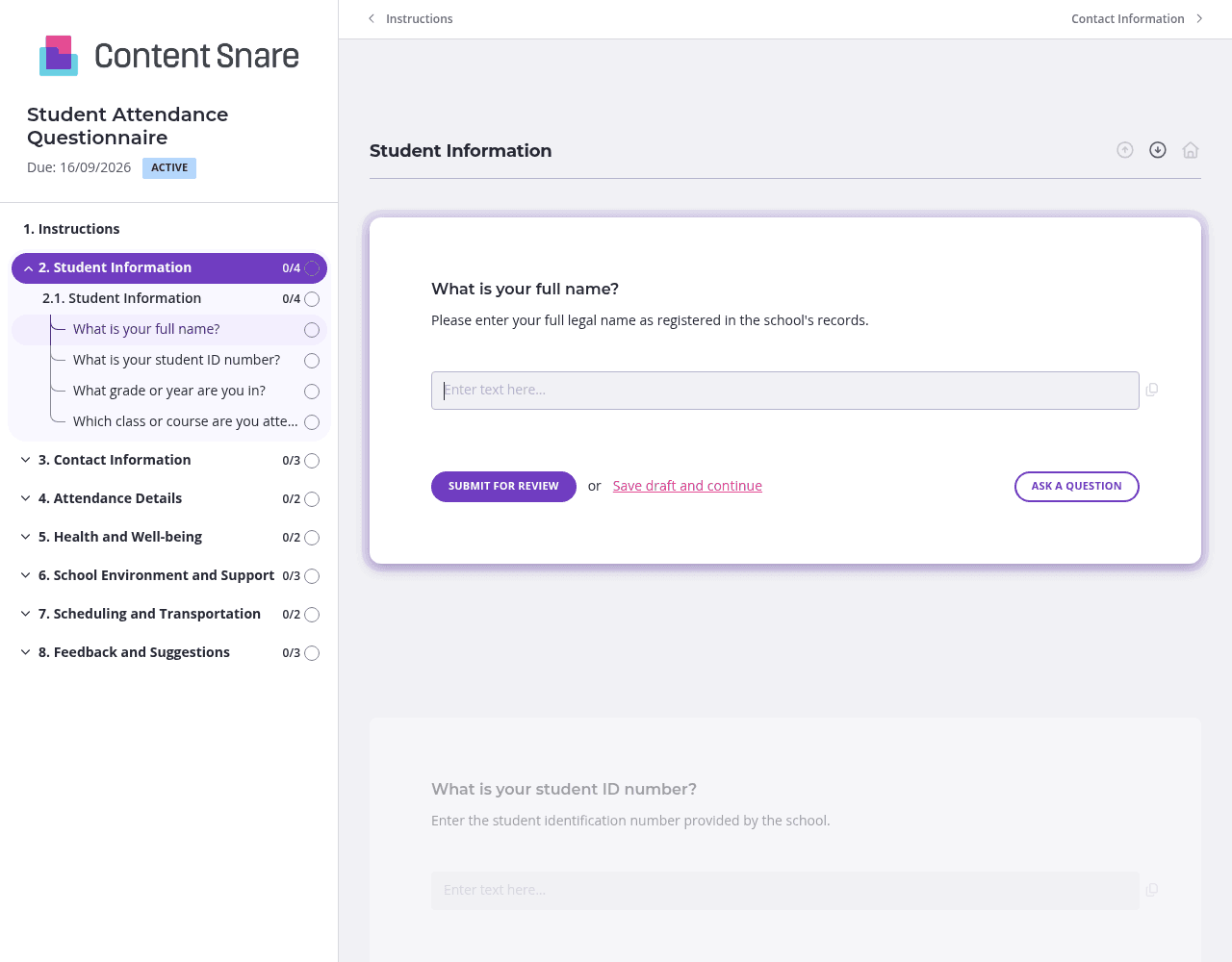
You already have names, student IDs, grade levels, and contact details in your system. Prefill those fields before sending the questionnaire out. Students see a form that's half-complete when they open it, which removes friction and makes them far more likely to finish. They can focus on the questions that actually matter - attendance patterns, barriers they're facing, and support they need - rather than typing basic information you already know.
Not every student needs to answer every question. Set up conditional logic so that health-related questions only appear if a student indicates health issues are affecting their attendance. Same with transportation, mental health, or school environment challenges. This approach respects students' privacy, reduces survey fatigue, and ensures you're only collecting data that's actually relevant to each individual's situation.
Questions about mental health, medical conditions, or family situations require careful framing. Use instruction areas above these sections to clarify how the information will be used, who will see it, and what support is available. A simple note like "Your responses help us connect you with the right counselor or resources - they're kept confidential and shared only with staff who can help" builds trust and encourages honest answers.
Chasing students for questionnaire responses is nobody's favorite task. Automatic reminders handle the follow-up for you - students get gentle nudges at intervals you set, and you're not stuck being the one constantly asking. This is especially valuable when you're rolling out the questionnaire to hundreds of students at once. The completion rates speak for themselves.
Google Forms and Excel spreadsheets might be free, but they create more work than they save. You'll spend hours chasing incomplete responses, manually following up with students, and piecing together data from multiple sources. Content Snare handles the follow-up automatically, tracks exactly who's completed what, and keeps all your student information secure in one place. It's built specifically for collecting information efficiently - not as an afterthought feature.
Schools and colleges deal with sensitive student data daily. Content Snare is ISO 27001 certified and trusted by thousands of businesses worldwide, so you can collect information about health conditions, family situations, and mental health challenges with confidence. Students (and their parents) can trust that their responses are protected.
The platform integrates with tools you're already using - your student information systems, communication platforms, and data management software. Everything flows where it needs to go without manual data entry or copying between spreadsheets.
This attendance questionnaire is just the beginning. Schools and colleges use Content Snare for:
Content Snare has hundreds of 5-star reviews across G2, Capterra, and Trustpilot. Educational institutions choose it because it makes information collection feel effortless for everyone involved - and it actually gets completed.


