
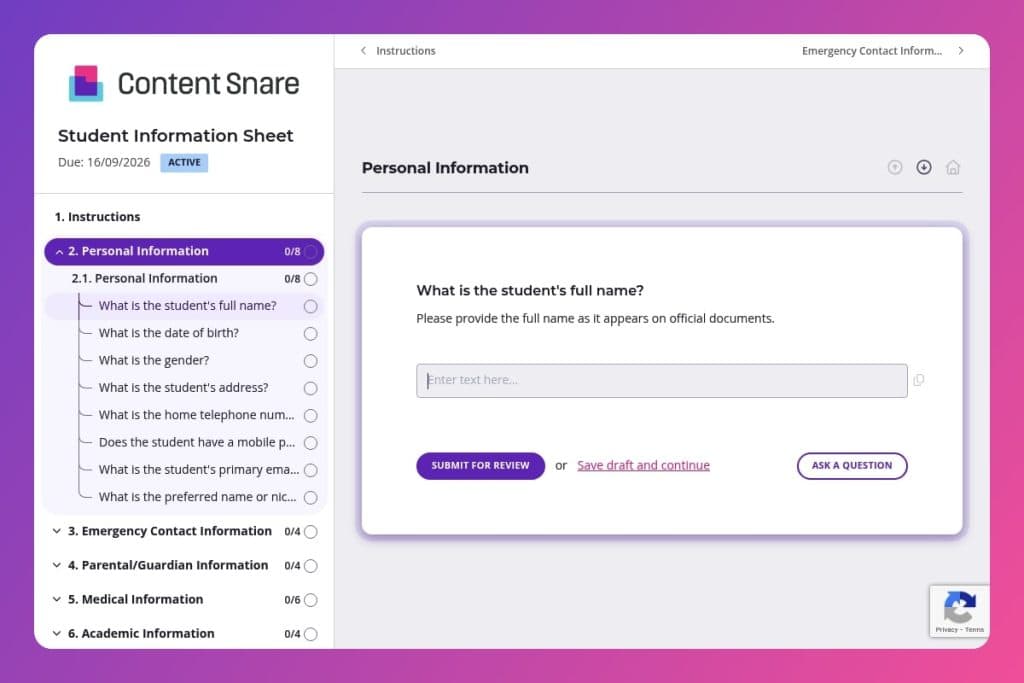


A comprehensive form that collects student personal details, emergency contacts, medical information, academic history, and transportation needs in one centralized document.

School administrators, registrars, teachers, and office staff who need accurate, accessible student records for daily operations and emergency response.

Before each school year begins or when enrolling new students, giving families time to complete it before orientation while allowing staff to verify critical information upfront.
You're juggling hundreds of students, each with critical details scattered across emails, paper forms, and hastily scribbled notes. When an emergency strikes or a parent asks a simple question, you're scrambling through files instead of responding with confidence. A student information sheet solves this by centralizing everything - contact details, medical needs, emergency contacts, and academic records - in one organized, accessible place.
This post covers what a student information sheet should include, how to use it effectively throughout the school year, and a free template you can customize for your institution. You'll learn how to capture essential data upfront, reduce administrative chaos, and ensure every staff member has the information they need when it matters most. Let's break it down.
Personal Information
Collect baseline identity and contact details needed for records and communications. Include preferred name to align rosters and messaging.
Emergency Contact Information
Capture primary and backup contacts authorized for urgent communication. Relationship fields clarify decision-making authority.
Parental/Guardian Information
Document legal guardians and how to reach them. Separate addresses support custody and mailing needs.
Medical Information
Collect essential health details to inform care plans and emergency response. Coordinate with nursing staff and food services.
Academic Information
Record placement and support needs to align scheduling and services. Prior school history informs transitions.
Transportation Information
Define daily transit arrangements for dismissal planning. Confirm addresses against routing rules.
Additional Information
Capture context that shapes engagement and communication. Use responses to tailor outreach and supports.
Send the form before the school year starts: Give families at least two weeks to complete the student information sheet before orientation or the first day of class. This gives you time to flag missing information, follow up on incomplete medical details, and ensure your records are accurate when students walk through the door. You'll avoid the first-week scramble and can focus on welcoming students instead of chasing paperwork.
Make emergency contacts the priority: When reviewing submissions, check emergency contact information first - verify that you have at least two contacts with working phone numbers and clear relationships to the student. Flag any forms with missing or vague entries ("friend" or "neighbor" without context) and reach out immediately. In a real emergency, outdated or incomplete contact details can cost precious time.
Create a summary sheet for teachers: Don't make teachers dig through full forms for critical details. Pull key information - allergies, medical conditions, special accommodations, and dietary restrictions - into a one-page classroom reference sheet. Teachers need quick access to essentials, and a streamlined summary ensures they're prepared without overwhelming them with data they don't need daily.
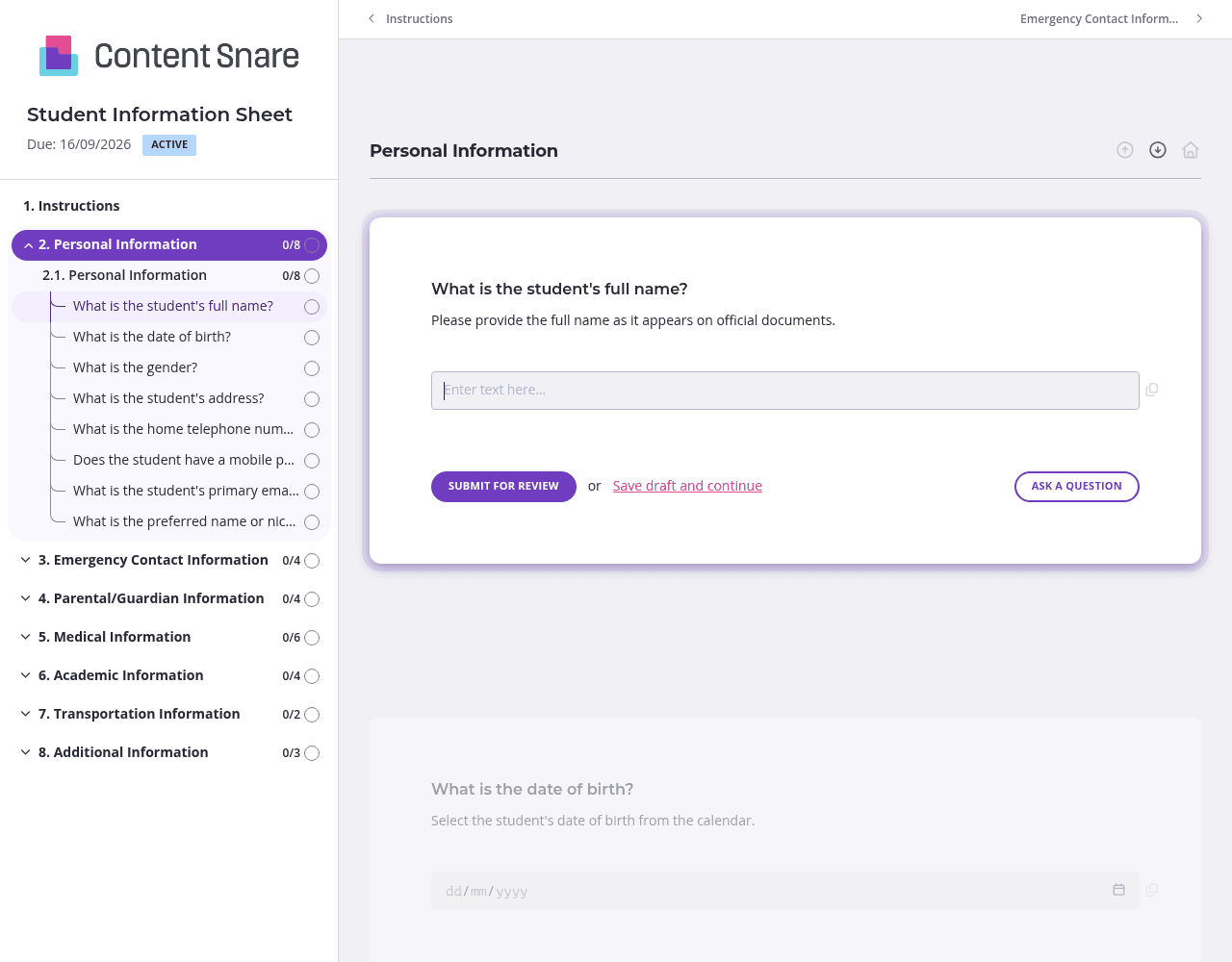
You likely have basic details on file - student name, grade level, previous school, or parent email addresses. Prefill these fields before sending the form or delete questions entirely if the information won't change. Families appreciate not repeating themselves, and you'll get faster completion rates when parents see you've done the homework.
Not every question applies to every family. Show transportation questions only if a parent indicates their child needs bus service. Display alternate emergency contact fields only when someone confirms they have a second contact to provide. Parents face a shorter, more relevant form, and you collect cleaner data without unnecessary blank fields cluttering your records.
Medical information and emergency contacts are too important to get wrong. Include brief instructions above these sections - clarify what counts as an allergy worth noting, remind parents to include area codes for phone numbers, and specify that "friend" isn't sufficient for emergency contact relationships. Clear guidance upfront means fewer follow-ups and accurate information when you need it most.
Families forget, get busy, or put off paperwork until the last minute. Automatic reminders handle follow-up without you sending manual nudges or feeling like you're nagging. Set reminders to go out three days and one day before your deadline, and you'll see completion rates climb without lifting a finger.
Paper forms get lost. Email threads become unmanageable. Spreadsheets require constant manual updates and offer zero accountability. Content Snare centralizes everything - parents submit information once, you track completion in real-time, and automatic reminders handle follow-up so families actually finish what they start.
Security matters when you're collecting sensitive student data. Content Snare is ISO 27001 certified and trusted by thousands of businesses worldwide, including schools and educational institutions that need to protect medical records, emergency contacts, and family information.
The platform integrates with tools you already use, so student information flows directly into your student information system or CRM without manual data entry. You'll save hours of administrative work while reducing errors that come from retyping details.
Student information sheets are just the beginning. Schools and colleges use Content Snare for:
Content Snare has earned hundreds of 5-star reviews across G2, Capterra, and Trustpilot for making information collection simple, professional, and actually enjoyable for both administrators and families.


