
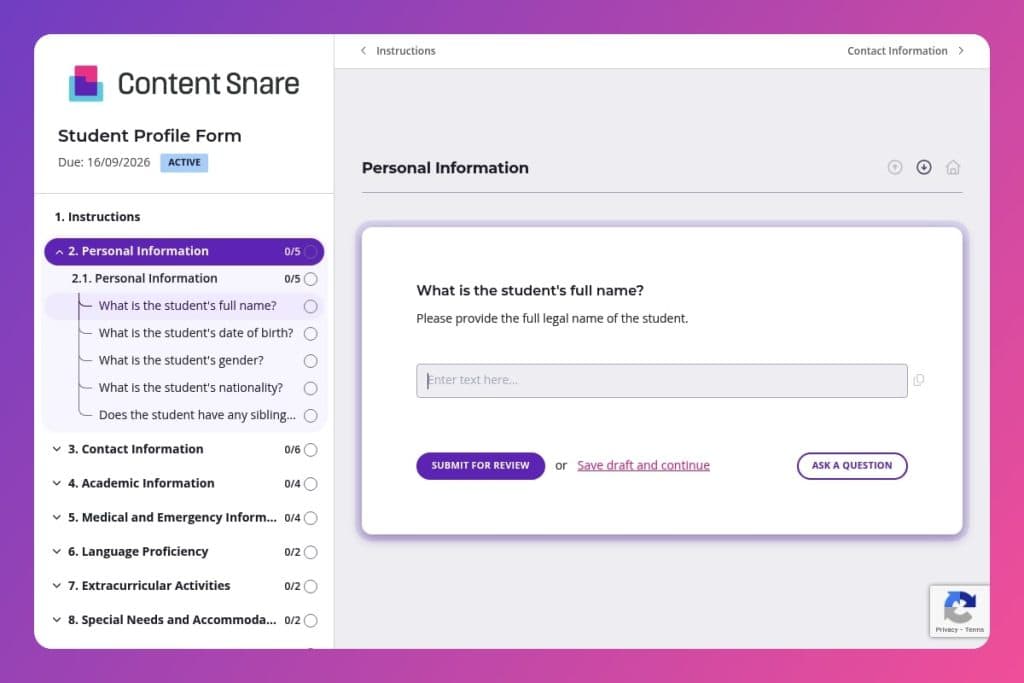


A comprehensive intake form that collects student personal details, academic history, medical information, emergency contacts, special accommodations, and parental consents in one centralized document.

Admissions teams, registrars, student services coordinators, and school administrators who need to gather and organize essential student information during enrollment or registration.

Send this form after accepting a student and before enrollment deadlines, allowing families sufficient time to compile medical records, academic transcripts, and consent documentation before the school year begins.
How many times have you scrambled to find a student's emergency contact, medical alert, or guardian consent form buried in different files? Scattered student information costs your staff valuable time and creates unnecessary risk when you need critical details fast.
A student profile form centralizes everything - from contact details and academic history to allergies, accommodations, and parental consent - in one structured place. This post covers what makes an effective student profile form, how to customize it for your institution's needs, and includes a free template to get you started. Let's dive in.
Personal Information
Capture core identity and demographics used for enrollment matching and reporting.
Contact Information
Establish primary communication channels with the student and their guardians.
Academic Information
Profile prior attainment and intended direction to inform placement, timetabling, and advising.
Medical and Emergency Information
Collect essential health disclosures and backup contacts to support duty of care and incident response.
Language Proficiency
Identify language background and proficiency to shape placement, supports, and communications.
Extracurricular Activities
Surface interests and experience to guide co-curricular placement and targeted outreach.
Special Needs and Accommodations
Capture accommodation needs and service history to coordinate supports and regulatory compliance.
Transportation Information
Clarify transportation needs to plan routing, capacity, and schedules.
Parental/Guardian Consent
Record required consents and restrictions to enforce policy and legal obligations.
Additional Information
Offer space for context that may affect placement, safety, or engagement.
Send the form before enrollment deadlines: Give families at least two weeks to complete the student profile form, especially if they need to gather medical records, academic transcripts, or legal custody documents. The medical and emergency information sections often require parents to contact physicians or review old paperwork - rushing this leads to incomplete forms and follow-up headaches.
Create a checklist for your admissions team: Once forms come in, have staff verify that critical fields are complete - emergency contacts, allergy information, special accommodations, and parental consents. These sections directly impact student safety and legal compliance. A quick quality check before filing prevents scrambling later when you need a guardian's signature for a field trip or discover a blank medical condition field on the first day of school.
Use submitted data to personalize onboarding: Reference the student's interests from the extracurricular activities section when introducing them to clubs or sports programs. Mention their intended major or previous honors in welcome communications. This small touch shows families you've actually read their information and helps students feel recognized before they even walk through your doors.
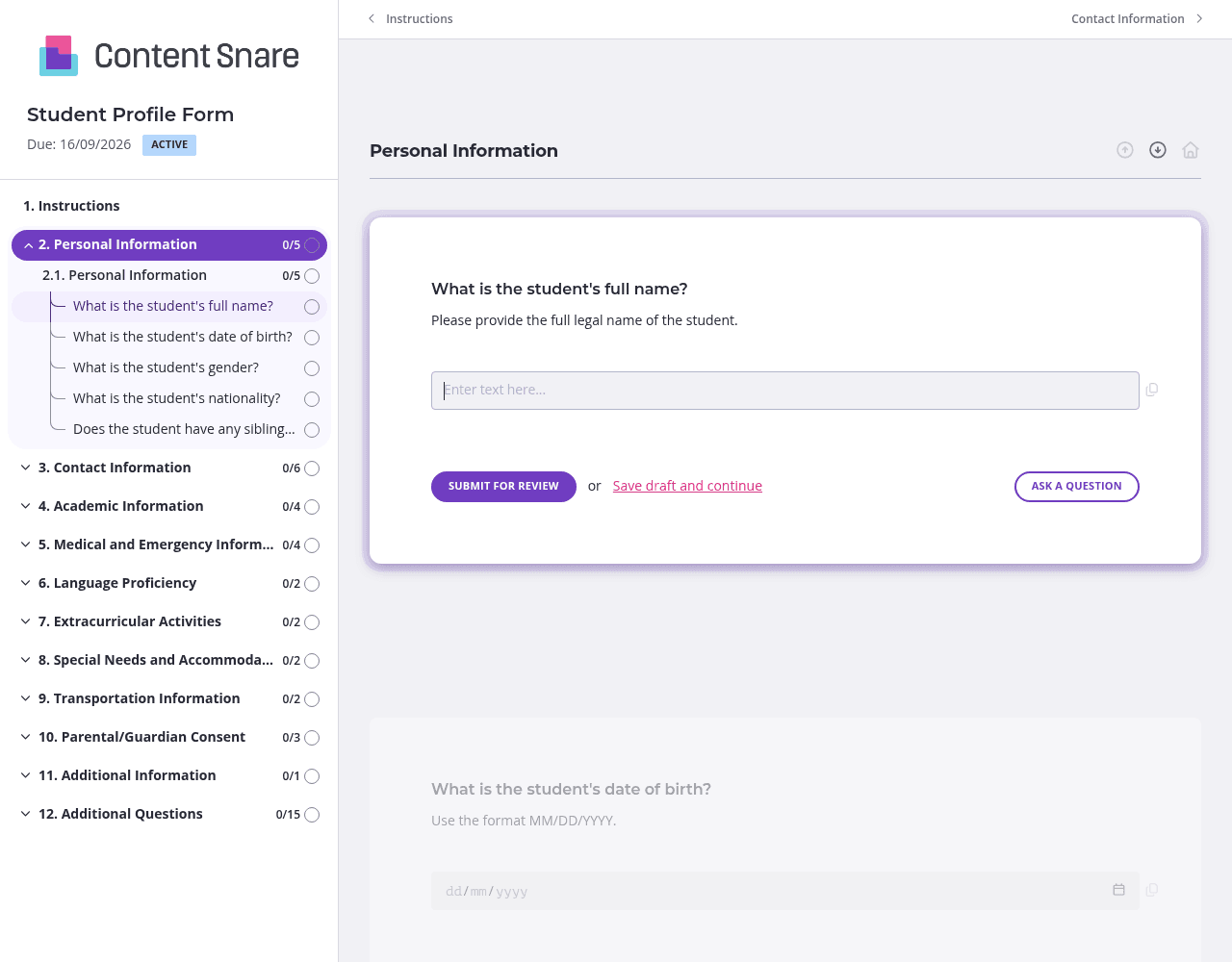
Not every student needs special accommodations, and not every family requires transportation services. Conditional logic hides irrelevant questions based on previous answers. When a parent indicates their child has no medical conditions, you skip the follow-up questions about physician contacts and medication allergies. The form feels shorter and more personalized - families appreciate not wading through sections that don't apply to them.
You likely collected basic details during the inquiry or application stage - student name, date of birth, parent contact information. Pre-fill those fields before sending the student profile form. Parents save time, and you reduce duplicate data entry on your end. They can verify the information is correct and focus on completing the sections you actually need: medical history, emergency contacts, and consent forms.
The medical and emergency information sections are too important to leave room for confusion. Add brief instructions explaining what level of detail you need - for example, "List all allergies, including severity and typical reaction" or "Emergency contact must be someone local who can reach the school within 30 minutes." Clear guidance up front means fewer incomplete submissions and follow-up emails asking parents to clarify vague responses.
Chasing down student profile forms before the school year starts is exhausting. Automatic reminders follow up with families who haven't completed or submitted their forms yet - no awkward emails from your staff required. You stay on top of deadlines without the manual work, and parents get gentle nudges to finish what they started.
Email attachments get lost. Paper forms come back incomplete or illegible. Spreadsheets shared via link lack structure and security. Content Snare gives you a professional, organized system that guides families through every required field, sends automatic reminders, and keeps sensitive student data secure. It's ISO 27001 certified and trusted by thousands of businesses worldwide - critical when you're collecting medical information, legal custody details, and emergency contacts.
The platform integrates with the tools you already use, so student data flows directly into your student information system or CRM without manual re-entry. Parents get a clean, branded experience that reflects your institution's professionalism, and your admissions team stops chasing down incomplete forms.
Student profile forms are just the beginning. Schools and colleges use Content Snare for:
Content Snare has hundreds of 5-star reviews across G2, Capterra, and Trustpilot. It's built to make information collection effortless - for you and the families you serve.


