
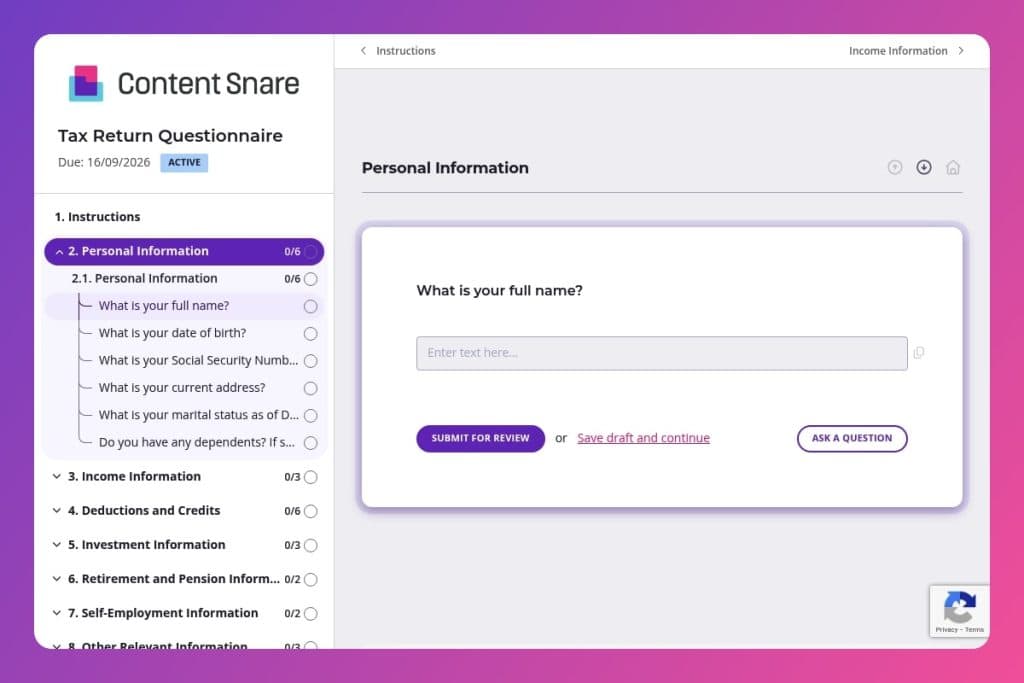


A comprehensive intake form that collects all necessary information from clients to prepare their annual tax returns, including personal details, income sources, deductions, investment activity, and supporting documentation.

Accounting firms, tax preparers, CPAs, and bookkeepers who need to systematically gather complete and accurate information from individual tax clients before filing season.

Send this form 1-2 weeks before tax preparation meetings begin, giving clients adequate time to locate W-2s, 1099s, receipts, and other tax documents while reducing back-and-forth communication during busy filing season.
Your clients forget to mention their side income. They lose receipts for deductible expenses. They can't remember if they contributed to an IRA or how much they paid in property taxes. Tax season doesn't have to be this chaotic.
A tax return questionnaire solves this problem before it starts. It guides clients through every income source, deduction, and life event that affects their return - nothing slips through the cracks. This post covers what makes an effective tax return questionnaire, how to use it with clients, and includes a free template you can customize. Let's break it down.
Personal Information
Collect identifiers and household composition to establish filing status and dependency positions.
Income Information
Surface all income streams and supporting forms to reconcile with IRS matching data and avoid omissions.
Deductions and Credits
Gather deductible outlays and credit eligibility with enough detail to substantiate and optimize.
Investment Information
Capture investment activity with documentation needed to compute basis, holding period, and character.
Retirement and Pension Information
Identify retirement contributions and distributions to determine deductibility and taxable amounts.
Self-Employment Information
Elicit business activity details and substantiation required for Schedule C and related deductions.
Other Relevant Information
Flag events and cross-border items that drive additional forms, elections, or limitations.
Other Documents
Offer a catchall to prevent gaps in documentation and unusual items.
Send the form before your first meeting: Give clients at least a week to gather documents like W-2s, 1099s, and receipts for deductions. They'll need time to dig through files, check bank statements, and track down that mortgage interest form. The more prepared they are, the fewer follow-up emails you'll send later.
Flag high-risk areas during review: When you receive responses, immediately check the investment and self-employment sections. These are where clients most often underreport income or miss deductible expenses. If someone mentions selling stocks but doesn't provide transaction details, or claims business vehicle use without mileage logs, reach out right away. Catching gaps early prevents delays and amendments.
Use incomplete responses as a teaching moment: If a client skips questions about IRA contributions or charitable donations, don't just ask again - explain why it matters. A quick note like "This could save you $X in taxes" turns compliance into value. Clients who understand the impact become better at recordkeeping year-round.
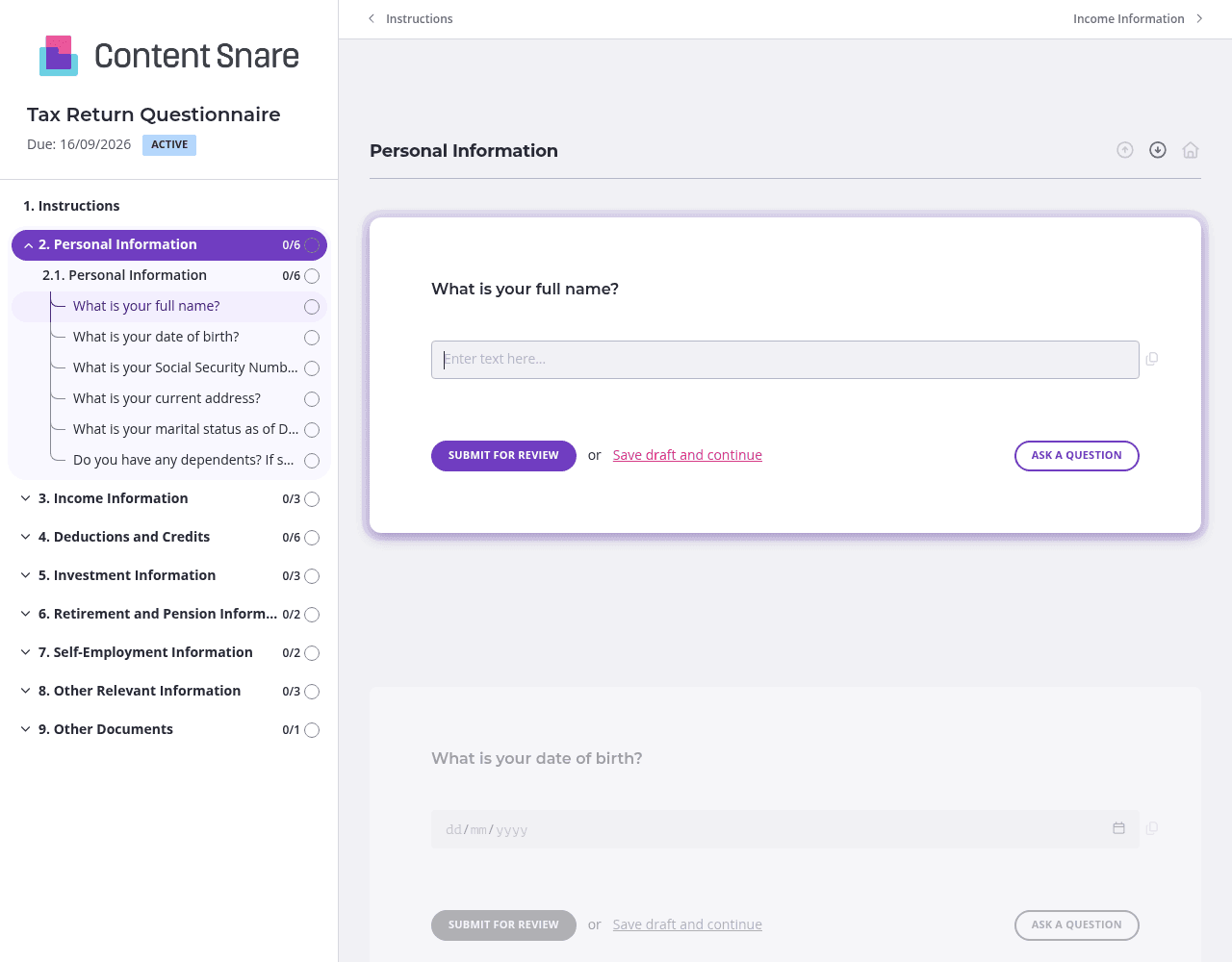
Tax returns cover a lot of ground. Split your questionnaire into logical pages - Personal Information, Income Sources, Deductions and Credits, Investments, Self-Employment. Clients can tackle one section at a time instead of facing a wall of questions. They'll save progress automatically and come back when they find that missing 1099 or dig up charitable donation receipts.
Not every client has rental income or foreign accounts. Set up conditional questions that appear based on earlier answers. If someone indicates they're self-employed, show the business expenses and mileage sections. If they're not, those questions disappear. Clients see a shorter, more relevant form. You get cleaner data without unnecessary "N/A" responses cluttering their submission.
Clients will guess at Social Security Numbers, forget to include their spouse's information, or upload a bank statement instead of a 1099. Drop brief instructions directly above tricky questions. For the investment section, add a note: "Upload your 1099-DIV and 1099-B forms - usually available in your brokerage account portal." A screenshot showing where to find form 1098 saves a dozen confused emails. Clear guidance upfront means fewer revision rounds later.
You likely have basic client information from last year - names, addresses, marital status, dependent details. Prefill those fields before sending the form. Clients confirm or update rather than retyping everything. It shows you're organized, saves them time, and reduces data entry errors. They focus on what's actually changed: new income sources, different deductions, life events that affect their return.
Email attachments get lost. Shared documents become version control nightmares. Clients forget what they've already sent and what's still missing. Content Snare eliminates the chaos. You get one organized system where clients submit everything in the right format, you track progress in real time, and nothing falls through the cracks.
The platform is ISO 27001 certified and trusted by accounting firms worldwide - because tax documents demand serious security. Clients upload sensitive financial information with confidence. You maintain professional standards without the administrative headache.
Content Snare integrates with tools you already use, from practice management software to cloud storage. It's earned hundreds of 5-star reviews across G2, Capterra, and the Xero App Store for good reason: it actually works the way accountants need it to.
This form is just the start. Accounting professionals use Content Snare for:
One system handles every information gathering scenario your firm faces.


