
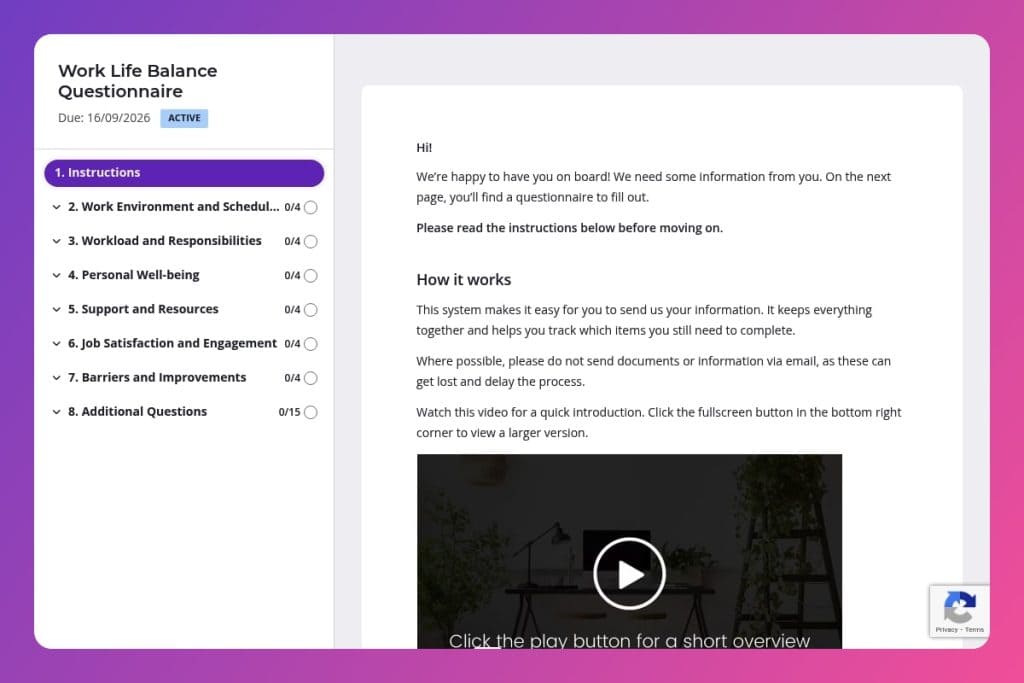


A comprehensive feedback tool that measures employee satisfaction across work hours, workload, flexibility, well-being, and available support resources to identify burnout risks and balance issues.

HR teams, people operations managers, and organizational development leaders who need quantitative and qualitative data to reduce turnover and improve employee retention strategies.

Deploy quarterly or biannually as part of employee wellness initiatives, after organizational changes affecting schedules or workload, or when turnover metrics suggest balance-related attrition.
Are your top performers burning out while you're still guessing why? 63% of employees cite poor work-life balance as their reason for leaving - yet most HR teams lack the data to spot warning signs early. You need clear insights into workload pressures, flexible work needs, and whether your support programs actually work.
A work life balance questionnaire gives you those answers fast. This post walks you through what makes an effective questionnaire, how to deploy it for honest feedback, and actionable ways to use the results. Plus, you'll get a free template you can customize and launch today. Let's break it down.
Work Environment and Schedules
Use these items to assess weekly load, schedule flexibility, and off-hours work patterns.
Workload and Responsibilities
Surface workload manageability, break cadence, role clarity, and spillover.
Personal Well-being
Capture perceived balance, self-care time, personal interests, and interference from work.
Support and Resources
Identify organizational supports, psychological safety with supervisors, and program gaps.
Job Satisfaction and Engagement
Link engagement, satisfaction, stress spillover, and team support to balance outcomes.
Barriers and Improvements
Elicit root causes and targeted fixes to guide action planning and change management.
Set the context before you send: Let employees know this isn't a performance review - it's a tool to identify systemic issues and improve support. Frame it as confidential and emphasize that honest answers about workload, overtime, and stress levels will drive real change. When people feel safe sharing that they're bringing work home every night or skipping breaks, you get data worth acting on.
Segment your results by team and tenure: Don't just review aggregate scores. Break down responses by department, manager, and length of employment to spot patterns. If your sales team reports unmanageable workloads while marketing feels balanced, or new hires struggle with boundary-setting, you've found your problem areas. This targeted view helps you prioritize interventions where they'll matter most.
Turn insights into visible action within 30 days: After collecting responses, share a summary of what you heard - especially around barriers to balance and requested improvements. Then announce at least one concrete change: adjusted meeting schedules, pilot flexible hours, or new wellness resources. Employees who see their feedback lead to real outcomes will trust future surveys and engage more openly.
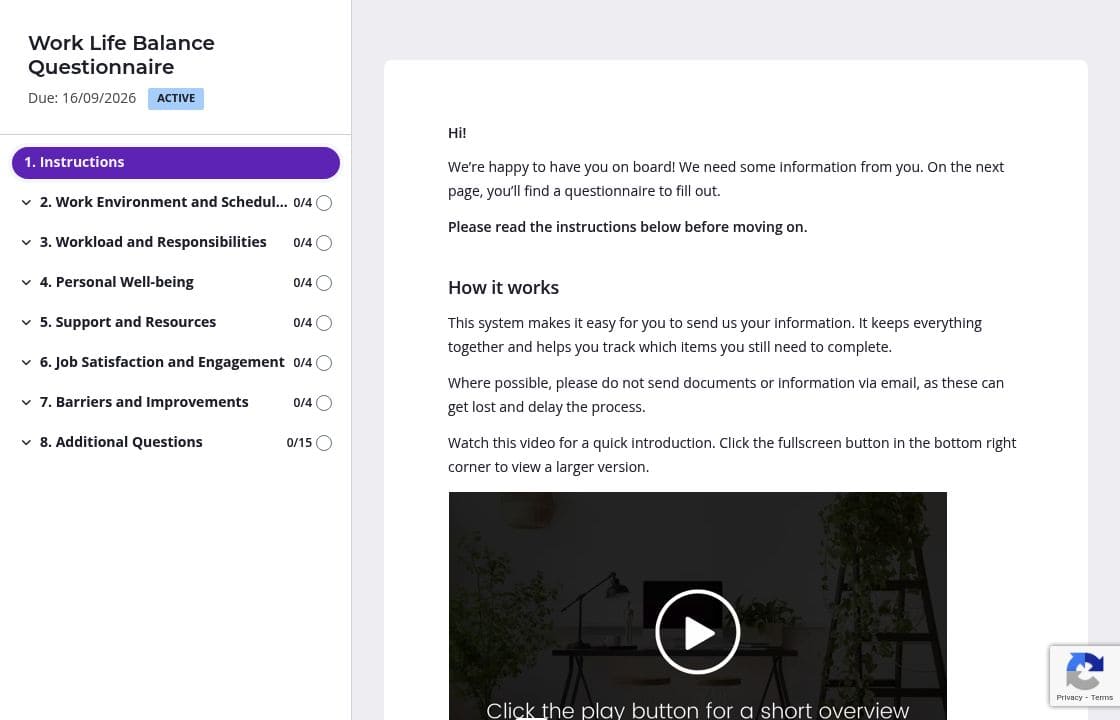
Work-life balance covers everything from weekly hours to mental health concerns. Use pages and sections to group related questions - one section for schedules and workload, another for well-being and stress, a final one for barriers and suggestions. Employees feel less overwhelmed when they're answering four questions at a time instead of staring down a 20-question form. The progress bar shows them exactly how far they've come.
You likely have data on employee work schedules, their manager, and whether flexible hours are available in their role. Prefill these details before sending the questionnaire. It saves time and shows you've done your homework. Employees can focus their energy on the questions that matter - how they actually feel about their workload and what support they need - rather than confirming basic facts you already have in your HRIS.
People forget. They get busy. They see a work-life balance survey and think "I'll do this when I have more time" - which never comes. Automatic reminders ensure everyone completes the questionnaire without you sending manual follow-ups that feel like nagging. Schedule a gentle nudge after 3 days and another at 7 days. You get better response rates, and employees appreciate the prompt rather than feeling chased.
Sensitive questions about stress, overtime, and job satisfaction need framing. Use instruction areas to clarify what you're asking and why. Before the well-being section, explain that you're gathering data to improve policies, not to flag individuals. Before open-ended questions about barriers and improvements, give examples of useful feedback. Clear guidance means more thoughtful, actionable responses and fewer people abandoning the form halfway through.
Email threads get messy. Spreadsheets don't track who's responded. Google Forms lack the follow-up tools you need when response rates stall at 60%. Content Snare gives you automatic reminders, progress tracking, and a professional experience that treats sensitive employee feedback with the care it deserves.
Employees can save progress and return later - crucial when asking people to reflect on stress levels and work boundaries during their lunch break. You see exactly who hasn't completed the questionnaire without digging through your inbox. Everything stays organized in one place.
Content Snare is ISO 27001 certified and trusted by thousands of businesses worldwide. When you're collecting data about workload concerns and mental health, that security matters. It integrates with your existing HR tools so responses flow directly into your workflow.
The platform has hundreds of 5-star reviews across G2, Capterra, and Trustpilot. HR teams praise how it simplifies data collection without feeling impersonal.
Beyond work-life balance questionnaires, Recruitment & HR teams use Content Snare for:


