


A comprehensive intake questionnaire that systematically collects client information, regulatory body details, documentation, deadlines, and case background for administrative law matters.

Administrative law attorneys and legal practices handling regulatory agency disputes, licensing issues, benefits appeals, and other matters involving government agencies and administrative proceedings.

During initial client intake before the first substantive consultation to capture all essential case details, identify urgent agency deadlines, and assess documentation completeness upfront.
How many critical details slip through the cracks during your first client consultation on an administrative law matter? Between tight agency deadlines, complex regulatory requirements, and scattered documentation, it's easy to miss the information that shapes your entire case strategy. An administrative law questionnaire solves this problem by systematically capturing every essential detail - from regulatory body communications to deadline tracking - before you even begin your legal analysis.
This post covers what makes an effective administrative law questionnaire, practical tips for integrating it into your intake process, and a free template you can customize for your practice. You'll learn how to gather complete client information, identify relevant agencies and statutes, assess documentation gaps, and spot time-sensitive deadlines - all while reducing back-and-forth emails and missed details. Let's dive in.
Client Information
Start with the basics you need to identify the client, confirm who the matter is for and check for related legal work.
Legal status and other ongoing matters shape how you set up the file and flag potential conflicts or overlapping proceedings early.
Legal Issue Overview
These questions give you the client's account of the problem, what they have already done and what they want out of it.
Earlier actions and the date the issue arose help you check limitation periods and see whether the client has already affected their options.
Regulatory Body Information
This group identifies the agency involved and the legal basis for the dispute.
Documentation and Evidence
Use these questions to find out what the client already holds before you request anything further.
Representation and Counsel
These questions show whether anyone else has acted for the client on this matter.
Prior or current representation tells you who to coordinate with and whether you need a file transfer or a formal change of counsel.
Deadline and Timelines
Capture time-sensitive details up front so nothing is missed.
Administrative appeal windows are often short. Existing filings and their status tell you what is already in motion and what you need to act on first.
Financial Considerations
Get the budget conversation started before you scope the work.
Additional Details
This group collects anything that falls outside the earlier sections.
Support Needs
These questions flag practical help the client needs from you or your team.
Send a pre-form email highlighting documentation needs: Before clients complete your administrative law questionnaire, send them a quick message listing the types of documents they should gather - official agency correspondence, notices of violation, prior decisions, appeal filings, and communication records. This preparation step dramatically improves response quality in the Documentation and Evidence section, saving you from multiple follow-up requests and giving you a complete picture from day one.
Use the regulatory body section to assess urgency immediately: As soon as you receive a completed form, jump straight to the questions about which agency is involved and whether the client has received official communication. Administrative matters often carry strict statutory deadlines for appeals or responses, and this quick scan tells you whether you're working with weeks, days, or hours. Flag any mention of "notice," "decision," or "hearing" for immediate calendar review.
Create a follow-up checklist from gaps in their responses: Not every client will answer every question completely, especially around prior legal representation or specific statutes involved. Rather than sending a generic "please complete all fields" message, review their submission and draft a targeted list of 3-5 specific gaps that matter most to their case strategy. This shows you've already begun analyzing their situation and helps clients understand why certain details - like the exact regulation cited or the status of pending applications - actually matter to their outcome.
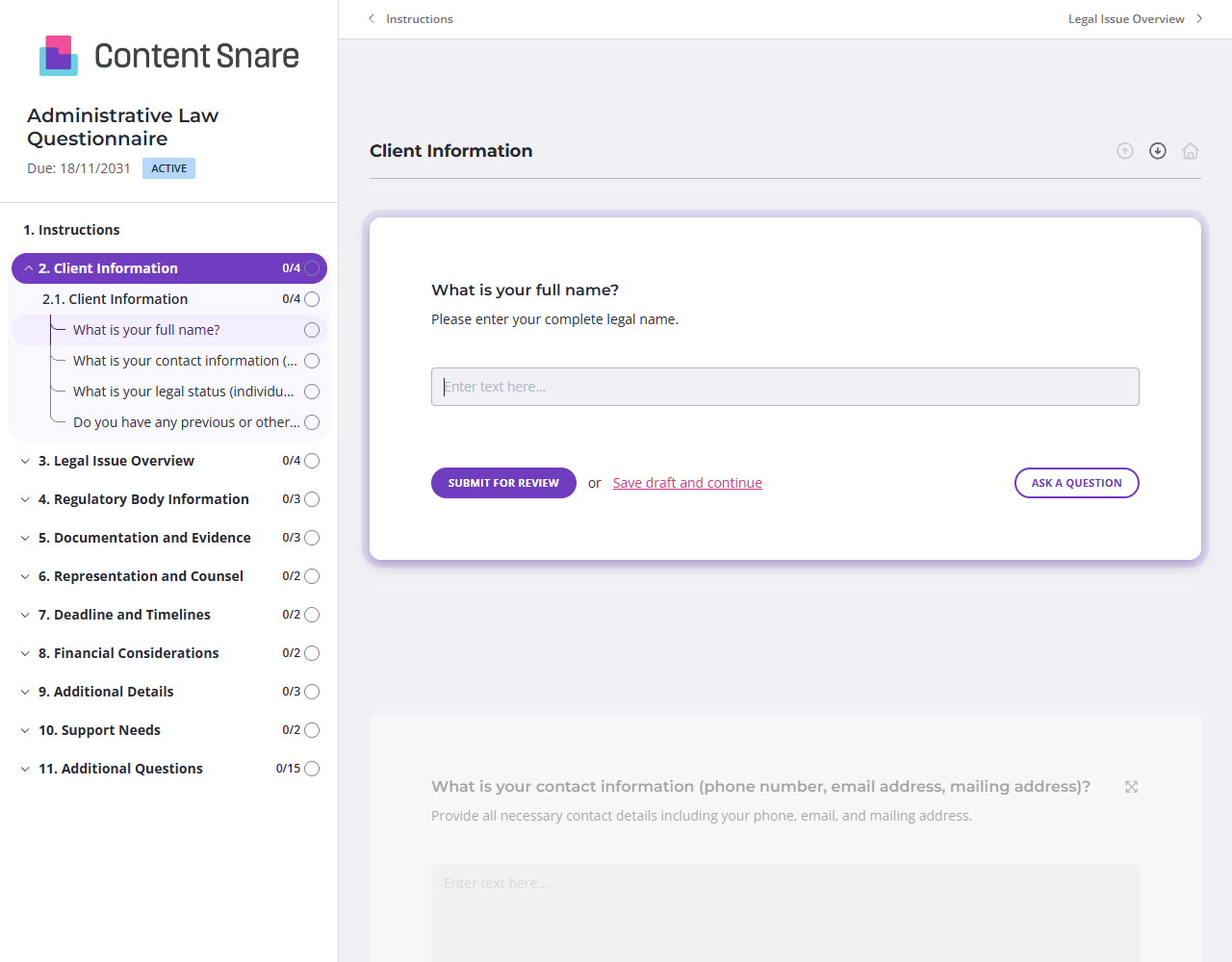
Administrative law cases vary wildly - a licensing dispute looks nothing like a benefits appeal. Content Snare's conditional logic lets you show questions only when they're relevant. If a client indicates they're currently represented by an attorney in the Representation section, you can automatically skip detailed questions about needing document drafting assistance. If they haven't filed any appeals yet, hide the follow-up questions about appeal status. Clients see a shorter, more focused questionnaire, and you get cleaner responses without irrelevant "N/A" answers cluttering your intake data.
The Documentation and Evidence questions are where clients often stumble. They're not sure what counts as "relevant documents" or whether a text message exchange qualifies as "communication records." Content Snare lets you add instruction text directly above or below these questions. Explain that you need PDFs of any letters from the agency, screenshots of emails, copies of filed applications, and even informal notes from phone calls. A quick example list prevents the "I didn't know you needed that" follow-up conversation and ensures clients upload everything the first time.
You likely already have basic details - name, contact information, legal status - from your initial consultation or CRM system. Content Snare lets you pre-populate those Client Information fields before sending the questionnaire. This eliminates redundant data entry for your client and gets them straight to the substantive questions about their regulatory issue, agency involvement, and deadlines. Clients appreciate not repeating themselves, and you reduce form abandonment from questionnaire fatigue.
Administrative law matters move fast, and an incomplete questionnaire can mean missed filing deadlines or insufficient preparation time. Content Snare's automatic reminder system nudges clients to complete their responses without you having to send awkward follow-up emails. You set the schedule once - say, reminders at 3 days and 1 day before your internal deadline - and the system handles the rest. You stay focused on legal strategy rather than chasing down basic intake information.
Email attachments get lost. Google Forms lack the structure you need for legal intake. Phone calls miss critical details. Content Snare gives you a purpose-built client information platform that actually works for law firms - with automatic follow-ups, secure file uploads, and a professional experience that reflects your practice standards. Content Snare is ISO 27001 certified and trusted by thousands of businesses worldwide, so you can collect sensitive client information with confidence.
The platform delivers what traditional methods can't: clients know exactly what you need, you spend less time chasing information, and nothing falls through the cracks. Files can sync to Google Drive, Dropbox, OneDrive or SharePoint, and Zapier, Make and the API connect Content Snare to your other tools.
This administrative law questionnaire is just one application. Legal professionals use Content Snare for:
With hundreds of 5-star reviews across G2, Capterra, and Trustpilot, Content Snare has proven itself as the go-to solution for firms that want to modernize client intake without sacrificing security or professionalism.


