
A client sends a signed TFN declaration back through the same email thread where your team is trying to get a corrected account statement out to them. Both messages sit in the same inbox, sorted by nothing but timestamp, with no way to tell what's still owed and what's already been handled.
That's the actual friction most firms run into, not one bad file, but one channel doing two unrelated jobs. Collecting documents from a client and getting documents back to them call for different things entirely. Mix them together and both get slower.
File sharing for finance also features a security angle, since financial documents carry their own risks when they're handled this loosely, but that's worth its own section further down. First, the split itself.
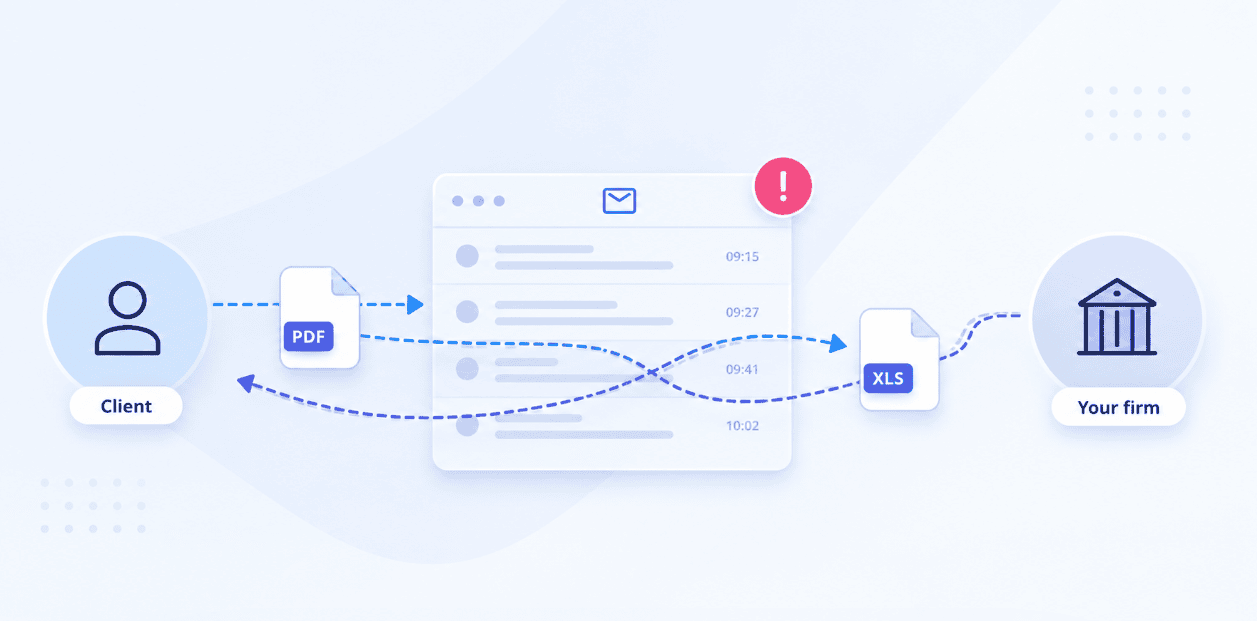
One channel, two jobs: The financial file sharing problem
Most firms don't design their file sharing, it just accumulates. An email chain becomes the onboarding pack, the fact find, and the signed disclosure all at once, alongside whatever the firm is sending back the other way. Nothing about that channel tells you what's outstanding.
The usual patch is a shared drive or a spreadsheet tracker bolted on top of it, a column for each client, a column for each document, updated by hand. It works until someone forgets to update it, which is most weeks. The real cost shows up as NIGO, industry shorthand for a submission that comes back not in good order. Every NIGO item means another round trip through the same messy channel that created the problem in the first place.
Collecting a client's documents and sending information back to them are different jobs with different requirements. One needs structure. The other just needs a place to land.
Getting documents from clients with a request, not a folder
A generic upload link doesn't know what a fact find is. It just accepts files, in whatever order and format a client feels like sending them, which is exactly how a submission ends up NIGO.
Content Snare turns the request into a structured checklist instead. You specify what's needed and in what format, the client works through it item by item, and reminders go out automatically so nobody's chasing a missing ID by hand:
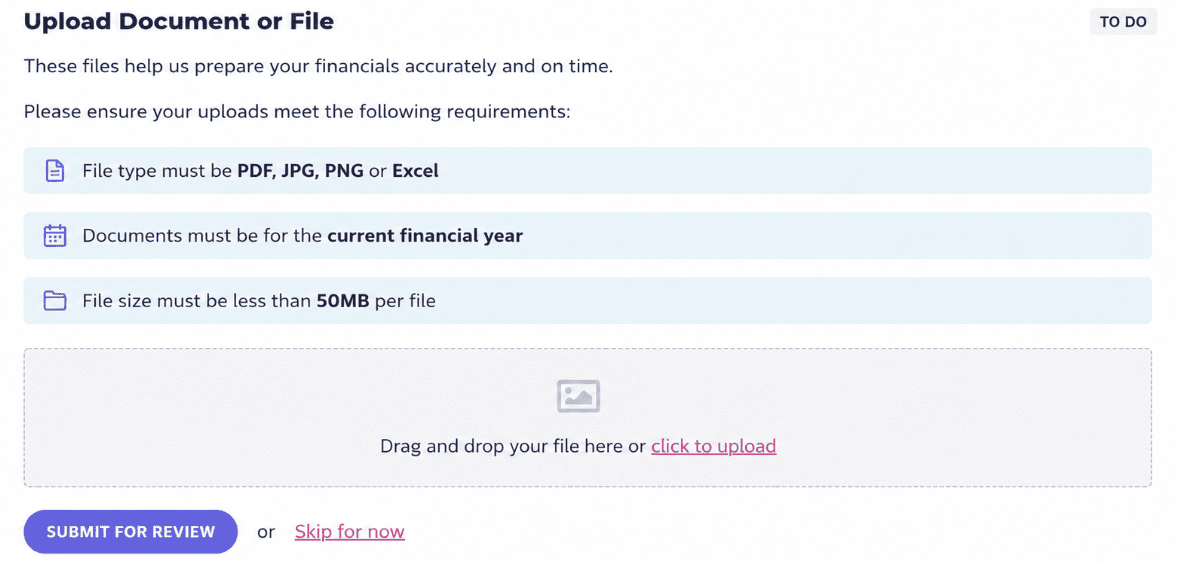
Content Snare file upload instructions - example
Typical financial onboarding pulls together things like:
- Government-issued ID
- Proof of address
- Signed fact find or risk questionnaire
- Source-of-funds documentation
- Beneficial ownership details for entity accounts
No account required, clients get a Content Snare link and go straight to the request. If they start the request and get pulled away mid-onboarding, which happens constantly with document-heavy packs like this, auto-save keeps their progress intact so they're not starting over or emailing to check if it went through.
On your side, everything lands organized instead of scattered across a shared drive: what's submitted, what's still outstanding, and the latest version of each file.
Giving clients somewhere to find their files
Delivery doesn't need the same structure as collection. When a client needs a corrected statement, an annual disclosure, or a fee schedule, they need one thing: somewhere reliable to find it later, not a checklist to work through.
That's what Content Snare's client portal is for. Every file you send a client sits in their own dedicated space, organized into groups so a statement from March doesn't get buried under six months of other correspondence. Group names can match how the client actually thinks about the documents, "Q1 statement," "2026 disclosure pack," rather than a generic folder label.
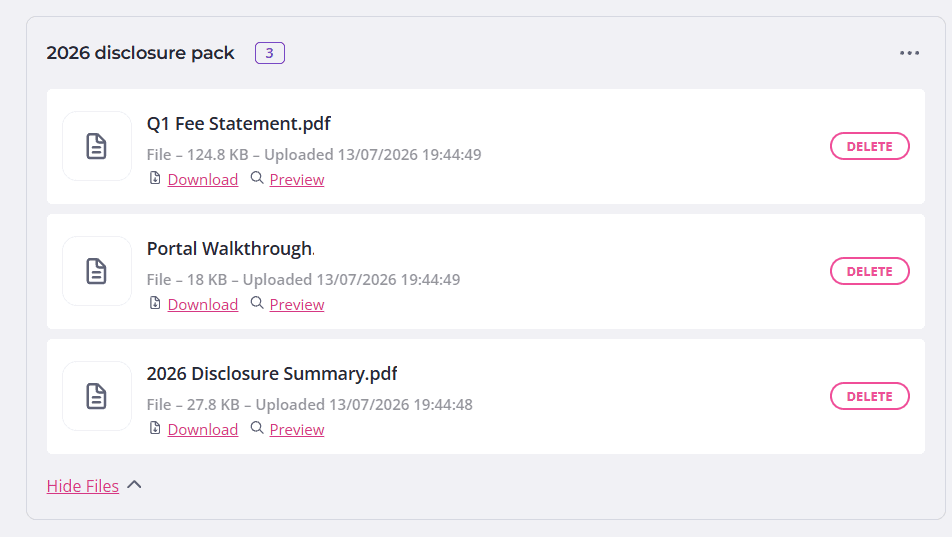
Content Snare client portal - example
Notifications are optional per group too. A time-sensitive item, like a corrected statement, can trigger an email. Something routine that applies to every client, a compliance notice or an updated fee schedule, can go out through a global group instead, reaching everyone at once without flooding individual inboxes with the same message.
The feature set here is intentionally lighter than the request side. Getting a file to a client shouldn't take more than a place for it to land.
Stop chasing clients
Set up a structured request that gets it right the first time.
Keeping client data safe and on record
There's a couple more pieces to file sharing worth covering before wrapping up, the kind of thing nobody thinks about until an auditor or a client asks for it.
1. Audit trail and recordkeeping
Financial documents don't stop mattering once they're collected. Compliance reviews, client disputes, and internal audits all come back to the same question: who submitted what, and when.
Every file collected through a Content Snare request comes with a timestamp and sits inside a searchable, filterable system, by client, by request status, by who owns the request, ready to serve as audit evidence without digging through an inbox to prove a document existed.
If clients upload files with names like "scan001.pdf," automatic renaming cleans that up on the way in, using your own naming convention, so records stay consistent across every client without manual cleanup. When it's time to move a completed request out, whether for a file, an audit request, or your own records, export takes it with you in the format you need, PDF, CSV, JSON, or a few others, with the original submission details intact.
2. Security, stated plainly
Client financial data carries obligations most industries don't deal with, so this isn't a place for vague reassurance. Content Snare is ISO 27001 certified, with military-grade encryption for files in transit and at rest, and per-company encryption keys, not a shared drive anyone with the link can browse.
One thing worth being upfront about: Content Snare's data isn't hosted in the UK or EU, so firms with strict data residency requirements should confirm it fits their specific obligations before relying on it for every category of client data. For most day-to-day handling of financial documents, certified security practices and controlled, logged access cover what's actually required.
FAQ
Is email secure enough for sending financial documents?
Not reliably. Standard email isn't encrypted end to end, and attachments sit in inboxes indefinitely with no way to control who eventually sees them. A single forwarded thread can expose account numbers or ID documents to someone who was never meant to have them.
How do I stop clients from sending documents that come back NIGO?
Structure prevents most of it before it happens. Content Snare lets you specify exactly which file types and formats a request will accept, so a client can't submit a blurry photo where a certified copy is needed, which cuts down the back-and-forth of chasing the same document twice.
What documents does KYC and AML onboarding typically require?
Most firms need government-issued ID, proof of address, a signed fact find or risk questionnaire, and source-of-funds documentation for larger accounts. Entity accounts usually add beneficial ownership details on top of that. Requirements vary by jurisdiction and account type, so it's worth checking your specific regulatory obligations rather than working from a generic list.
Can clients use Content Snare without creating an account?
Yes. Clients get a Content Snare link, not a login. They work through the request and upload what's needed, and if they're interrupted partway through, auto-save keeps their progress intact so nothing is lost.
Is a shared drive good enough for storing client financial documents?
It depends on how it's set up. A shared drive with proper access controls can work for internal use, but it usually offers little visibility into what's outstanding, no built-in reminders, and no clear record of when a document was submitted or by whom. Firms handling regular compliance reviews tend to outgrow it quickly.