
Every law firm has a version of this story: a client emails a W-2 as an attachment named “Untitled scan 3.pdf,” you reply asking for the other four documents on your list, again, and somewhere in that same thread is a signed retainer you still need to get back to them.
It's a small mess, but it happens every week (and it rarely has anything to do with security). It’s about one inbox trying to do two things at once: pulling documents in from clients, and pushing documents back out to them. Split those two jobs apart, and the fix for each one gets a lot more obvious.
Why your average tool can't handle both directions
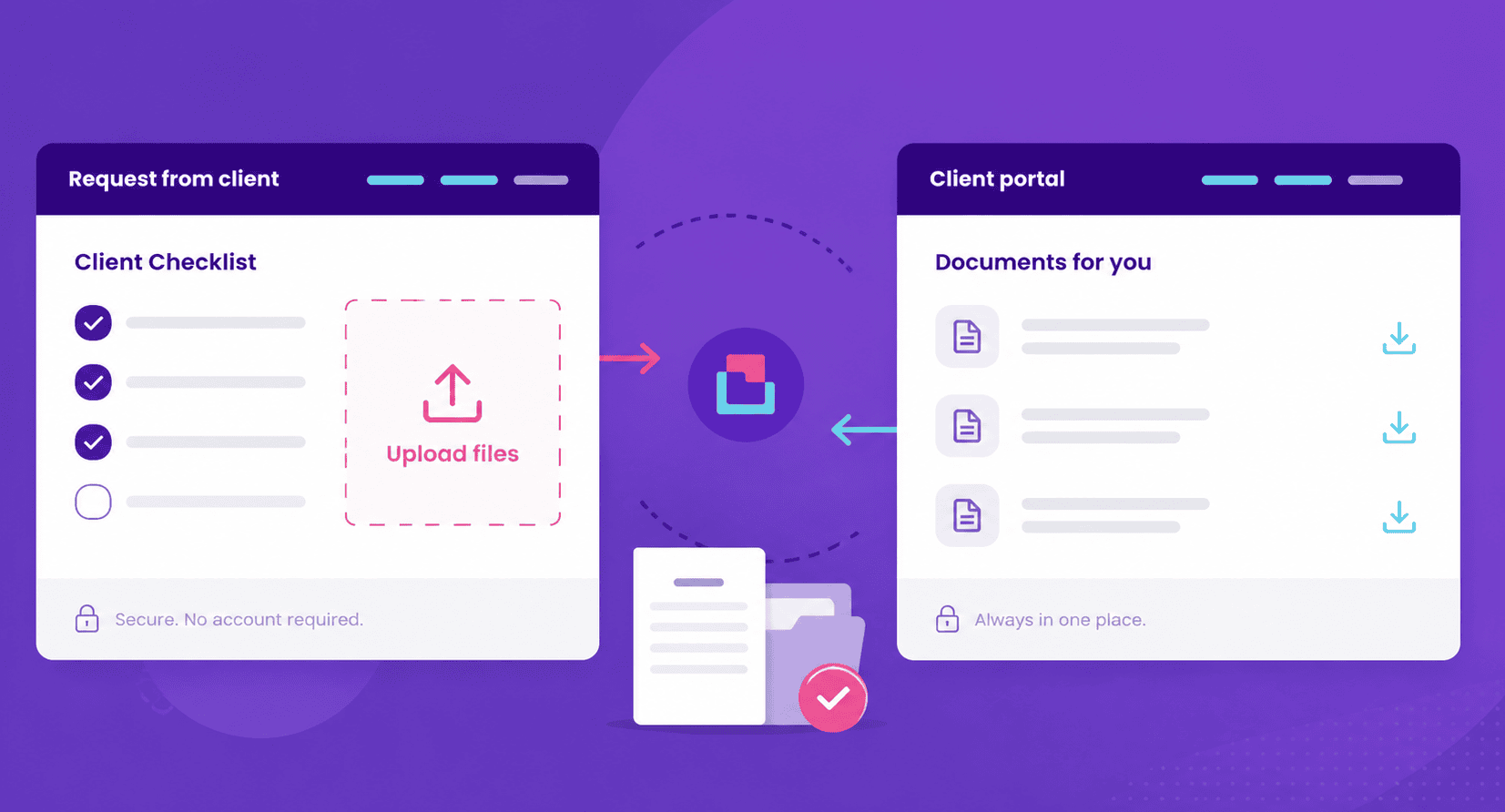
Email doesn't fix the mess from the intro, and neither does a shared folder. Both tools just relocate it. Client uploads and outgoing files pile up together, with no way to tell what's done and what's still missing.
Full-strength collaboration tools overcorrect the other way. They're built for lawyers working with other lawyers, not a client uploading one ID and a signed form. That mismatch is often why firms end up back on email, or on consumer-grade storage that's an easy target for credential-harvesting links.
Getting documents from a client needs structure. Getting documents to a client just needs a place they can find. Two different jobs, two different fixes.
Getting documents from clients with Content Snare: Build the request, not a folder
A generic upload link tells a client "put your files here" and nothing else. No checklist, no sense of what's still missing, no reminder when they forget. So they upload a photo of the wrong form, or send half the documents and disappear, and the follow-up lands back in your inbox anyway.
Content Snare turns that into a structured request. You build a checklist of exactly what's needed, the client works through it item by item, and reminders go out automatically instead of you tracking who's behind.
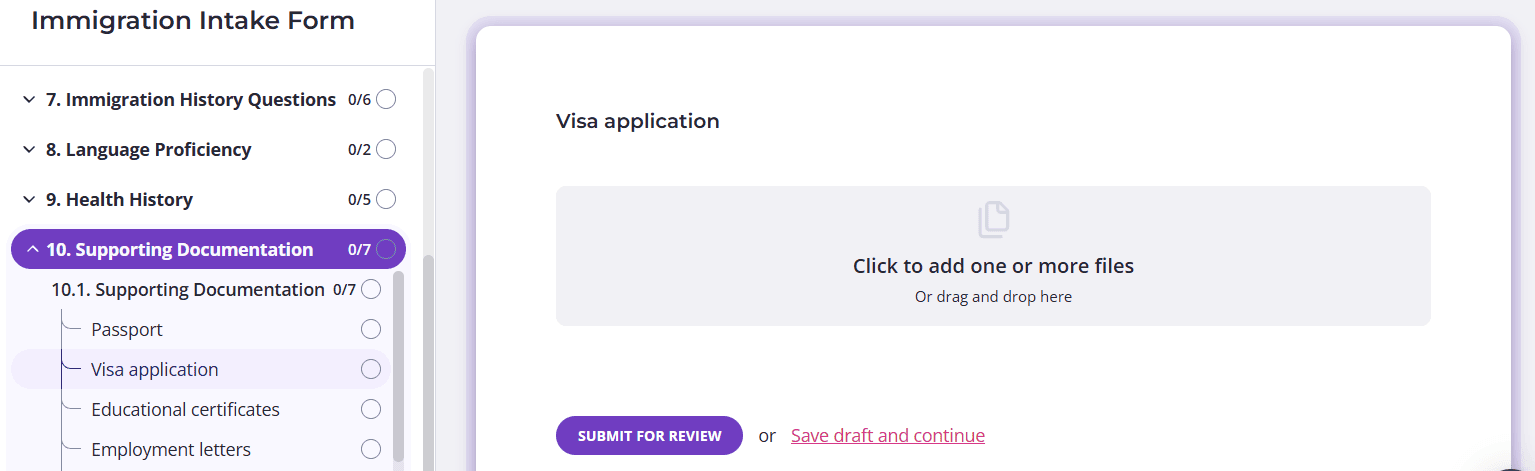
Screenshot: Content Snare file upload
No account required on their end, just a link, so there's no login wall standing between a client and the one document you're waiting on.
If your client starts the request and gets pulled away, nothing is lost. Auto-save keeps their progress intact, and they can pick it up later without redoing it or emailing to ask if it went through.
Instructions can go beyond plain text too. Attach a reference file, drop in a link, add an image, or embed a short video showing exactly what you need, so a client filling out a request for the first time gets it right without three rounds of "this isn't quite what I asked for."
On your end, everything comes in organized instead of scattered across a folder. You can see what's been submitted, what's still outstanding, and the latest version of each file, all grouped and labeled instead of buried in an inbox.
Sending files back to clients is even simpler
This direction doesn't need a checklist, it needs a place. Content Snare's client portal gives each client a dedicated space where every file you send them lives, instead of scattered across old email threads they'd have to search to find again:
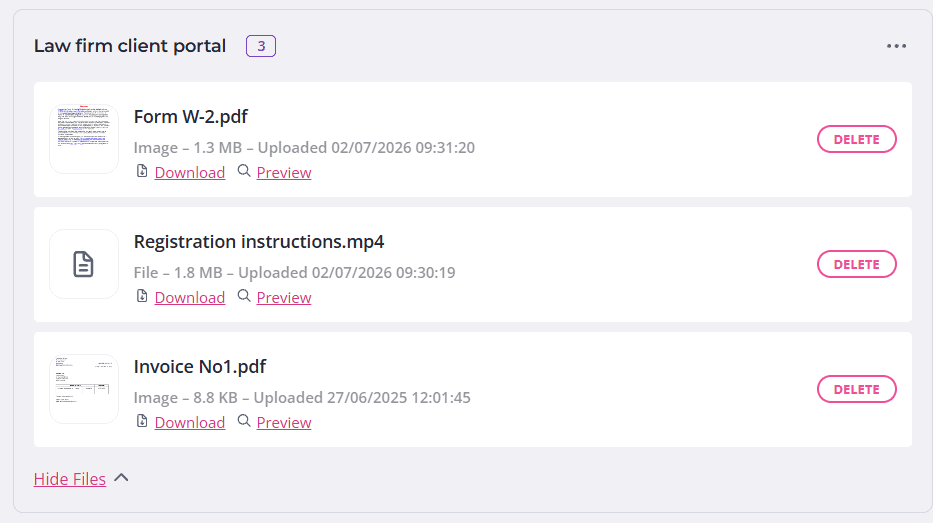
Screenshot: Content Snare client portal
Files get organized into portal groups, so a client isn't scrolling through everything you've ever sent to find last month's engagement letter. You can name each group something the client will actually recognize, like "Documents for Your 2025 Filing," and add a short instruction if there's context they need.
Notifications are optional per group. Send something time-sensitive and the client gets an email letting them know it's there. Sharing something more general, firm updates, a template, a form everyone needs, and you can push it to all clients at once through a global group without triggering a flood of individual emails.
It's a smaller feature set than the request side by design. Sending files back to a client shouldn't require the client to do anything except find them.
Finding what clients already sent you, without the digging
One more thing Content Snare does well is remembering what you asked for, so you don't have to. Every file collected through a request lands in the same organized system, not a folder named "Client Docs Final v3." You can see what's been submitted, what's still missing, and which version is the latest, without opening a single email thread.
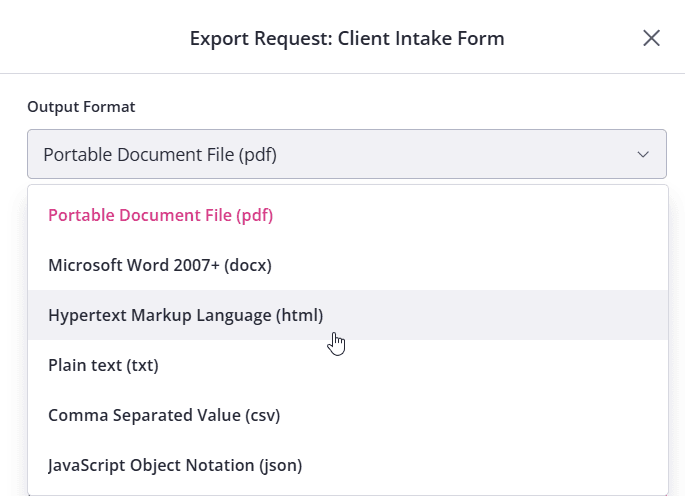
When you're ready to move files out, whether that's one document or an entire completed request, export takes it with you exactly as submitted, straight to your device or into a connected storage platform like Google Drive, with client instructions and comments attached for context if you need them. You can even choose the output format (PDF, Word, HTML, plain text, CSV, or JSON), so the file lands in whatever shape your workflow actually needs:
Client information also lives somewhere it's actually protected. Content Snare is ISO 27001 certified, with per-company encryption keys, not a shared drive anyone with the link can browse.
Build a structured intake in minutes and let clients send exactly what you need, the first time
FAQ
What should a secure client portal for a law firm actually include?
At minimum, encryption in transit and at rest, controlled access so only the right people see a file, and a clear record of what was uploaded and when. Content Snare covers this with ISO 27001 certification and per-company encryption keys, without requiring clients to create an account just to send you a document.
Is email secure enough for sharing legal documents?
Not reliably. Standard email isn't encrypted end to end, and a single misdirected reply can send privileged material to the wrong person, which is a real risk when you're working from a long thread with multiple recipients. Most firms that outgrow email do it after a near-miss, not a full breach.
How do I stop clients from sending the wrong file or the wrong format?
Structure prevents most of it before it happens. For example, Content Snare lets you specify exactly which file types a request will accept, so a client can't upload a phone screenshot where you need a signed PDF, which cuts down the back-and-forth of asking for the same document twice.
Can clients use Content Snare without creating an account or downloading anything?
Yes. Clients get a link, not a login. They fill out the request, upload what's needed, and if they're interrupted partway through, auto-save keeps their progress intact so they don't have to start over.