
Karbon does a great job of keeping an accounting firm's work in order, but the client side is where it falls short. The year-end questionnaire usually comes back half done and bank statements arrive as phone photos titled “IMG_4471.jpg”.
When that starts eating into the team's week, the natural reaction is to look for new software. And "swap software" usually gets read as "start over". That means dropping the Karbon client portal, moving everything across, and hoping nothing breaks on the way. For a firm that likes Karbon, that's a hard sell, and rarely the right call.
Brisbane-based Inspire Accountants took a different route. The firm kept Karbon and added Content Snare for the bigger client requests, cutting an estimated 125 hours of request prep and file admin from a single year-end run. Any Karbon firm can do the same, even if nobody on the team has touched an API.
Where the Karbon client portal fits, and where Content Snare takes over
Here’s a simple rule of thumb: a Karbon client request is fine if you need one or two things from a client. Anything bigger, or anything that takes more than 10 minutes to fill in, goes through Content Snare.
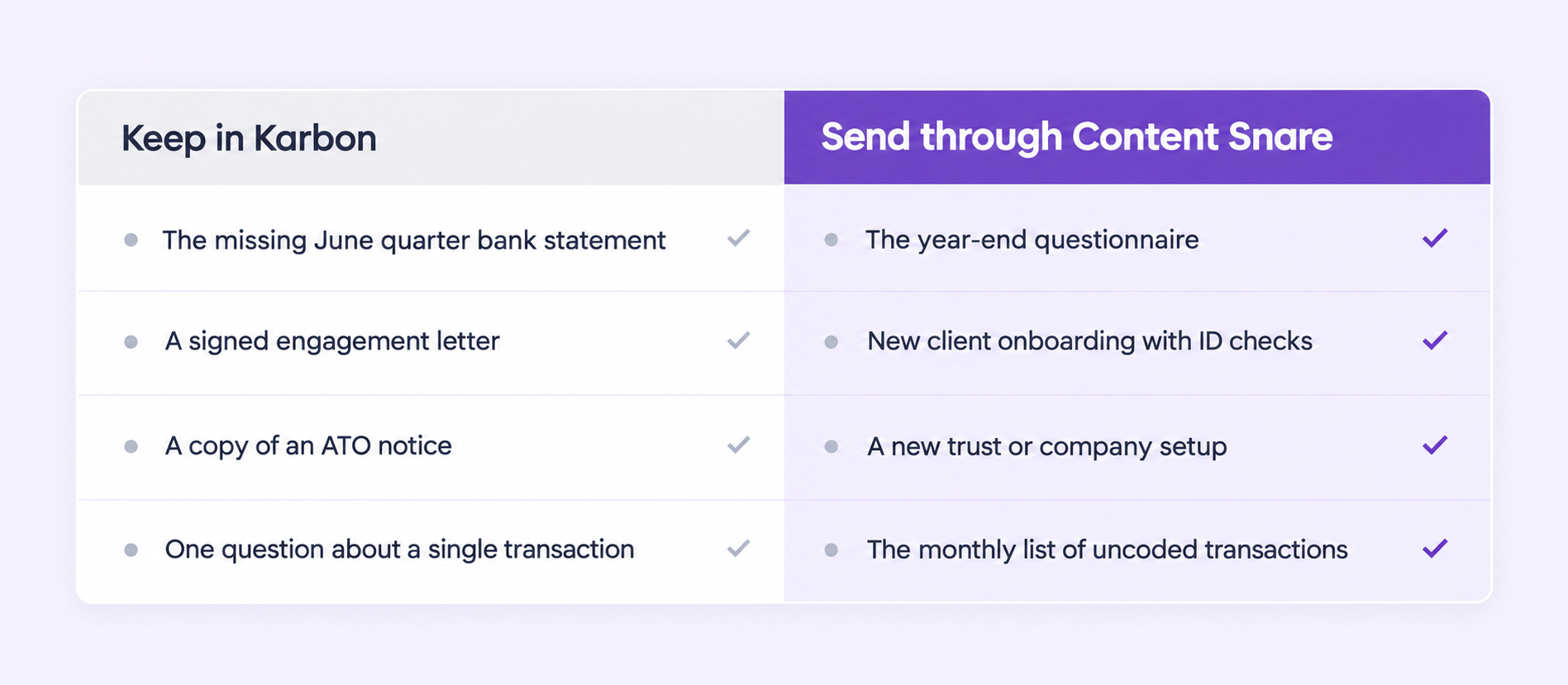
Before splitting any work between two tools, it helps to be clear on what each one is built to do. Karbon is built around the firm's work, while Content Snare is built around getting information out of clients. Most of the friction comes from asking one tool to do the other's job.
Inside the Karbon client portal, a client request works as a checklist attached to a job:
- The client ticks each item off as they upload the file
- They can leave a comment if something needs explaining
- Karbon sends the request and follows up with automatic reminders
For small and highly specific asks, that's all your firm needs. For instance, when the June quarter bank statement is missing from the BAS file, a checklist with one line on it gets the job done.
The trouble starts when a request stops being a list of documents and turns into a set of questions. Karbon client requests have no form fields or conditional logic as of September 2026, so every client sees every item, whether it applies to them or not.
Take a year-end questionnaire: one client sold shares during the year and needs to answer capital gains questions. Another bought a rental property and has to find a depreciation schedule. On a checklist, both sets of questions land on both clients, and each of them scrolls past items that have nothing to do with their year. That's usually the point where the questionnaire comes back half done.
Why the client side needs its own tool
Practice management portals are built around the firm's workflow, and the client side inherits that complexity. Job statuses and task lists make sense to a manager planning the week. They mean very little to a café owner looking for last year's car logbook on a Sunday night. Clients aren't accountants. They don't want to use accounting tools.
That's the gap Content Snare fills.
Karbon acknowledges it too, since its own help centre points firms to partner tools for questionnaires. Content Snare is a secure client portal purpose-built for professional services, and it works alongside practice management tools like Karbon. Karbon keeps the jobs moving while Content Snare collects the documents and information those jobs depend on.
The bigger requests, all year round
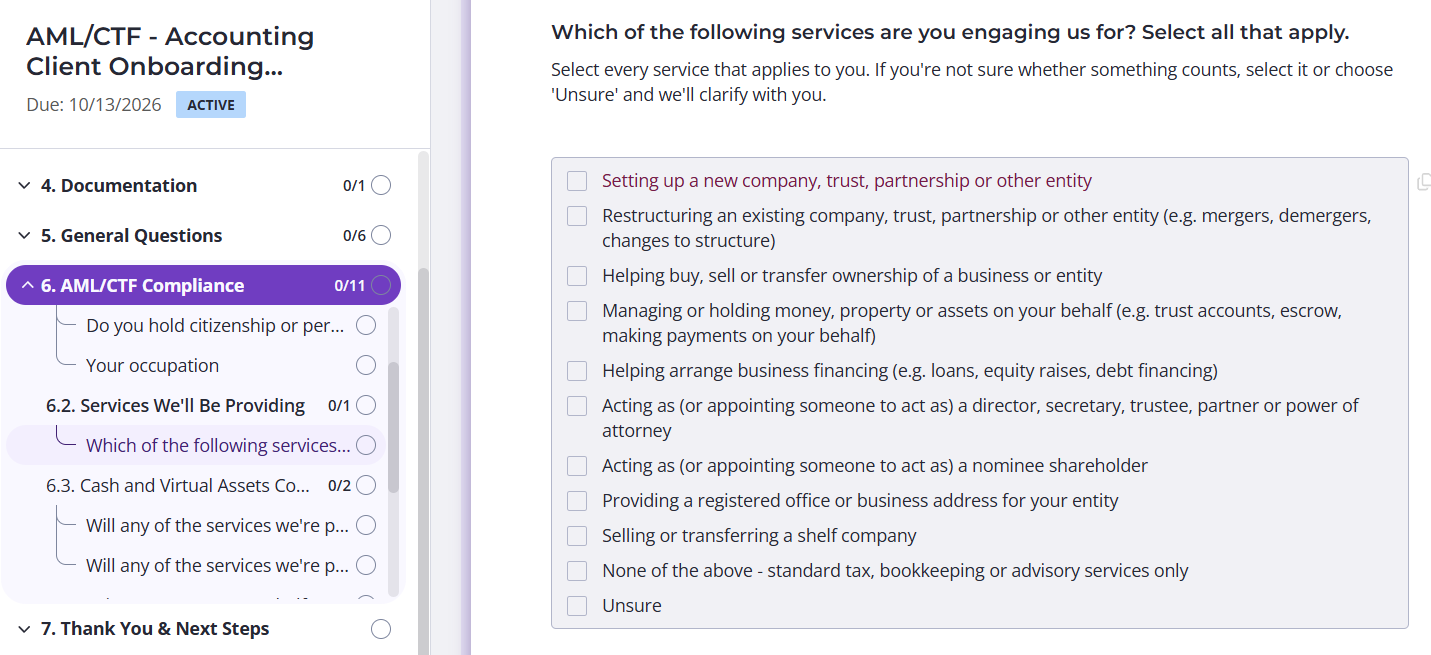
The bigger requests follow a client from the day they sign on. Onboarding comes first, with ID checks and AML screening in the same Content Snare request:
Then there's the year-end questionnaire, which every client gets - every year.
Between those sit the less predictable ones. A new trust or company means director and trustee details, often from more than one person. Tax planning and FBT questionnaires usually wait until the third reminder. Monthly bookkeeping queries can run as a recurring request, set up once and sent on schedule, so "what's this $1,240 transfer?" never turns into a 30-message email thread.
On the client's end, conditional logic hides whatever doesn't apply to them. Reminders do the chasing, and every answer saves as they go, so a client can start on Sunday night and finish on their phone on Tuesday without a login.
Connecting Content Snare and Karbon
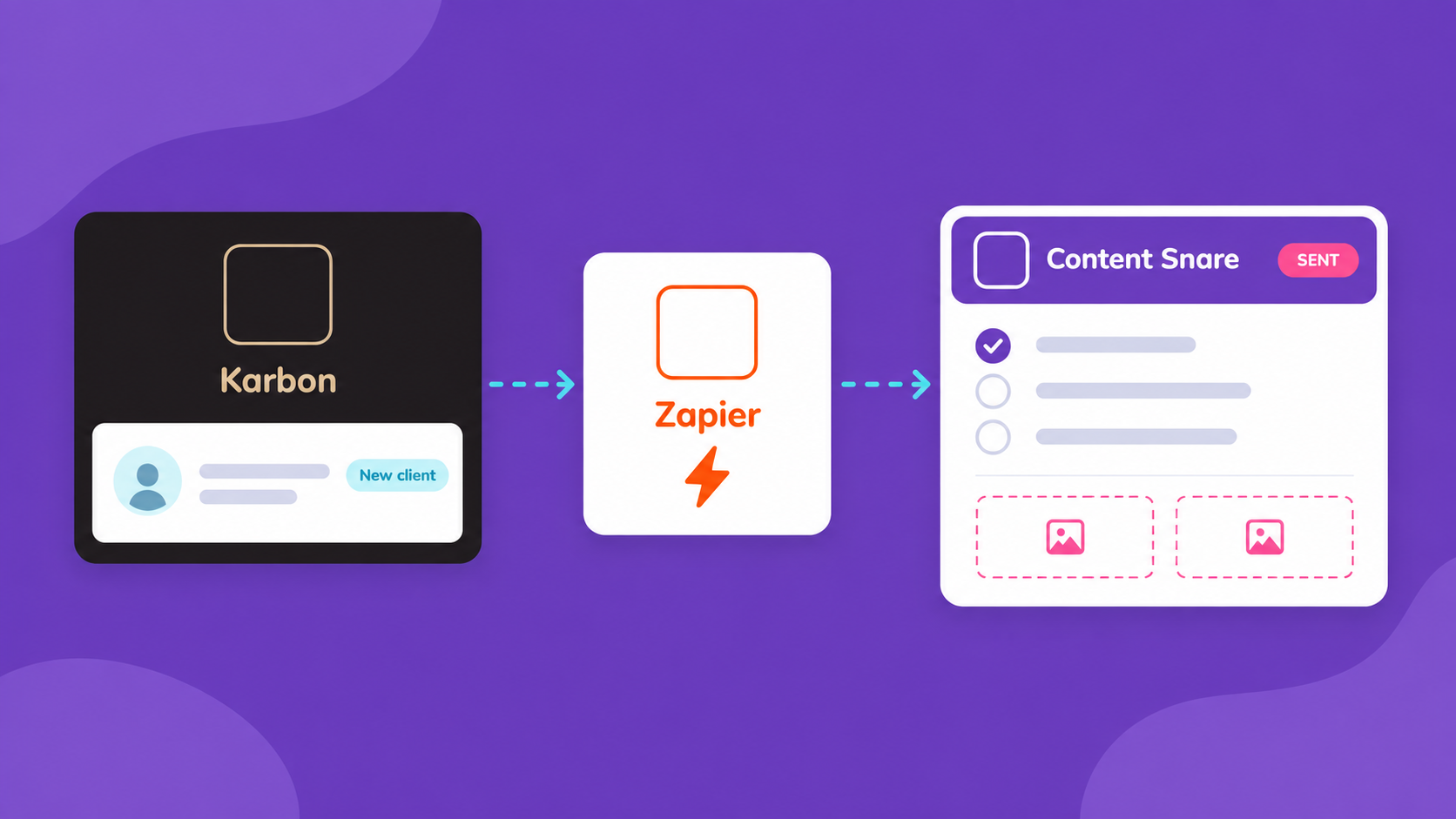
There's no built-in integration between the two tools, so firms connect them through Zapier, Make or the API. The right option depends on how much you want to automate, and who on the team will set it up.
With Zapier or Make, no code
This is where most firms start. On Content Snare's side, Zapier can react when a request is completed and create a new request from one of your templates. Make goes further, with 44 modules to work with. Zapier also works without API access switched on in Content Snare.
Karbon's side is thinner. As of September 2026, its Zapier app only covers contacts, and Make has no Karbon app at all. Anything involving jobs or statuses has to go through Karbon's API, using Zapier's webhook step (on a paid Zapier plan) or Make's HTTP module. Karbon only includes API access on its Business and Enterprise plans.
Here's what that looks like in practice:
- No code. A new client is added in Karbon, and Content Snare sends them your onboarding request.
- No code. A client completes a request, and any details they've changed update their contact in Karbon.
- Needs Karbon's API. A client finishes their year-end questionnaire, and the job in Karbon moves to "queries received". This is the step up Inspire Accountants took.
Some of it needs no automation at all. Completed requests can sync straight to cloud storage like SharePoint or Google Drive, and files rename themselves as they arrive.
With the API
The API suits firms with someone comfortable using it, or happy to let an AI assistant handle the technical part. Content Snare's API access is off by default, and you can switch it on by request from inside the app.
On Karbon's side, there's one limit to plan around. When Inspire Accountants set this up in mid-2026, Karbon's client requests had no API endpoints (and that's still the case as of September 2026). Its API does cover jobs and contacts, which is what lets a finished Content Snare request move a job along in Karbon. On the Content Snare side, the API also lets a firm pre-fill each client's questionnaire with what it already knows.
With an AI assistant
Few firms go this far, and nobody needs to start here. One Content Snare customer who has is Claire Beckett, a bookkeeper at Sunside Accounting.
She types something like "send the onboarding form to this client" into Claude, and the request is created and sent through the API. She isn't a developer. Content Snare also has an MCP server for firms that want to connect an AI assistant directly.
Running Karbon?
Build each request once, from onboarding to year-end, and let Content Snare collect everything while Karbon keeps the work moving.
How Inspire Accountants runs it

Ben Walker founded Inspire Accountants in Brisbane in 2013, and the firm now looks after about 300 family groups. Karbon still runs its jobs, and only the client requests moved. Ben has been pushing hard into AI and wants as little manual work as possible, so he went looking for a tool with an open API.
Within an hour or two of getting API access to Content Snare, he knew the firm was all in, and it was live on the year-end run within weeks. Every family group now gets a year-end questionnaire pre-filled with what the firm already knows, so clients only answer what's missing. When they submit, Karbon picks it up straight away. As Ben described it:
“Essentially a customer completes a request, bang, Karbon status updates, that says queries received, and so then it's on to the person who's responsible for that job to check what was received is what we asked for.”
He also built the step that saves submissions to SharePoint and renames the files on the way, something Content Snare can also do natively. Comparing it with his old requests, Ben didn't hedge:
“It does so much more than client requests in Karbon would ever do.”
The hours are his estimate, made two months in. Preparing a Karbon client request by hand took 10 to 15 minutes per job. At 15 minutes across 300 family groups, that's about 75 hours each year-end. Saving and renaming files adds roughly another 10 minutes per job, or 50 hours.
Ben calls both figures a minimum, before any second-stage queries. He also describes the benefits as “big efficiencies through small things, just a lot of it.” The best part is that none of it needed Karbon to go anywhere. Content Snare now handles small tasks done hundreds of times over, and Karbon still decides who picks it up next.
FAQ
Does Content Snare integrate with Karbon?
There's no built-in integration between the two. Firms connect them through Zapier, Make or the API, depending on what they want to automate. Sending a request to a new Karbon client needs no code, while updating a job's status goes through Karbon's API.
Do I need a developer to connect them?
Not for the everyday handoffs. Sending an onboarding request when a client is added in Karbon, or updating a contact after a client submits, can be set up in Zapier without code. Moving a job's status in Karbon needs Karbon's API, which is more technical.
Does Content Snare replace the Karbon client portal?
No. The Karbon client portal still handles quick asks well, like a single missing bank statement. Content Snare takes the bigger requests, such as onboarding and year-end questionnaires, while Karbon keeps running the jobs.
Do clients need a login to use Content Snare?
No. Clients click the link in their email and land straight on their Content Snare request, with no password or account to set up. It works on any device, including their phone.