
While looking into how tax professionals talk about secure file sharing for accountants, one comment on a popular industry forum stood out. Describing a client's upload, the accountant listed what actually came through: Word docs, Excel files, 82 photos, and four PDFs, everything except what was actually asked for. Sorting through it, by his own account, took longer than preparing the return.
That's not a security issue or a misplaced file, it's a structure failure. Nothing about a generic upload link tells a client what format is expected, so they send whatever's fastest like a phone photo or a random export.
The fix isn't a more secure inbox. It's giving clients a request that actually specifies what's needed, and keeping that separate from whatever the firm sends back.
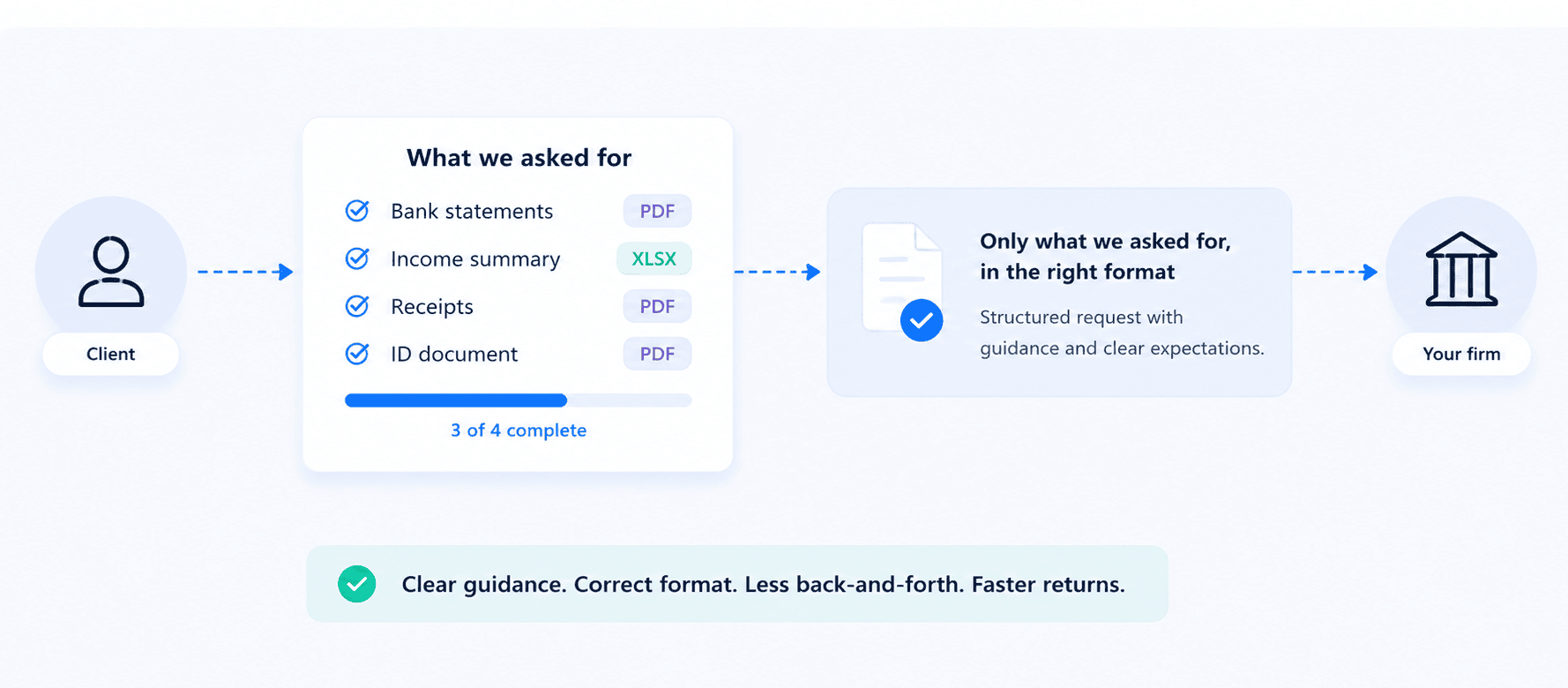
Why one upload link can't handle what clients actually send
Before getting into the fix, it's worth looking at where this actually breaks down with the tools most firms already have. A generic upload link doesn't ask for anything specific, so clients don't send anything specific. It’s not that they’re being careless, the link just never told them what "done" looks like.
Searching for the most secure file sharing services usually turns up the same fix: better encryption paired with better access controls. Useful, but it doesn't touch this specific problem in accounting. Encryption doesn't sort dozens of photos into the right categories or tell a client their bank statement needs to be a PDF, not a screenshot.
Sending files back to a client is a different job entirely, no chaos to sort through, no guessing what format works, just a place for the file to land. Collecting and delivering call for different structure, and a single link trying to do both ends up doing neither well.
Getting documents from accounting clients: A request that says what it wants
A structured request does what a generic link can't - it tells a client exactly what's needed before they upload anything. Content Snare builds this as a checklist a client works through item by item:

Screenshot: Customisable Content Snare tax return checklist
Instead of a vague "send your documents," each checklist item names exactly what's needed, an income statement, a signed engagement letter, a prior-year return, with its own upload field and accepted file type.
Reminders go out automatically for whatever's still outstanding, so nobody's manually chasing a missing 1099 or a tax organizer that's been sitting half-filled for two weeks. If a client starts the request and gets pulled away, which happens constantly during tax season, auto-save keeps their progress intact.
A single Content Snare request can cover everything a return actually needs, not just income documents:
- Prior-year return
- Signed engagement letter
- Income statements and payment summaries
- Receipts and expense records
- Bank and credit card statements
Your clients don’t even need an account, they simply access the request by clicking a link. It’s easy to open it, work through the checklist, and submit, without creating a login just to send an income statement.
Sending files back to clients somewhere they'll actually look
On the other side of the process, delivery doesn't require a checklist. All your clients need is somewhere to find what you've sent them. Content Snare's client portal gives each client their own space for exactly that:
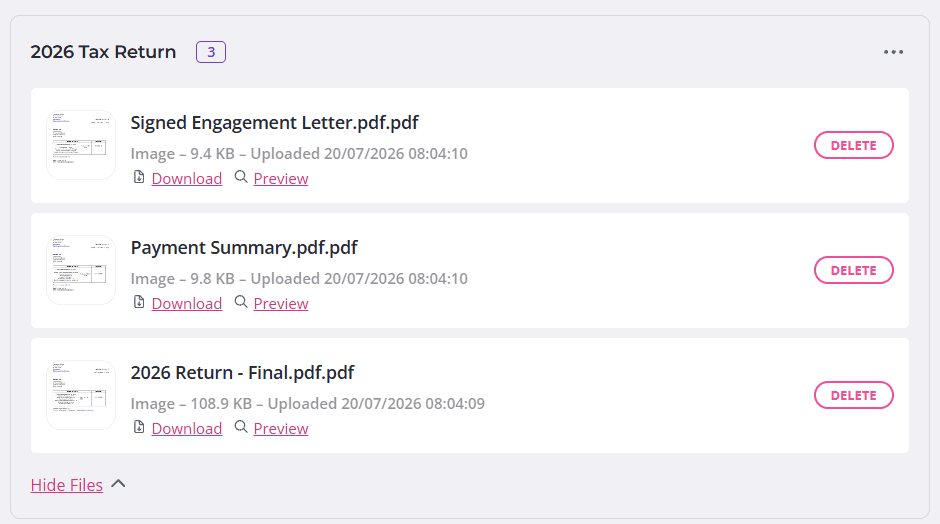
Content Snare accounting client portal - example
Files sit in groups you name to match what the clients are expecting, such as "2026 Tax Return" or "Engagement Letter". This makes secure file sharing for accountants a lot simpler than a folder buried three levels deep in a shared drive.
Besides that, client portal notifications are optional per group. A completed return can trigger an email the moment it's ready for review. Something that applies to every client at once, an updated fee schedule or a general firm notice, can go out through a global group instead, without sending 150 separate emails saying the same thing.
Delivery stays simple by design. The structure belongs on the collection side, where the chaos actually starts.
Stop chasing clients
Set up a request that specifies exactly what you need, so nothing arrives as a screenshot.
The next step: Staying organized once the files land
Collecting the right files is only half the win. The other half is what happens to them once they're actually in your system, and that's where a lot of the "downloading, organizing, and getting rid of crap" time from the intro actually comes from.
Content Snare makes this effortless, with no manual sorting required.
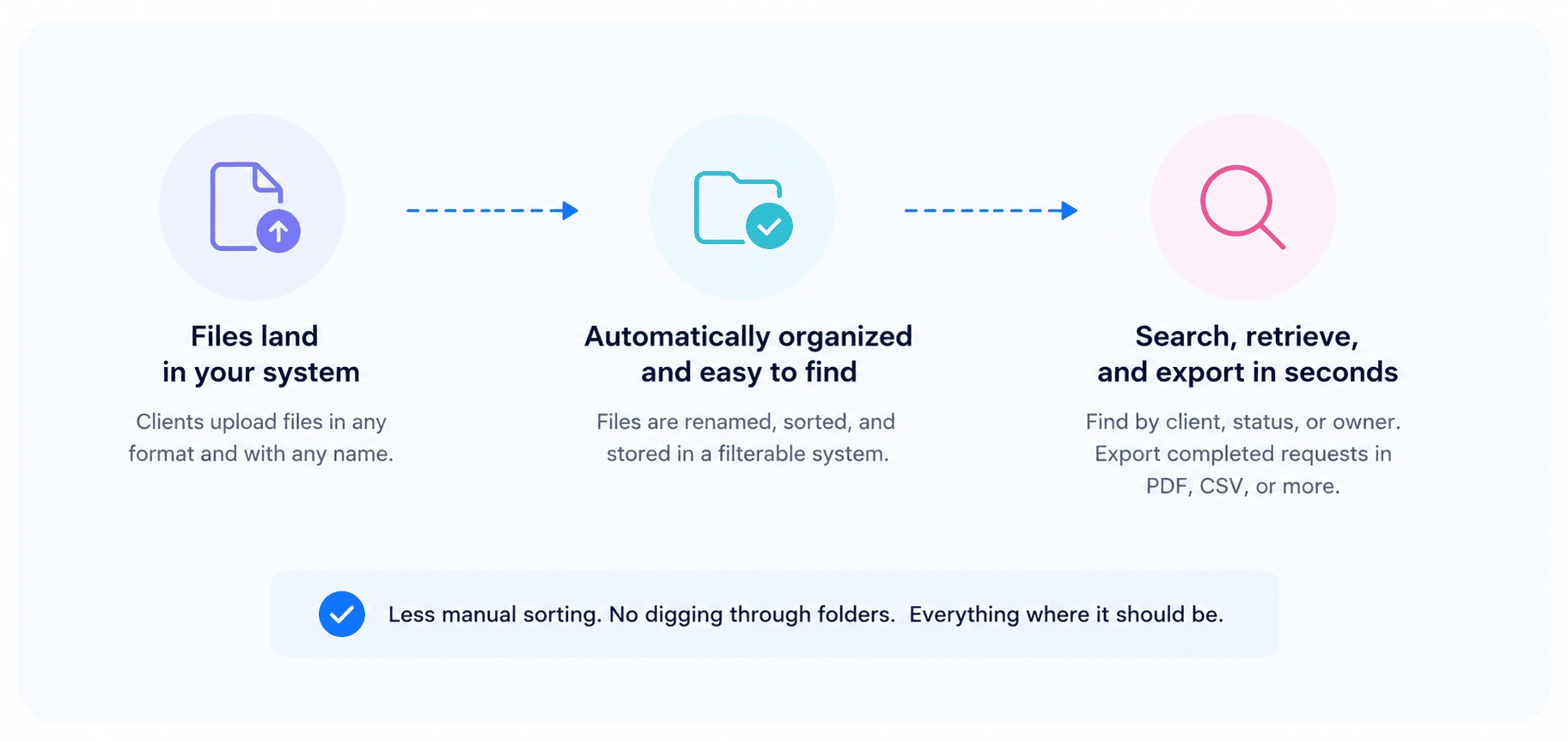
Cleaning up messy file names automatically
Clients don't name files the way accountants would. Docs like "IMG_4471.jpg" and "scan (6).pdf" are the norm, not the exception. Automatic renaming fixes this on the way in, using your own naming convention, so a file lands already labeled by client, document type, or date, no manual cleanup required before it goes into the workpapers.
Finding anything later without digging
Another benefit of using Content Snare is that every submitted file sits inside a filterable system, meaning you can quickly search requests and files:
- By client
- By request status
- By request owner
When a client calls in July asking about a document they sent in March, it's a search, not a hunt through old emails or a shared drive. Completed requests export in the format you need, PDF, CSV, or a few others, with the original submission details intact if you need to hand something off or keep it for your own records.
Security still matters, even if the mess is the bigger problem
Secure file sharing for accountants is, somewhat obviously, still about security, even after fixing the mess takes up most of the conversation. Client tax and financial records carry the same weight as any other sensitive data, so this section doesn't need dramatics, just the facts.
That’s why you’ll appreciate the fact that Content Snare is ISO 27001 certified, with military-grade encryption for files in transit and at rest, and per-company encryption keys, not a shared drive anyone with the link can browse.
FAQ
What's the real difference between file sharing software and document collection software?
File sharing tools move a file from one person to another and stop there. Document collection tools go a step further, they define what's expected, track who still owes what, and organize submissions as they arrive, rather than just handling the handoff.
Can more than one team member review what a client submits?
Yes. In Content Snare, team members with the right permissions can see incoming submissions, approve items, or flag something for correction with a comment the client sees directly on their end. That keeps review inside the same system instead of forwarding files around internally over email.
What happens if a client sends the wrong document by mistake?
Content Snare's approval step lets you reject an individual item with a note explaining what's needed instead, and the client fixes just that one piece without redoing the whole submission. It keeps a single mislabeled file from turning into a full resend.
Does switching to a client portal actually save time during busy season?
For most firms, yes, though the size of the saving depends on client volume and how document-heavy each file is. According to our survey, Content Snare users spend 71% less time gathering information. The time saved mostly comes from two places: fewer manual reminders sent by hand, and less time spent sorting and renaming what clients hand over.
How long should accounting firms keep client tax records?
Retention periods vary by jurisdiction and document type, but many firms default to seven years for tax returns and supporting records as a general rule of thumb, sometimes longer for anything tied to property or business assets. A written retention policy, reviewed against your local requirements, is worth having regardless of which tool stores the files.